

Dynamic Market v1.4.0.0

Dynamic Market v1.4.0.0
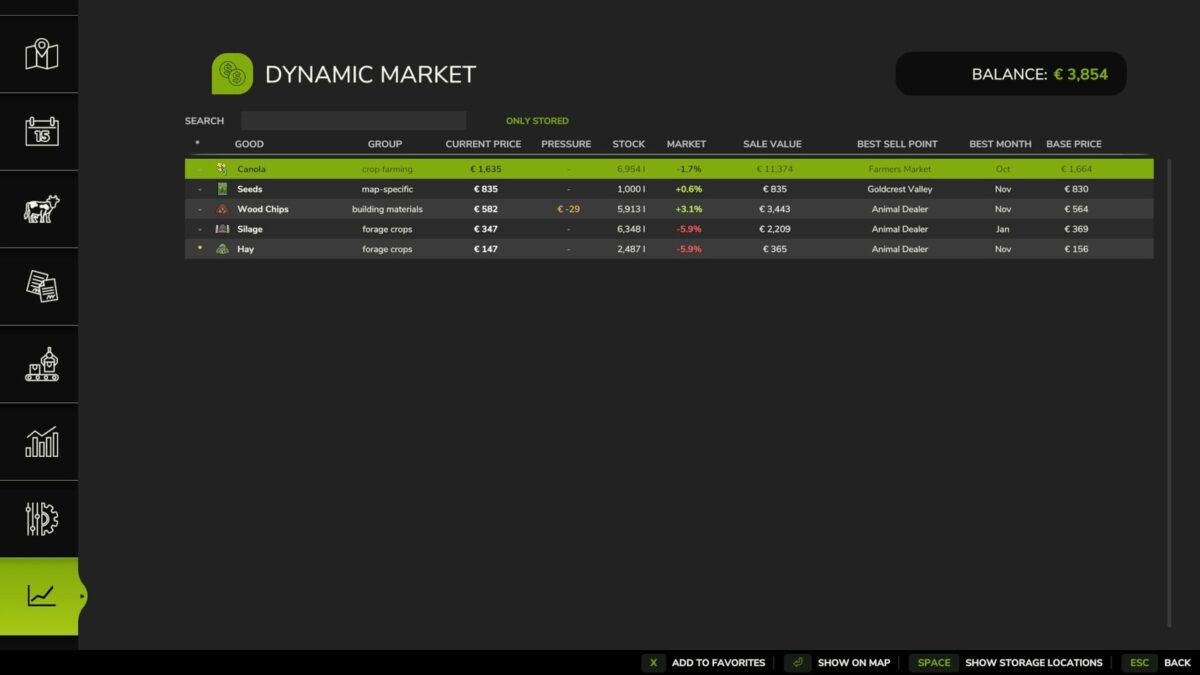
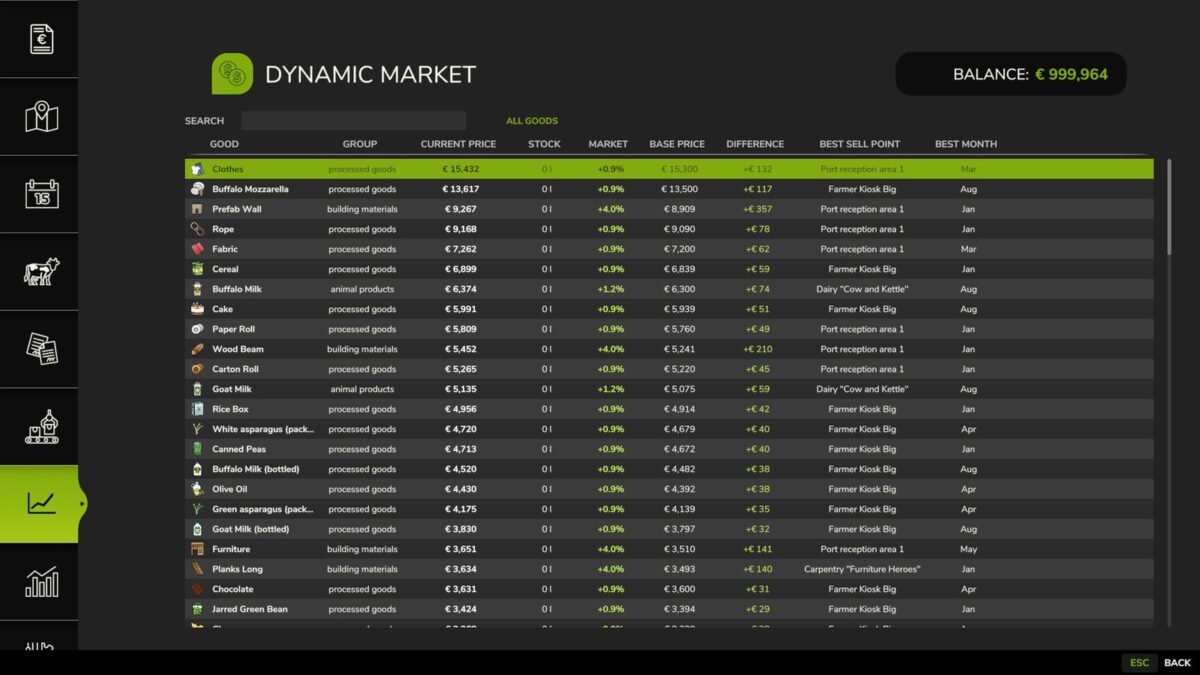
Dynamic Market makes selling prices change over time, on top of the normal seasonal swings from the base game. Each product group develops differently, so the best time to sell keeps changing.
Prices
– Additional monthly market swing on top of base game prices
– Every product group (crop farming, forage crops, animal products, livestock, processed goods, building materials, map-specific goods) follows its own price curve
– Optional yearly average mode: replaces the base game’s seasonal peaks with one stable yearly value, so you don’t have to wait for a specific month
– Sales pressure at selling stations: selling large quantities at once temporarily lowers the price there, which then recovers over time (threshold and strength adjustable)
Stock & Notifications
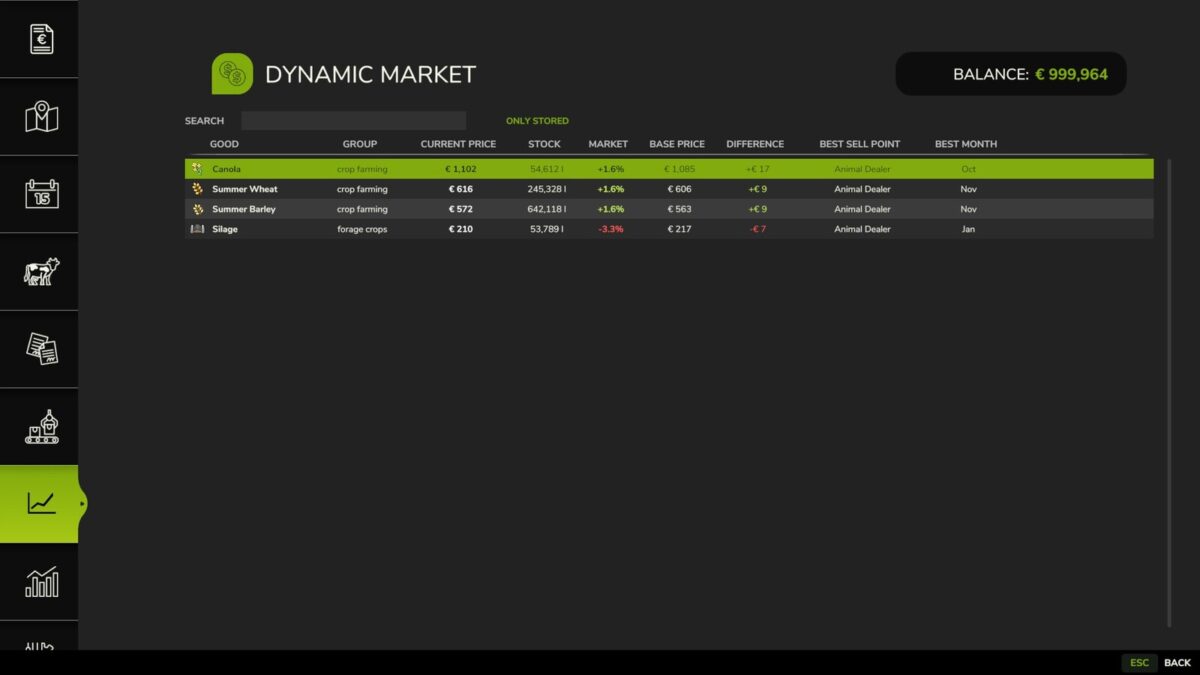
– Shows your actual stock per product: in storage, trailers/implements, and the output storage of production buildings and animal barns
– In-game notification when a good you have in stock rises notably in price
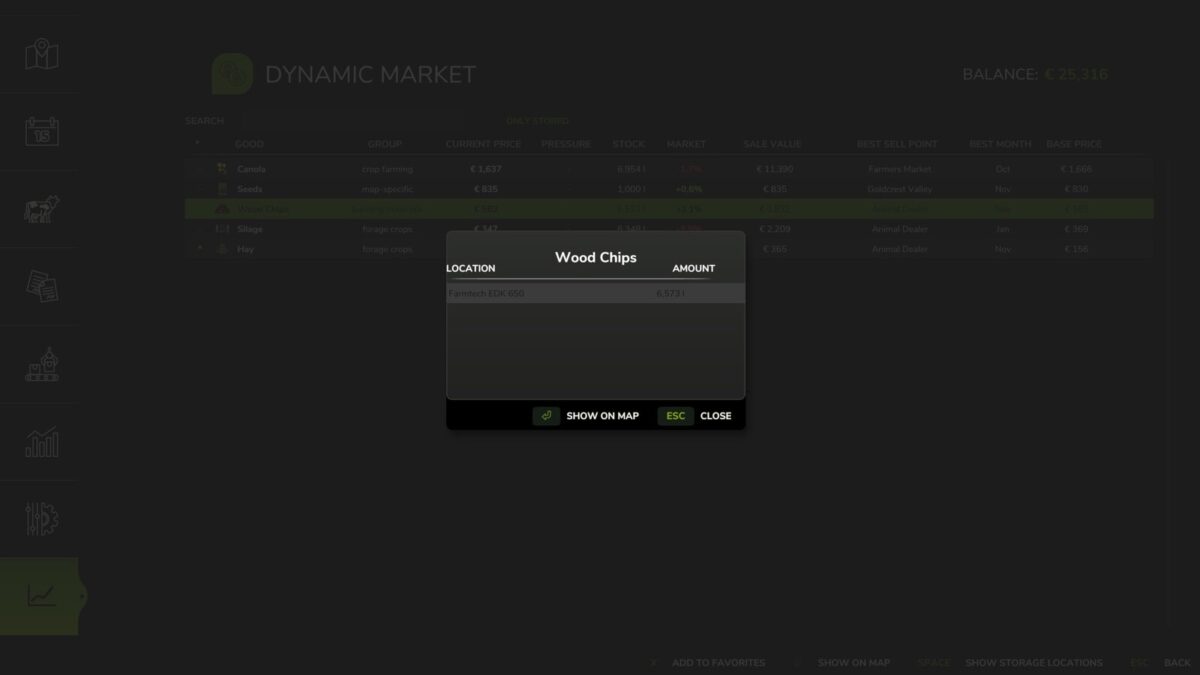
– Show an item’s storage locations at the press of a button, including map markers for the storage location and the best sell point
Overview
– Dedicated market screen with base game price, adjusted price, percentage difference, selling location and best selling month
– Search, storage filter and sortable columns for fast navigation
Favorites
– Mark goods as favorites directly in the market overview
– Filter the overview to show only favorites, and sort by favorite
– Favorites are saved with your savegame
Automatic detection
– Automatically detects sellable goods from any map or mod, without manual setup
– Goods that don’t fit an existing group but can genuinely be sold end up in their own “Map-specific” group instead of being ignored
– Manual group assignment available for special cases
Multiplayer
– All market calculations run server-side, so every player sees the same prices
GitHub: https://github.com/Nalathan01/FS_Dynamic_Market/issues
Bug reports please only via GitHub or Forbidden Mods. Comments on other download sites cannot be read or answered.
Changelog 1.4.0.0:
– Russian language added (thanks to Frezer89)
– Ukrainian language added (thanks to MarkusVII)
– Goods from the “Beans and Alpacas” DLC (coffee, bananas, alpaca products) as well as fish, ores and other previously unknown goods are now sorted into the matching product groups instead of “map-specific”
– Fixed: road salt wrongly appeared as a tradable good
– Fixed: some languages showed wrong amounts for the sale pressure threshold
Changelog 1.3.2.0:
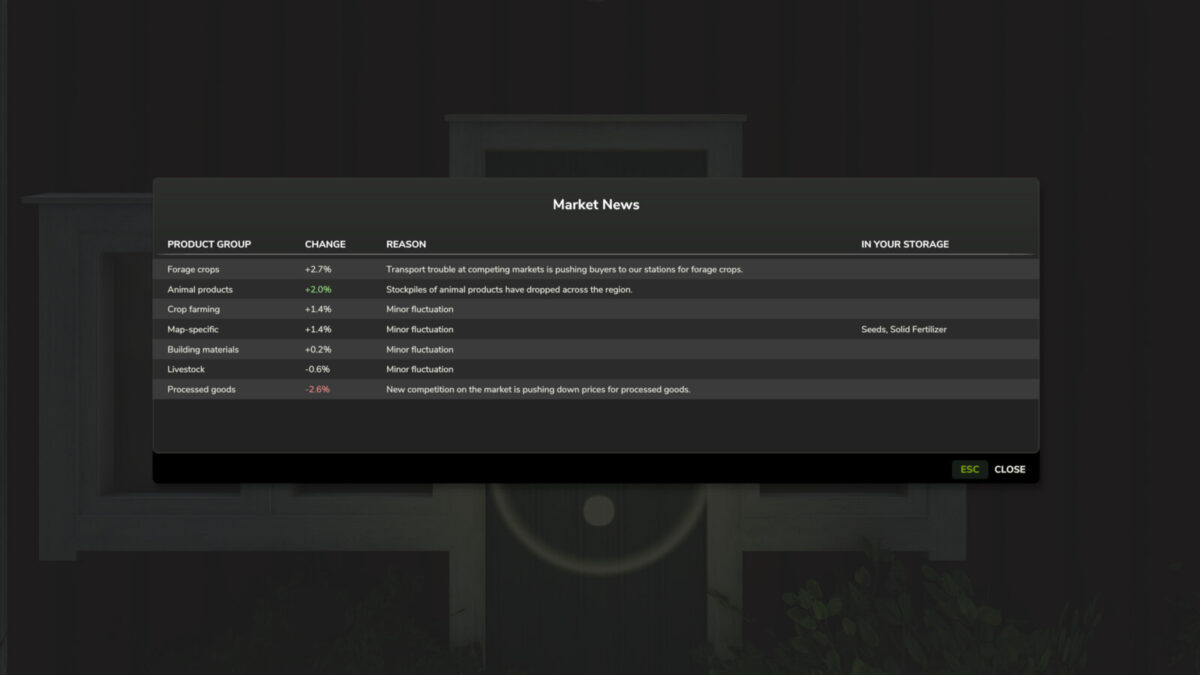
– Hotfix: the Market News window now only opens automatically after loading a savegame and no longer at the start of a new month. Afterwards you can open it anytime from the market tab in the pause menu
– Hotfix: the game no longer stops responding to input when a new month starts while sleeping. The Market News window now waits until you are awake and no menu is open
Changelog 1.3.1.0:
– New: “Market News” window opens automatically at the start of each month and lists all product groups sorted, with change, reason and the affected goods in your storage. Can also be opened anytime from the market tab
– New: processed goods now follow the prices of their raw materials and never drop below the value of the raw materials used, also for map and mod productions
– Fix: goods that a map hides from the price table (e.g. animal sale workarounds) no longer show up with absurd prices
– Compatibility with the current game version