

Equipment Vehicles Rental v1.0

Equipment Vehicles Rental v1.0
Rent equipment for several hours, days, or months.
Extend the contract when the work takes longer, return the machine when you no longer need it, or buy it out.
Every rental payment counts toward the purchase price.
Flexible rental period.
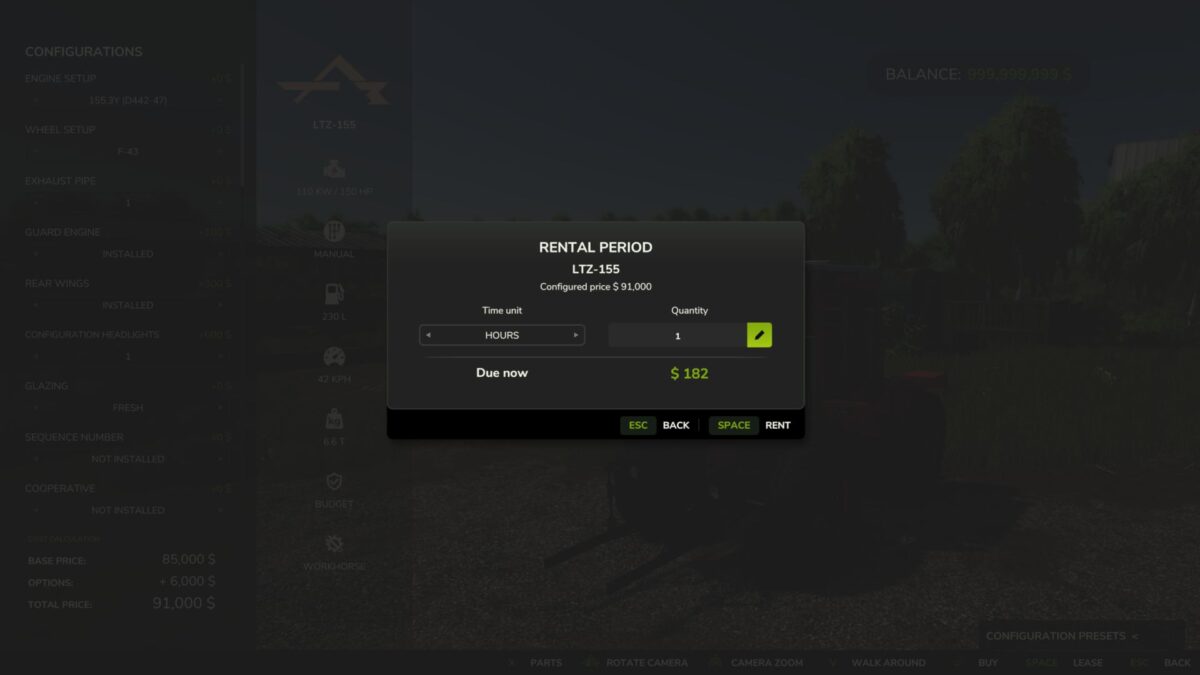
Choose hours, days, or months and specify the required amount.
The amount due is displayed before confirmation.
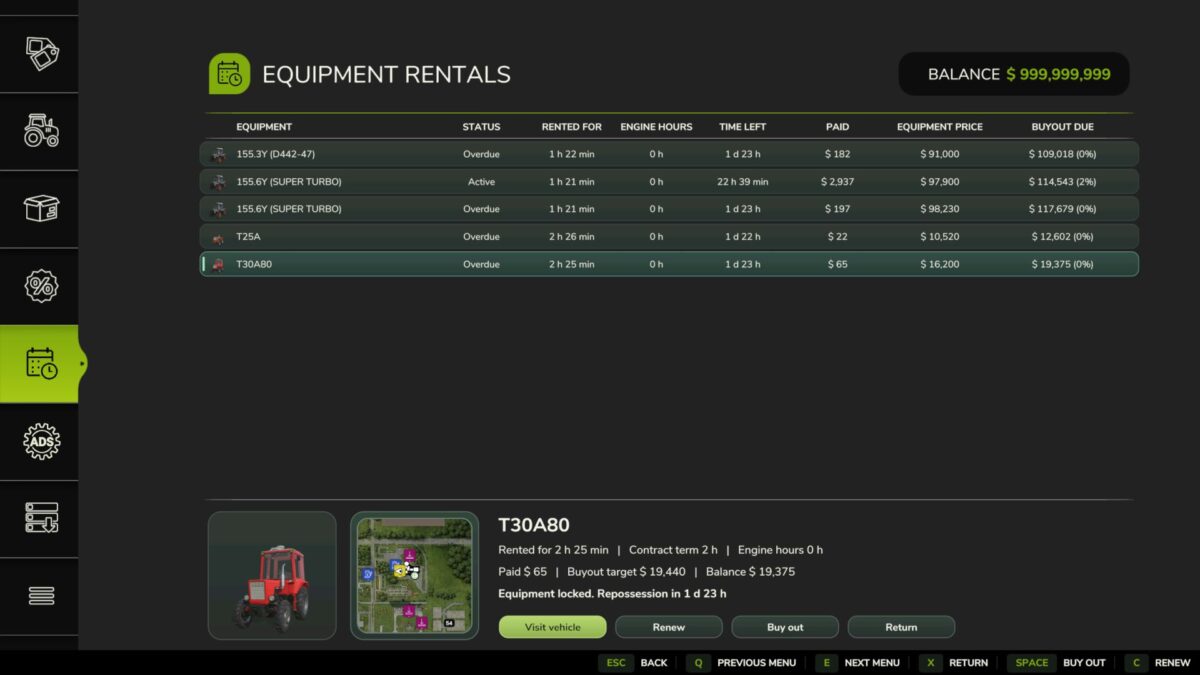
The quipment Rental tab shows the contract status, remaining time, operating hours, payments made, and the remaining buyout amount.
From the list, you can go directly to the selected machine.
Buyout of the rented machine.
Pay the remaining amount and the equipment will become the property of your farm.
48 ingame hours to extend.
When the contract ends, the equipment is locked.
If you do not extend the rental within 48 ingame hours, the lessor will collect the equipment.