

Farm Survival v1.0

Farm Survival v1.0
FS25 FarmSurvival – Hunger, Thirst & Sleep System
FarmSurvival brings a new level of realism to Farming Simulator 25 by introducing a survival system featuring hunger, thirst, sleep, and realistic sound effects for every character need.
Main Features
Hunger System: Eat regularly to keep your character healthy. Realistic stomach growling sounds warn you when your character is hungry.
Thirst System: Drink water and other beverages to stay hydrated, with dedicated warning sounds when hydration levels drop.
Sleep System: Get enough rest to avoid exhaustion, accompanied by realistic tiredness and sleep-related sounds.
Realistic Sound Effects: Hunger, thirst, and fatigue each have their own dedicated sound effects, making the survival experience more immersive.
Visual Effects: Ignoring your character’s needs can cause temporary screen darkening and other visual warnings.
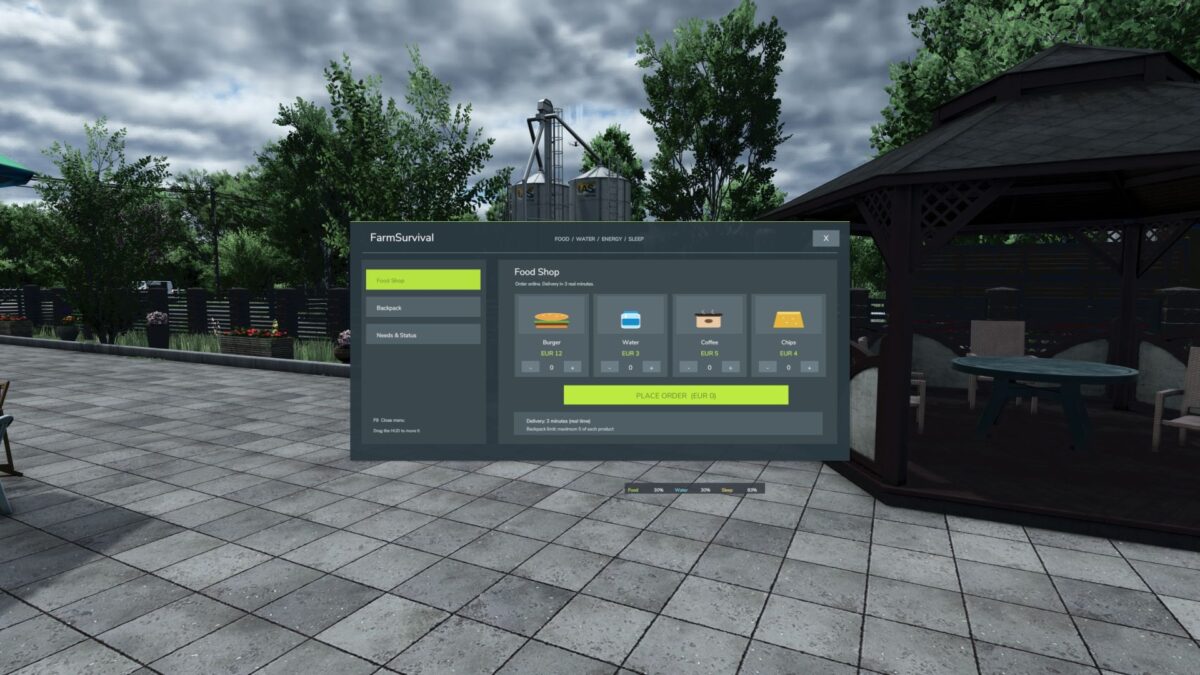
Online Shop: Purchase food and drinks directly through the mod’s built-in shopping menu.
Realistic Delivery System: Ordered products are delivered directly to your backpack after 3 real-life minutes.
Personal Backpack: Store and consume purchased products, with a maximum capacity of 5 units per product.
Customizable HUD: Hunger, thirst, and sleep levels are displayed on screen. You can freely move and position the HUD anywhere on your screen using your mouse. Your chosen position is automatically saved.
Controls
F9 – Open and close the FarmSurvival menu, including the online shop and personal backpack.
Mod Purpose
FarmSurvival transforms everyday farming activities into a more immersive and realistic experience. In addition to managing your farm, you must take care of your character’s hunger, hydration, and sleep.
Eat, stay hydrated, get enough rest, and enjoy a more realistic farming experience with immersive sound and visual effects!