Ingersoll Rand SD100 v1.0

FS25 mods

Ingersoll Rand SD100 v1.0

About the mod:

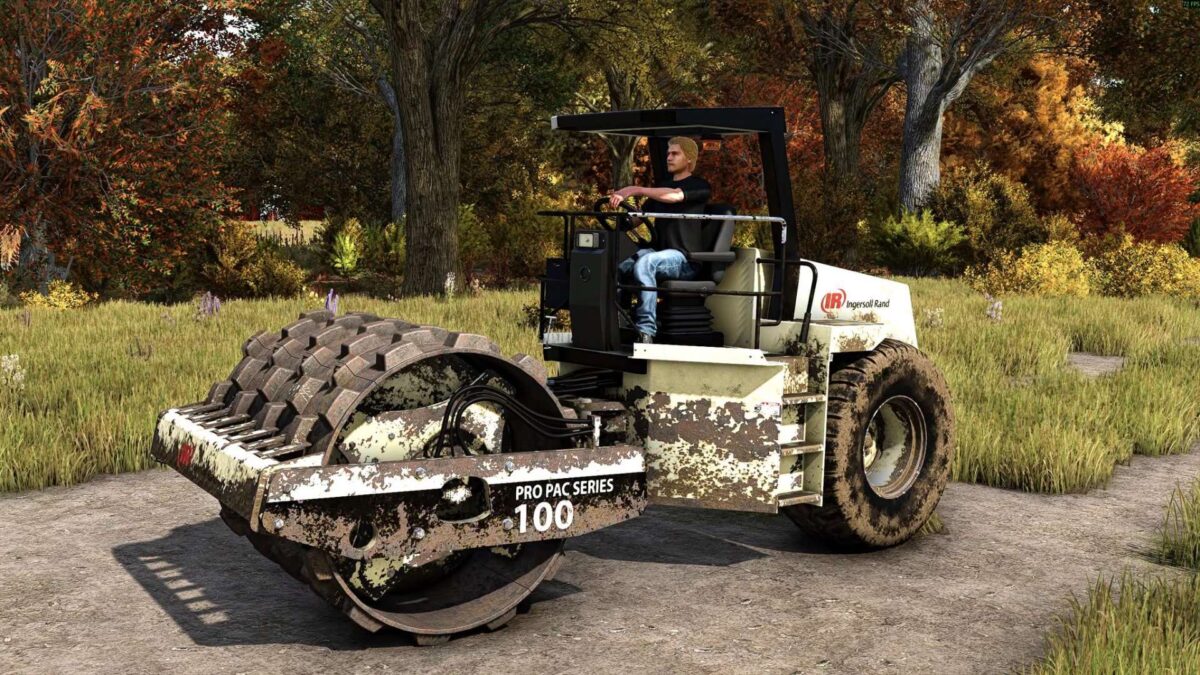
Bring a classic road construction machine to your farm with the Ingersoll Rand Pro Pac 100 Soil Compactor!
This single-drum vibratory roller features a rugged design and weathered appearance, making it a great addition to construction, roadwork and landscaping projects.

Features:
Ingersoll Rand Pro Pac 100 soil compactor
Detailed model and realistic weathered textures
TerraFarm support for terrain shaping and compaction
Ideal for road construction and landscaping projects

TerraFarm Compatible!
Enjoy bringing your construction projects to life with the Ingersoll Rand Pro Pac 100.

Credits:
Tri State Crew

How to install FS17 mods?

Firstly find a mod which you like and want to download. Then download a mod to your PC. Mods are usually in .zip format file. But sometimes it can be in .rar. If a mod file is a .zip format no needed additional actions. If a file is in .rar, then you must unarchive mod with software like WinRar or Zip7. Windows 10 users no need to use software for archives, Win10 itself has a feature to unarchive files.

The next step is to find mods folder in your PC. Usually, it is in Documents/My Games/Farming Simulator 17/2017. Open the "mods" folder and put downloaded .zip archive or unarchived .rar file to this folder.

Last step. Enjoy of FS17 mods!

Leave a Reply

Your email address will not be published. Required fields are marked *