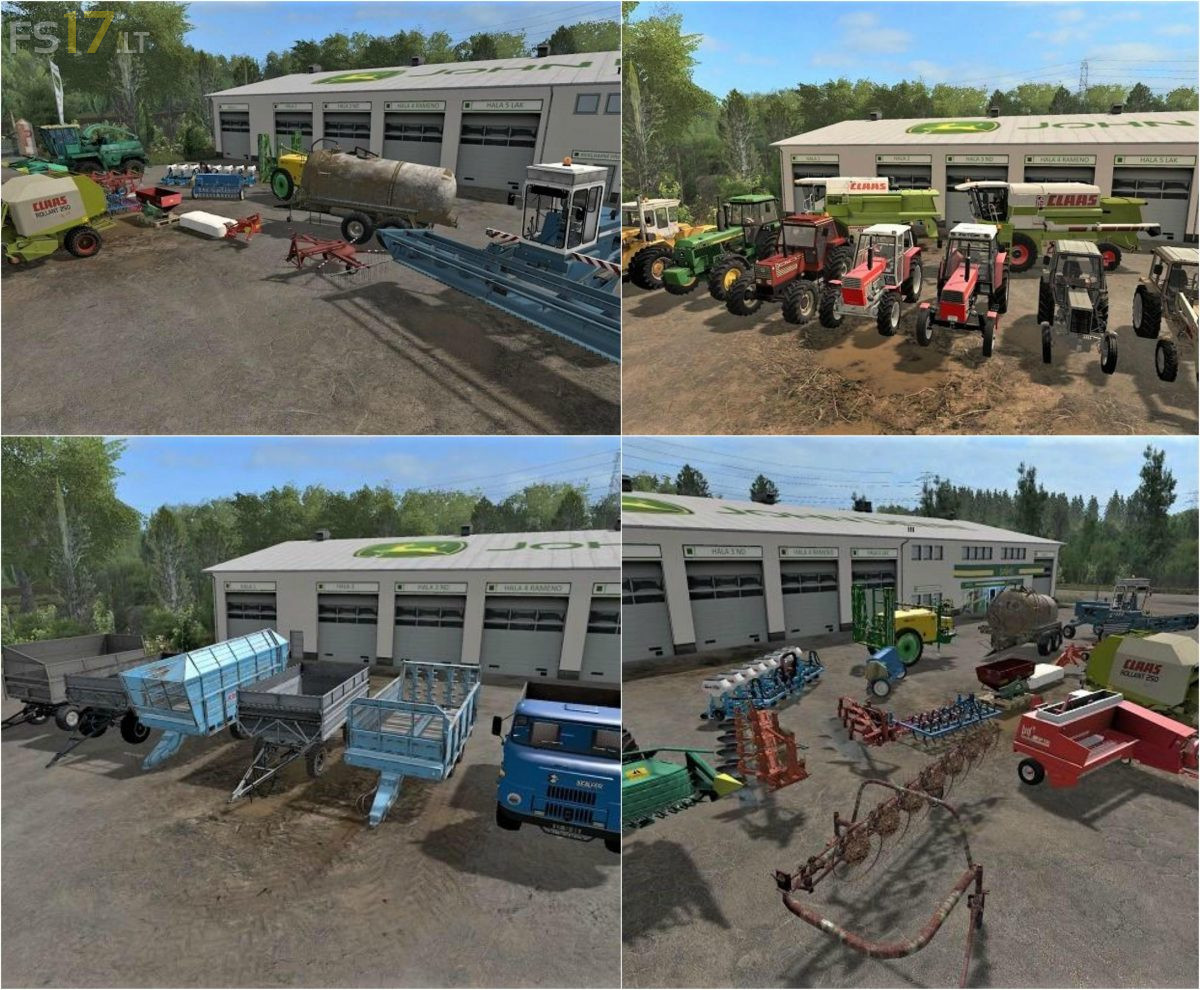
Hungarian Mods Pack v 1.0

FS19 mods

About the mod:

The Pack consist of Hungarian Mods:
– Raba Steiger 250/300
– Unia Atlas 5p
– Bomet 3
– Claas Rollant 250RC
– Claas Dominaotr 88s
– Claas Mega 208
– Fortschritt E303
– Fiatagri 140-90DT
– Gorenc 220
– Forstschritt HTS 100
– Fortschritt HW60_11
– Fortschritt HW80_11
– IFA L60
– John Deere 4850/4955
– Poettinger 300
– Sip Vihar 80
– Fortschritt T088
– Unia Mx850
– Unia Pilmet Rex
– Lely Welger Ap 730
– Zetor 8045
– Zetor Crystal 12011
– Krone Emsland
– Monosem
– MTZ 80/82
– Kuhn 66
– Samasz 260
– Don 680m
– Poznaniak s043
– TD700

Credits:
VertexDesign, Catfan18, ARM-Team, Rsonic30, Alali, Mr.Dinamit88, Rival, Nedi, Rewers

How to install FS17 mods?

Firstly find a mod which you like and want to download. Then download a mod to your PC. Mods are usually in .zip format file. But sometimes it can be in .rar. If a mod file is a .zip format no needed additional actions. If a file is in .rar, then you must unarchive mod with software like WinRar or Zip7. Windows 10 users no need to use software for archives, Win10 itself has a feature to unarchive files.

The next step is to find mods folder in your PC. Usually, it is in Documents/My Games/Farming Simulator 17/2017. Open the "mods" folder and put downloaded .zip archive or unarchived .rar file to this folder.

Last step. Enjoy of FS17 mods!

One thought on “Hungarian Mods Pack v 1.0”

  • skn says:
    2023-08-05 at 11:47

    Thx for me

Leave a Reply

Your email address will not be published. Required fields are marked *