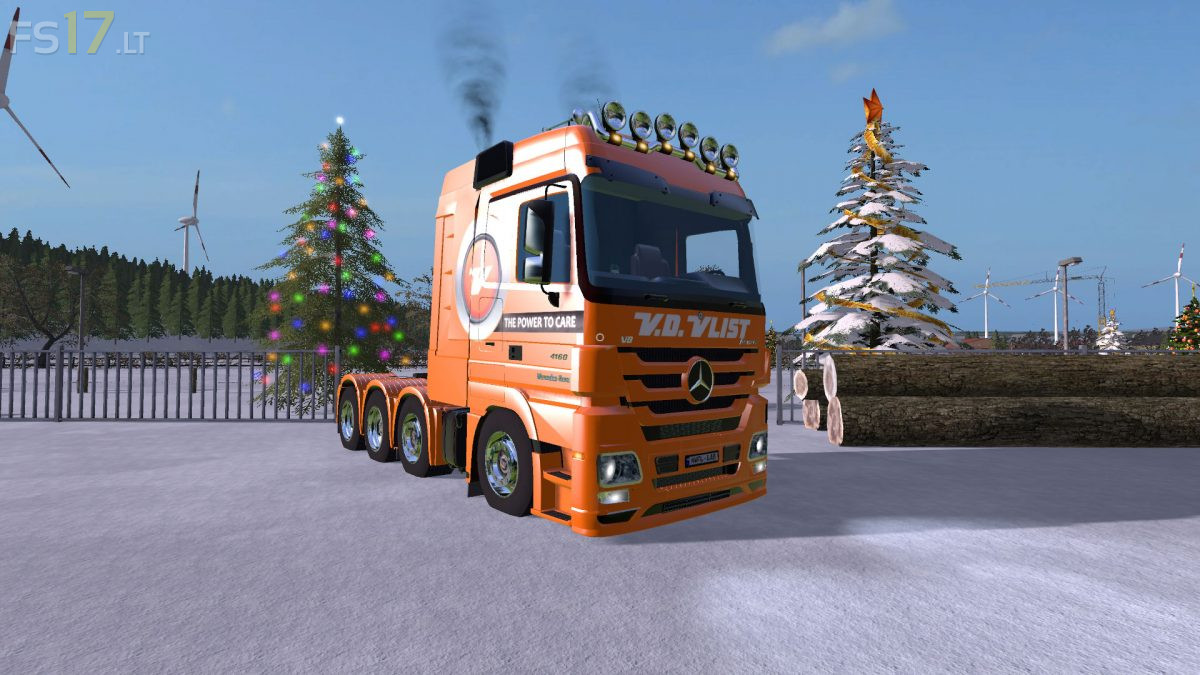
Mercedes Benz Actros Van der Vlist Edition v 1.0
About the mod:
– Speed 135 km/h
– Selectable Attacher
– Rear and front worklight
Credits:
Rolam
How to install FS17 mods?
Firstly find a mod which you like and want to download. Then download a mod to your PC. Mods are usually in .zip format file. But sometimes it can be in .rar. If a mod file is a .zip format no needed additional actions. If a file is in .rar, then you must unarchive mod with software like WinRar or Zip7. Windows 10 users no need to use software for archives, Win10 itself has a feature to unarchive files.
The next step is to find mods folder in your PC. Usually, it is in Documents/My Games/Farming Simulator 17/2017. Open the "mods" folder and put downloaded .zip archive or unarchived .rar file to this folder.
Last step. Enjoy of FS17 mods!



dear mod-maker
i was wondering, if you could make a mod for me because m not so handy myself so if i would TRY to make a mod it is a disaster. please send me an email back if you want to make the mod for me. the mod is a ginaf X4241S, it is a truck from the netherlands and its in work for the company: Millenaar en van Schaik.
greets from holland
dear mod-maker
it is me again. i forgot to put my email adress in my other comment so ill give you my email so you can let me know if you will make the mod for me. merry christmas by the way
greets from holland
email adress is: [email protected]