

John Deere 7R Series Europe Pack v 1.1.1

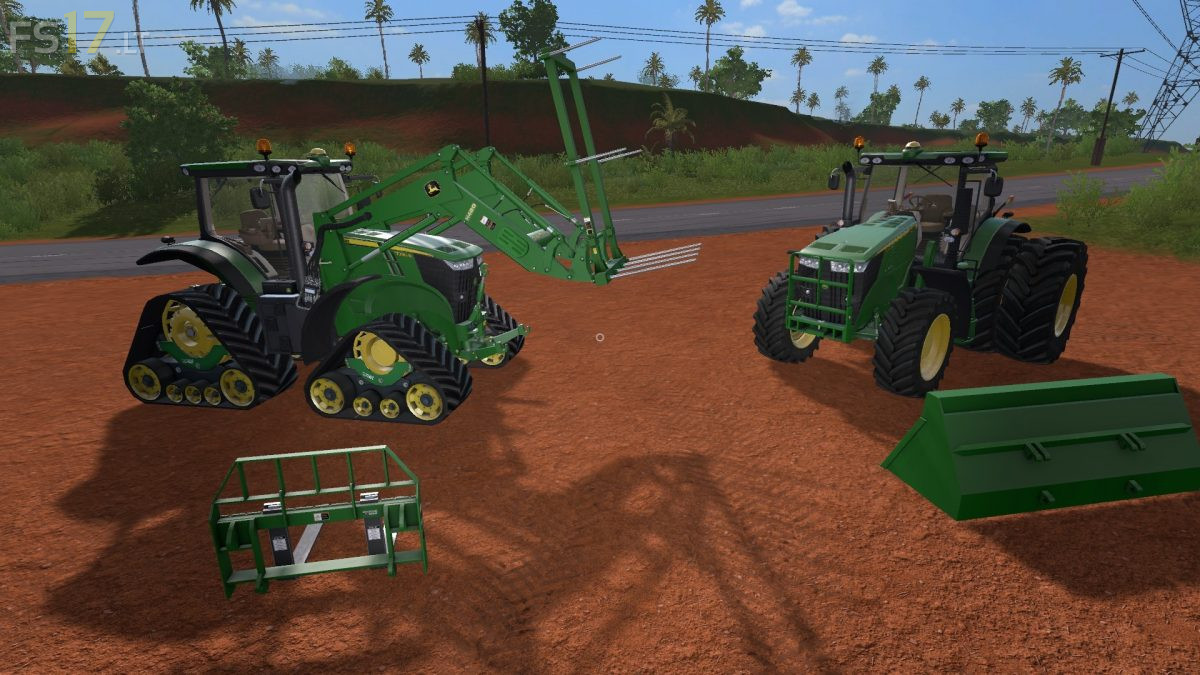
John Deere 7R Series Europe Pack v 1.1.1
Two John Deere Tractors:
– John Deere 7R PSX 6.8L Europe
– John Deere 7R PVX 9L Europe
Features:
– John Deere 7R PSX 6.8L Europe Engine Setup: 200 hp, 215 hp
– John Deere 7R PVX 9L Europe Engine Setup: 230 hp, 260 hp, 280 hp
– Realistic dimensions and Weight
– Realistic Sound
– Fully animated
– Complete control with Interactive Control, new generation (also outdoors and before getting into the tractor) (new script by Martin Fabik)
– Real sound of the cooling fan, typical for this series (new script by Martin Fabik)
– 3D model changes and improves in detail
– Large selection of tires with original sizes for the series
– Rubber track, Zuidberg originals
– Cabin, driving position and dynamic camera
– Adjustable indoor camera
– External mirrors, adjustable in 3 directions with the mouse
– Complete set of rear ballast with variable weight depending on the type (new script from Mogli)
– Original front ballast dedicated to mod
– Frontloader H480 only compatible with mod, with Dynamic Hoses support
– Third point attack, dynamic
– Tool support with Dynamic Hoses
– Basic equipment for the H480 Frontloader with Cat.2 coupling
– Integrated transmission compatible transmission
– Automatic activation of windscreen wiper
– Variable internal sound with opening doors and sounds of the tailgate
– Dirt / washable
Included:
– Heavy Duty BW 15904 Shovel: capacity 1200 liters
– High Volume BW 16004 Shovel: capacity 1960 liters
– AB18K Fork
– AB112G Palet Fork
– John Deere H480 Frontloader
– 1.047 kg John Deere Front Weight
Version 1.1.1:
* Improve some Textures and details on Tractors
* Removed error MP, BeaconLightevent
* Added IC to activate the differentials and 4WD
* Removed IC BeaconLight Command
* Correct MR Weight on the H480 tools
* Changed the Specular Texture on the H480
* Added the Pallet Fork with adjustable Spikes AB12G
I want John Deere tractors in this game
Best JD so far in game with Look, options and more! Driving awesome!
fs19 has john deere in the game
how to install pls