

New Holland T6 Pack v 1.2

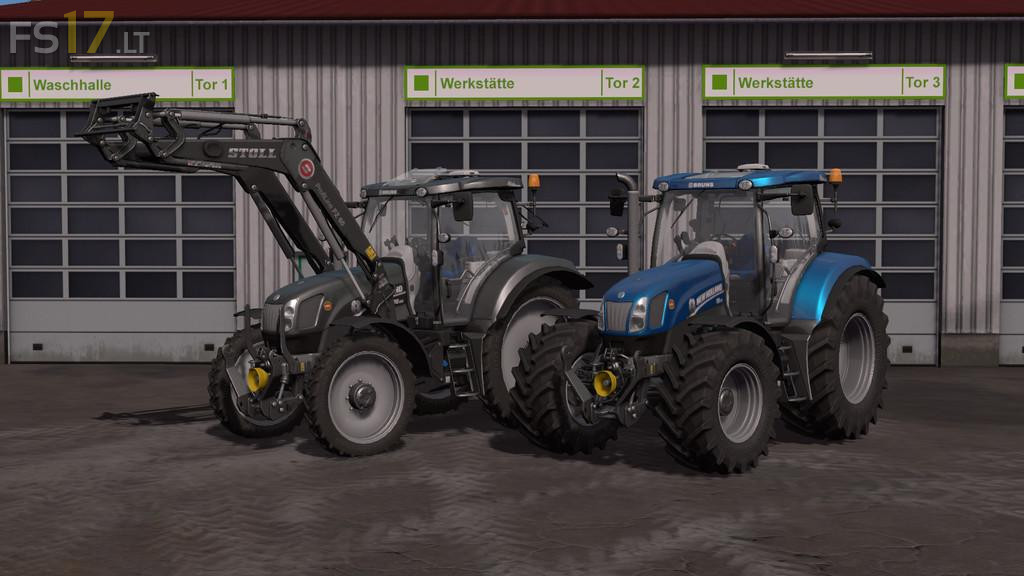
New Holland T6 Pack v 1.2
About the mod:
Two New Holland T6 Tractors:
New Holland T6 4 Cylinder:
– Engine Setup: 121 hp, 143 hp, 154 hp, 163 hp
– Selectable Attachers
– Frontloader Attacher
– Selectable Wheels
– Selectable Rim Color (4 Colors)
– Selectable Design
– IC Control
– Dirt / washable
New Holland T6 6 Cylinder:
– Engine Setup: 154 hp, 165 hp, 175 hp
– Selectable Attachers
– Frontloader Attacher
– Selectable Wheels
– Selectable Rim Color (4 Colors)
– Selectable Design
– IC Control
– Dirt / washable
Version 1.2:
* Fixed Dynamic Hoses positions
* Fixed Attacherjoint positions
* Fixed Front PTO position
* Added beacon light configurations, extendable and retractable by IC
* Added front linkage configartion
* Added Stoll FZ30, New Holland 750TL with Dynamic Hoses
Credits:
madabub