

AI Vehicle Extension v 1.1

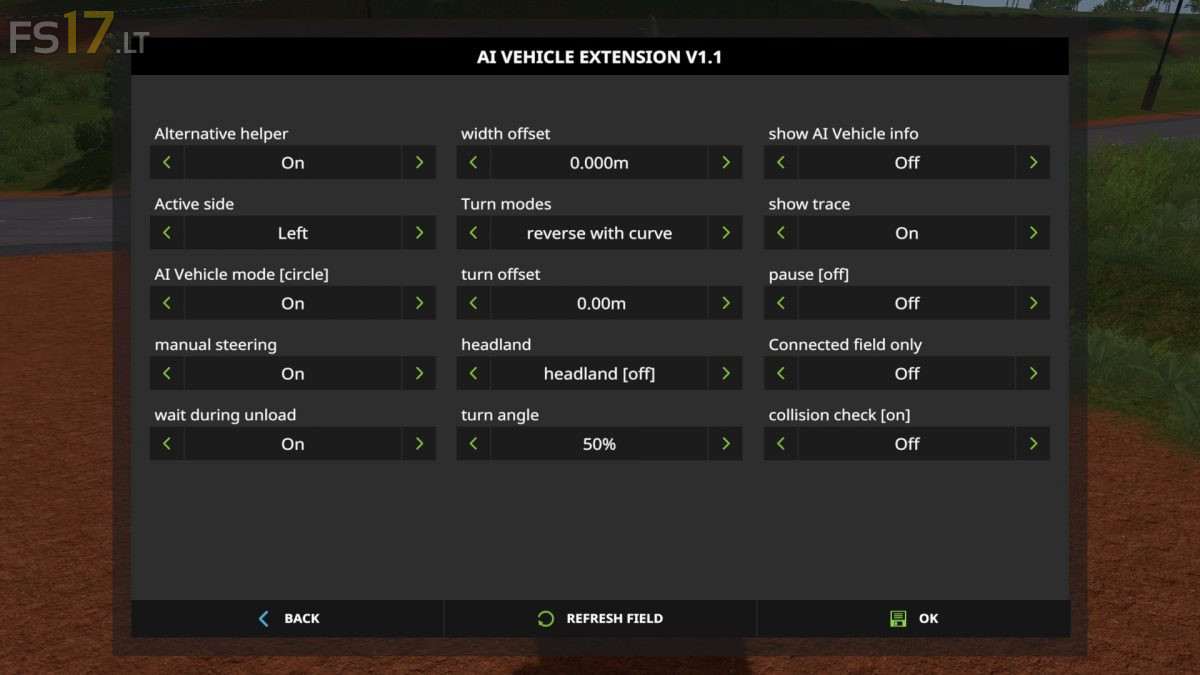
AI Vehicle Extension v 1.1
AIVehicleExtension contains an alternative hired worker that can work on fields with irregular edges. It has some additional features like a circular mode and headland support.
This mod automatically inserts itself into all vehicles if they already support the normal hired worker. Only exception are vehicles with articulated axis.
When starting this alternative helper it briefly scans the field at the current vehicle position. But apart from this, the alternative hired worker has only a little idea of where it is on the field. Instead, this mod looks, starting from the current position, for the border between untouched and already worked area is.
Here are the most important input bindings:
– H: Start or stop the hired worker
– Left shift + H: Open the settings dialog
– Left control + H: Open the head up display
– Left alt. + H: Toggle automatic steering
– Left alt. + V: Raise or lower all tools
– Left alt. + 5: Toggle circular mode
– Left alt. + 6: Swap side
– Left control + Tab: Jump to next hired worker
Version 1.1:
* Improved edge detection
* Auto steer
* Change of headland mode in HUD
* Support of vehicles with articulated axis in combination with trailer or trailer low attacher