

Fendt Vario 1000 Series Pack v 3.0

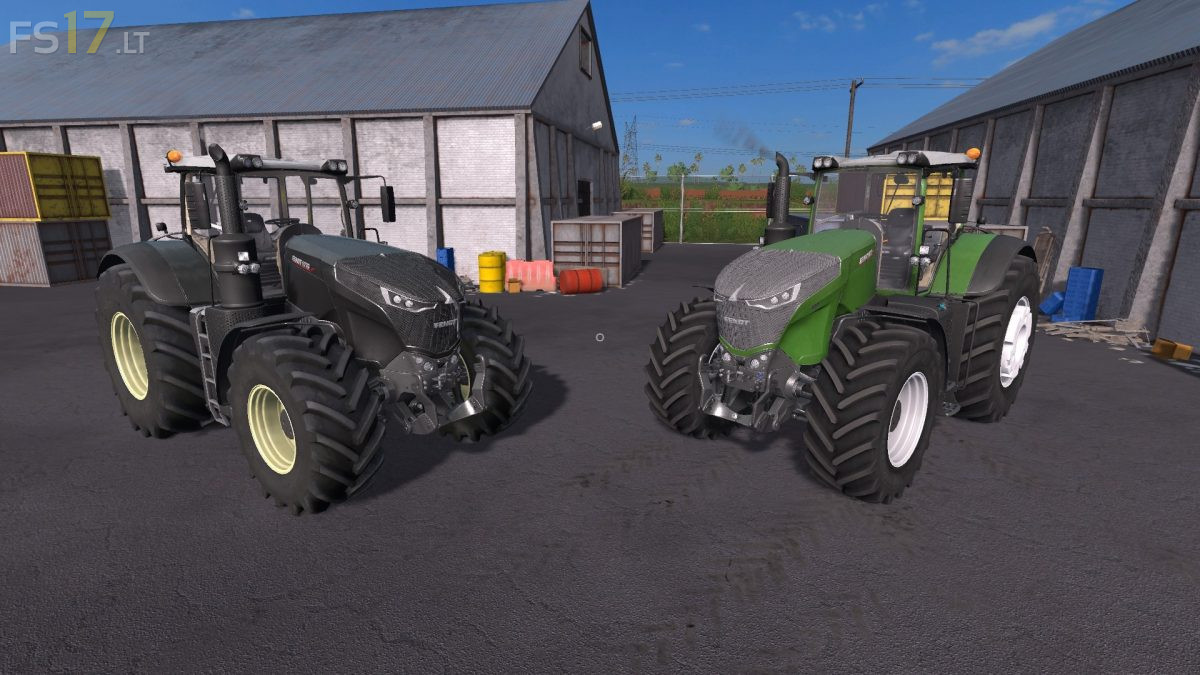
Fendt Vario 1000 Series Pack v 3.0
About the mod:
Two Fendt Vario 1000 Series Tractors:
– Standard
– Black Beauty
Features:
– Engine Setup: 396 hp, 435 hp, 476 hp, 517 hp, 600 hp
– Selectable Wheels
– Selectable Design
– Selectable Rim Color (3 Colors)
– IC Control
– Dirt / washable
Version 3.0:
* Added Black Beauty Version
* Texture changes
* New Grill Configurations (Available Real Aplha Grill)
* New Michelin XL Tires Configuration
* New Trelleborg Tires Texture
* Fixed IC Script (Function Descriptions)
* Fixed Windows texture
* Fixed Lights
* Added Indoor Sounds
* Hydraulic Animation changes
* New Dynamic Exhaust System
* Corrected attachers (Front/Rear)
* Added Front Dynamic Hose
Credits:
T0bi69, TechMod