

Richard Western SF16 Trailers Pack v 1.0

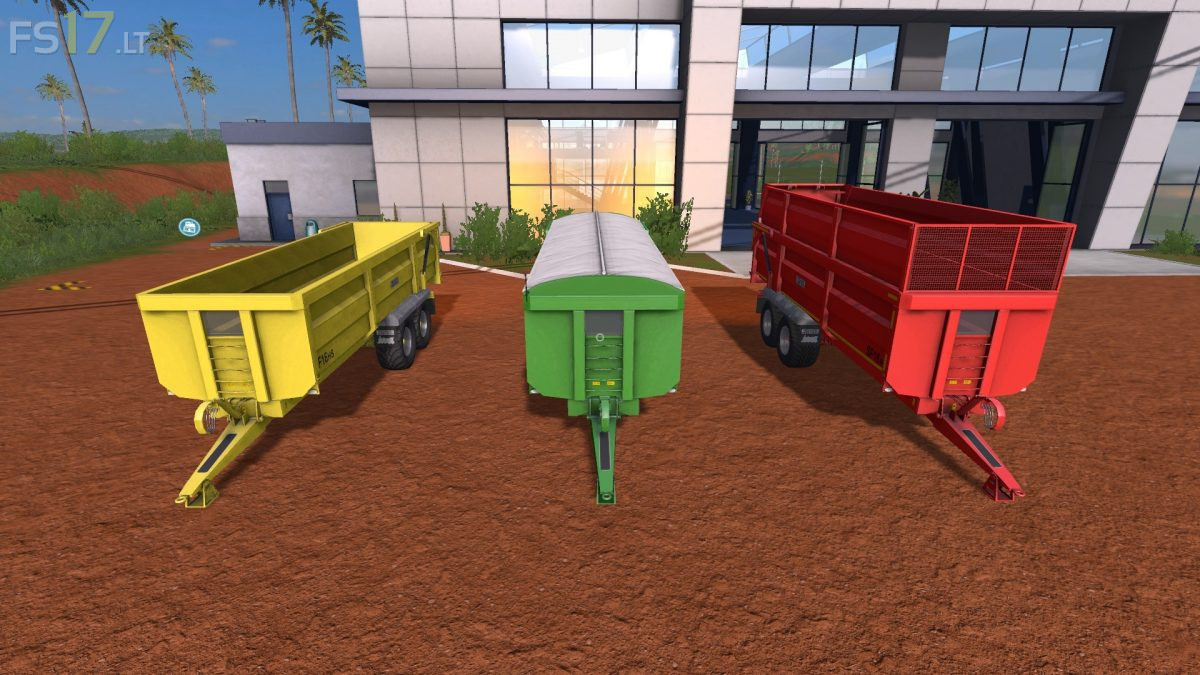
Richard Western SF16 Trailers Pack v 1.0
About the mod:
3 Richard Western SF16 Trailers:
– Richard Western SF16: capacity 21090 liters
– Richard Western SF16 Cover: capacity 21090 liters
– Richard Western SF16 Silage: capacity 34940 liters
Features:
– Attachers – Option for multiple trailer hookup.
– Default colour with colour options and matching hubs.
– Wheel setup choice (Road, Twin radial, Flotation).
– Design configurations – Standard, extra light pack, High visibility strips, rear spot lamps and multiple mix and match options to suit operator.
– Design colour for roll sheet (variation dependent).
– Standard body of galvanized wheel guard body.
– Dirt / washable
Credits:
Petorious, Iceblade modding, Karolis2051