
Straw to Match the Bales Texture v 1.0
FS19 mods

About the mod:

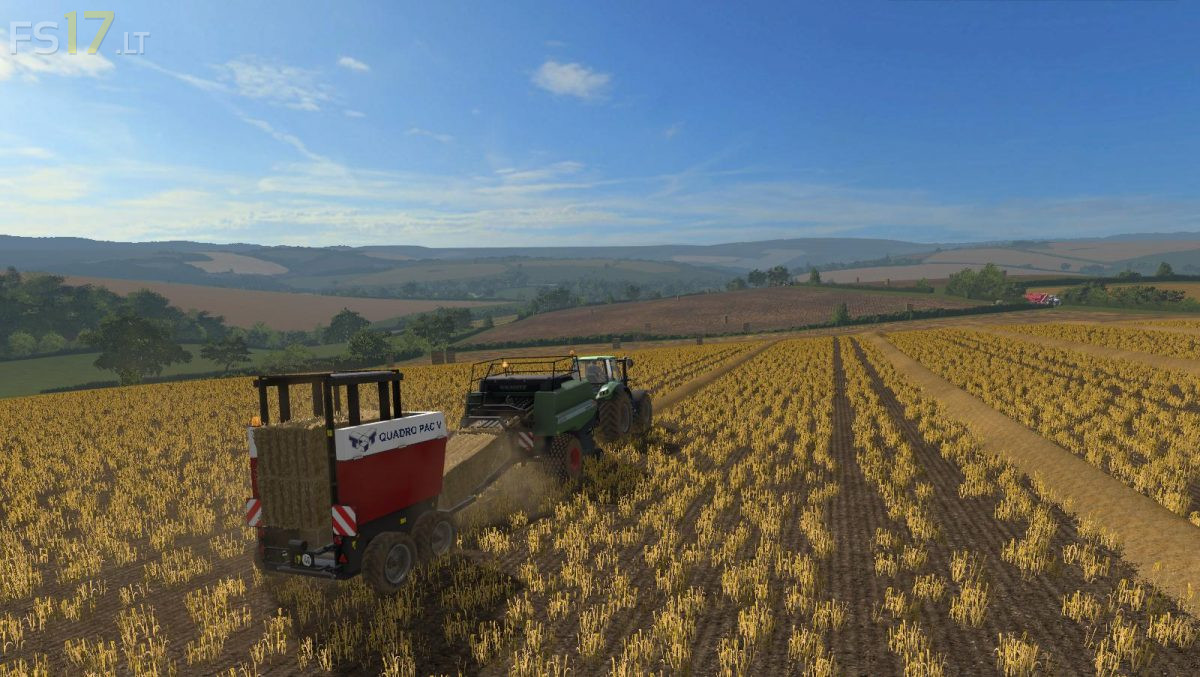
The default straw windrow is a very pale colour and looks odd when contrasted against either the bales or the crop, this texture file addresses that issue, the straw matches the bales, so it looks the same comingout of the baler as it does going in, as well as the straw from the combine too. Also it looks less incongruous laying on the field. These files need adding manually, instructions in the readme file.

Credits:
Giants, KimG

How to install FS17 mods?

Firstly find a mod which you like and want to download. Then download a mod to your PC. Mods are usually in .zip format file. But sometimes it can be in .rar. If a mod file is a .zip format no needed additional actions. If a file is in .rar, then you must unarchive mod with software like WinRar or Zip7. Windows 10 users no need to use software for archives, Win10 itself has a feature to unarchive files.

The next step is to find mods folder in your PC. Usually, it is in Documents/My Games/Farming Simulator 17/2017. Open the "mods" folder and put downloaded .zip archive or unarchived .rar file to this folder.

Last step. Enjoy of FS17 mods!

One thought on “Straw to Match the Bales Texture v 1.0”

  • Ben Venz says:
    2018-06-06 at 07:52

    How did you get the crop destruction on the left over stubble???

Leave a Reply

Your email address will not be published. Required fields are marked *