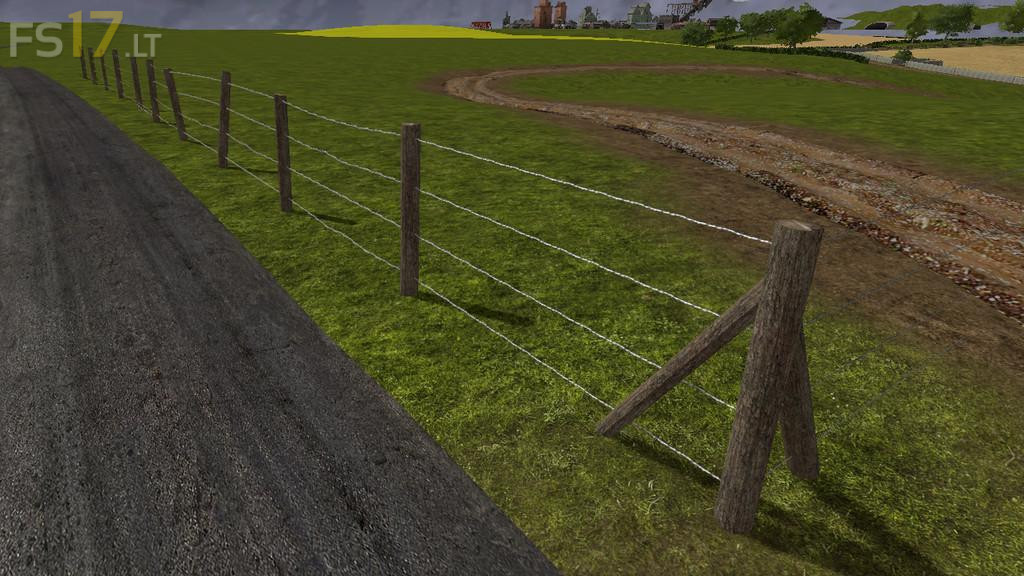
Barbed Fence Pack (Prefab) v 1.0
About the mod:
A simple barbed wire kit for placement within your maps. There are a set of variations and 2 prefabricated pieces, each piece has optional barbed wires at the end for attachment to another piece, and any unwanted parts are to be deleted. The kit has been set up with LOD’s and already set to 350 clip for the posts, and 160 for the wires. There is also a corner piece which will make less time for placing parts together to prefabricate it yourself.
Credits:
robbie, RWModding
How to install FS17 mods?
Firstly find a mod which you like and want to download. Then download a mod to your PC. Mods are usually in .zip format file. But sometimes it can be in .rar. If a mod file is a .zip format no needed additional actions. If a file is in .rar, then you must unarchive mod with software like WinRar or Zip7. Windows 10 users no need to use software for archives, Win10 itself has a feature to unarchive files.
The next step is to find mods folder in your PC. Usually, it is in Documents/My Games/Farming Simulator 17/2017. Open the "mods" folder and put downloaded .zip archive or unarchived .rar file to this folder.
Last step. Enjoy of FS17 mods!