

Muravei v 1.1

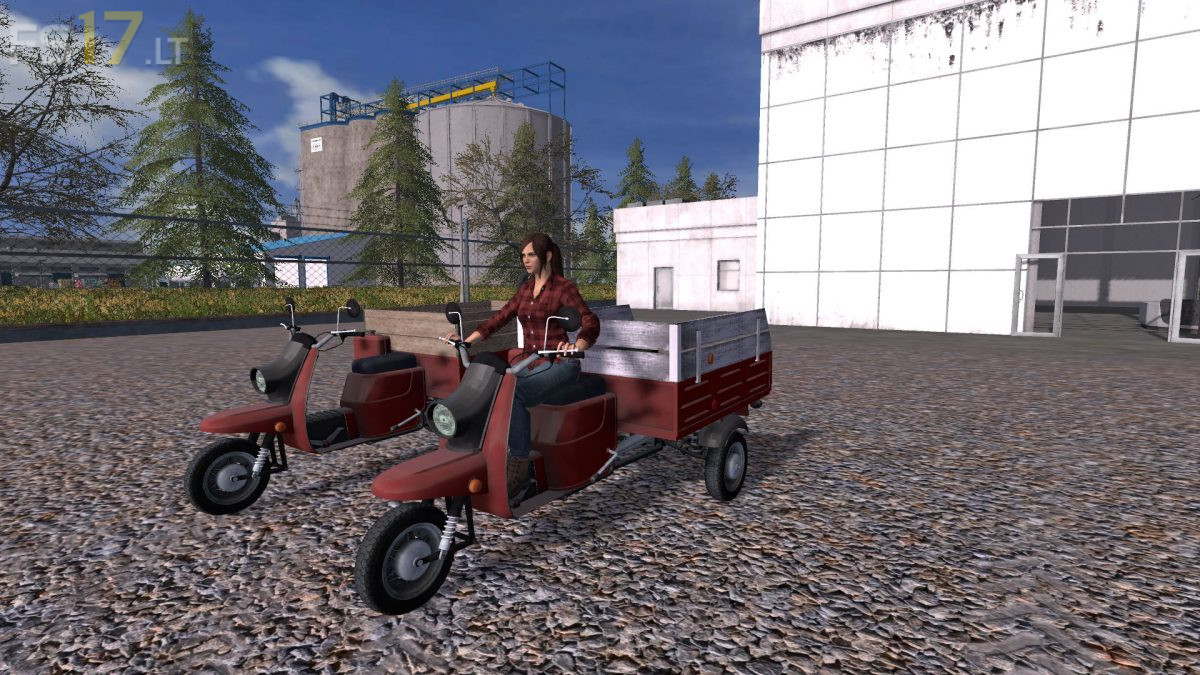
Muravei v 1.1
About the mod:
– Power 11 hp
– Speed 69 km/h
– Capacity 2000 liters
– Dirt / washable
Version 1.2:
* Added Design choice
* Increased speed to 69 km/h
Credits:
SERGEI MASLOV, Владимир Литвиненко, RT-mods
The Pros:
– Realistic appearance, tyres, textures, wooden parts, all good.
– Realistic acceleration and braking (braking may be a liitle weak but still ok)
– Good sound
– Very useful for farm work, feeding in-farm animals etc.
The Cons:
– The turning is too jerky compared to the engine character. I would like it more “lazy”.
– The front wheel is slightly above the ground.
– No straps.
– The platform door opens and closes for unloading but instantly. No animation.
– No instrument lighting (just a nice to have feature).
Conclusion:
I have it installed and I use it. It is a good and interesting mod and it would be perfect if the above defects were eliminated. I gave 4/5.