Scania FPTSR v 2.0
About the mod:
– Power 750 hp
– Speed 62 km/h
– Capacity 3000 liters
Credits:
MarekChudalaarkanoteam
How to install FS17 mods?
Firstly find a mod which you like and want to download. Then download a mod to your PC. Mods are usually in .zip format file. But sometimes it can be in .rar. If a mod file is a .zip format no needed additional actions. If a file is in .rar, then you must unarchive mod with software like WinRar or Zip7. Windows 10 users no need to use software for archives, Win10 itself has a feature to unarchive files.
The next step is to find mods folder in your PC. Usually, it is in Documents/My Games/Farming Simulator 17/2017. Open the "mods" folder and put downloaded .zip archive or unarchived .rar file to this folder.
Last step. Enjoy of FS17 mods!



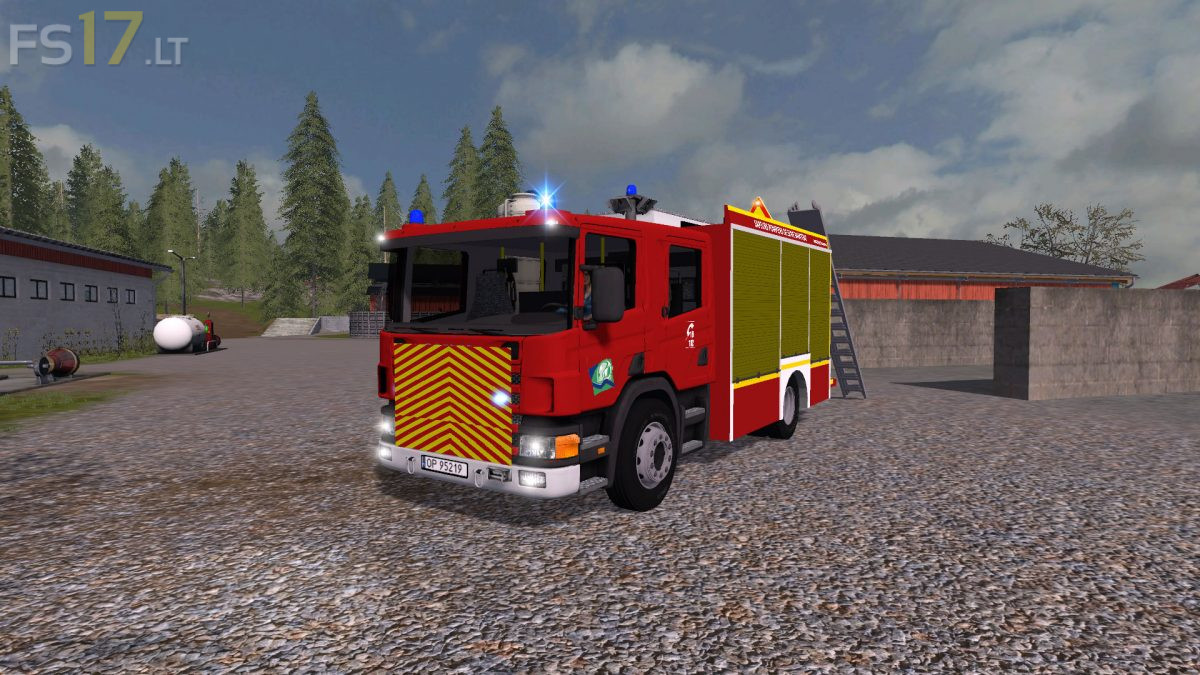
Im sorry, but you ruined the grill. Looks too amateur putting the stripes on it
Really? The grill looks so stupid with the plate in front. Come on, this should be much better!
Encore un mod bacler sa me desaspere -_- . heureusement qu’il reste de bon moddeur
Dommage encore un mod baclé il ont juste mis un décal devant la grille. Heureusement qu’il reste encore quelques moddeur compétant.
Ooais comme vous dites dommage même si il a l’air interréssant en faisant deux options fpt et sr