
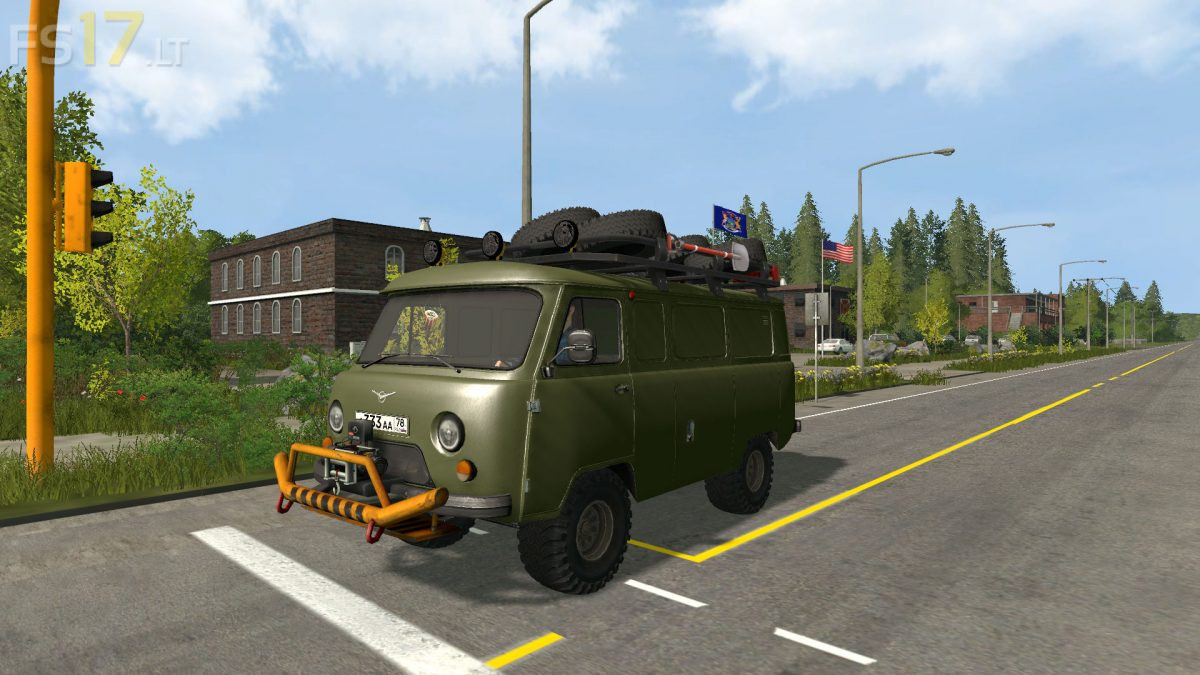
UAZ 3741 v 1.0

FS19 mods

About the mod:

– Power 112 hp
– Speed 80 km/h
– Selectable Wheels
– Selectable Design
– Selectable Decal
– Open doors
– Washable

Credits:
werik, Silak_68, Shippy74, Koral, IDimm, 4X4, Arseniy 1998, -=FaRMeR=-

How to install FS17 mods?

Firstly find a mod which you like and want to download. Then download a mod to your PC. Mods are usually in .zip format file. But sometimes it can be in .rar. If a mod file is a .zip format no needed additional actions. If a file is in .rar, then you must unarchive mod with software like WinRar or Zip7. Windows 10 users no need to use software for archives, Win10 itself has a feature to unarchive files.

The next step is to find mods folder in your PC. Usually, it is in Documents/My Games/Farming Simulator 17/2017. Open the "mods" folder and put downloaded .zip archive or unarchived .rar file to this folder.

Last step. Enjoy of FS17 mods!

One thought on “UAZ 3741 v 1.0

  • Alexander says:
    2018-09-06 at 18:44

    …пацаны, пожалуйста, уберите всё лишнее, сделайте нормальную модель, реальную…не надо этого говна спереди и на крыше, не надо колёс от трактора…а ещё лучше сделайте из него “Скорую помощь”, и размер у этого автомобиля должен быть не как “Пазик”…РАФ, УАЗ, они чуть больше легковушки, но, намного меньше автобуса..!!

Leave a Reply

Your email address will not be published. Required fields are marked *