

Unit Convert v 1.2.2.1

Unit Convert v 1.2.2.1
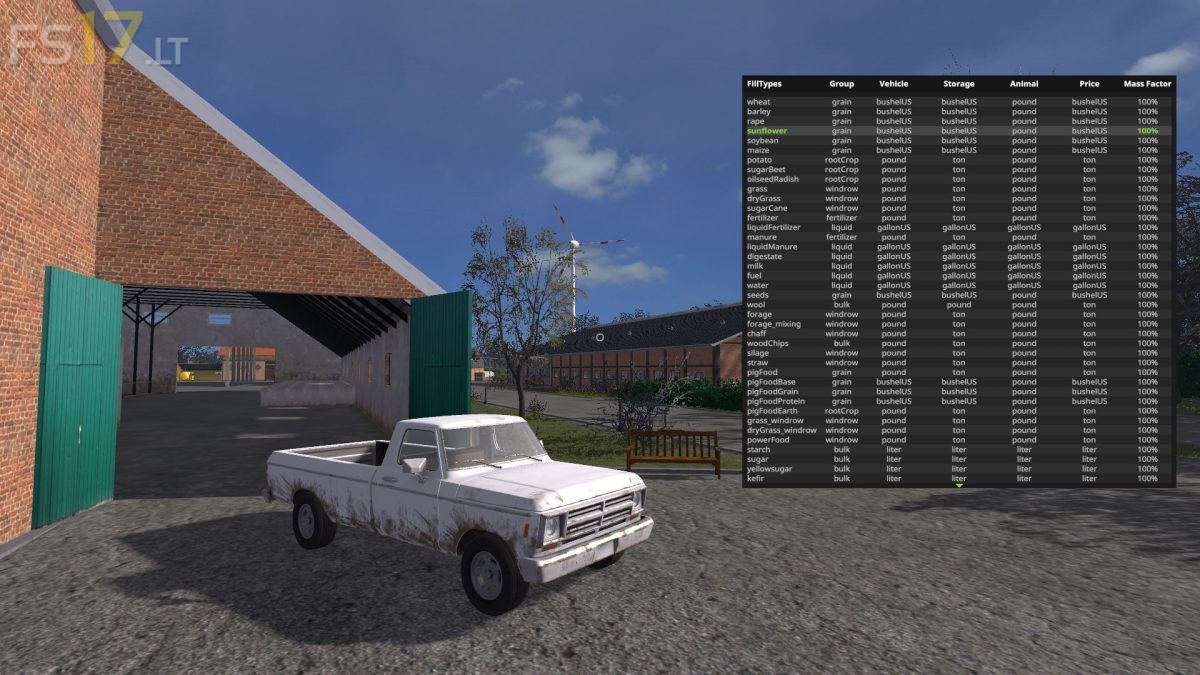
UnitConvert allows Farming Simulator 17 to display custom units of measurement. The inner workings of the game are unchanged. UnitConvert only changes what you see.
The menu system works as follows: To open the menu, press left-alt + U. Once the menu is opened, you can navigate around it by using the arrow keys. To change menu pages, press left-ctrl + left or right arrow. Unit selection is done by pressing left-shift + left or right arrow. To synchronize all unit groups to the currently selected unit, press right-ctrl (special function key).
Further controls and instructions can be found in the help section of the in-game menu under UnitConvert.
Version 1.2.2.1:
* Added support for FarmingTablet App: AnimalStatus
* Added support for FarmingTablet App: Horsch Management
* Added support for FarmingTablet App: FarmSiloSystem
* Added support for FarmingTablet App: StorageHouse
* Changed “Storage Capacity” to “Silo Capacity” on statistics screen
* Moved DriveControl nearest neighbor display