
Agrar GPS John Deere Autotrac Mod v 1.0

FS19 mods

About the mod:

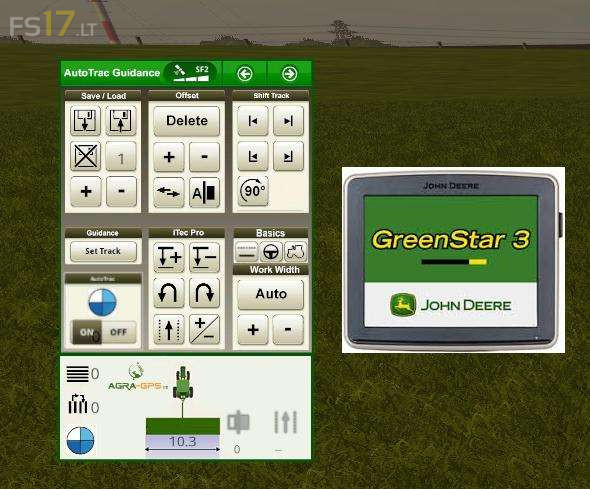
This is the well known GPS Mod by Upsidedown in a John Deere GreenStar / Command Center 4 Style.
Complete new skin for the GPS Mod and also changed the sounds to the original John Deere AutoTrac sounds.
For all John Deere Farmers and AgraGPS Bridge user, here comes your known GPS system.

Credits:
upsidedown, kenny2801

How to install FS17 mods?

Firstly find a mod which you like and want to download. Then download a mod to your PC. Mods are usually in .zip format file. But sometimes it can be in .rar. If a mod file is a .zip format no needed additional actions. If a file is in .rar, then you must unarchive mod with software like WinRar or Zip7. Windows 10 users no need to use software for archives, Win10 itself has a feature to unarchive files.

The next step is to find mods folder in your PC. Usually, it is in Documents/My Games/Farming Simulator 17/2017. Open the "mods" folder and put downloaded .zip archive or unarchived .rar file to this folder.

Last step. Enjoy of FS17 mods!

One thought on “Agrar GPS John Deere Autotrac Mod v 1.0
  • Simon says:
    2019-05-08 at 02:49

    How to install this mod with sound and skin?

Leave a Reply

Your email address will not be published. Required fields are marked *