

John Deere 7R 2014 v 1.0

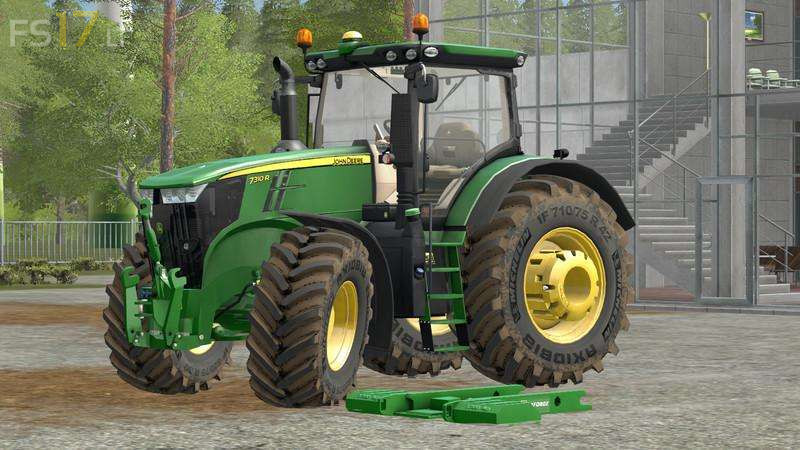
John Deere 7R 2014 v 1.0
– Realistic dimensions and weight
– Realistic sound
– Fully animated
– Total control with InteractiveControl, new generation, (also works outdoors and before getting on the tractor), new script
– Real sound of the cooling fan, typical of this series new script
– 3D model and textur recreated and improved in details
– Wide selection of tires with original sizes for the series
– Rubber track, Zuidberg originals
– Cabin, driving position and cam, dynamic
– Adjustable internal cam
– Rotatable and translatable seat with mouse
– Functional internal monitor
– External mirrors, adjustable in 3 directions with mouse
– Complete set of rear ballast, with variable weight depending on the type; new script by Mogli
– Original front ballast dedicated to mod
– Ez Ballast Ballast of 1700 Kg
– Frontloader H480 compatible only to the mod, with DynamicHoses support
– Icar Bazzoli IB9800 forest loader attachment and protection cage
– Third point attack, dynamic
– Tool support with DynamicHoses
– Basic gear set, dedicated to H480 frontloader with cat.2 coupling
– Integrated gearbox compatible with the gearbox, setting by Mogli
– Automatic activation wipers
– Real Map PDA, by Martin Fabik, need FS17_RealGPSMod.zip, included in the pack
– Variable internal sound with opening doors, and sounds of the tailgate doors
– Standard model and Mr included
Mola