

Fendt Vario 900 v 1.0.4

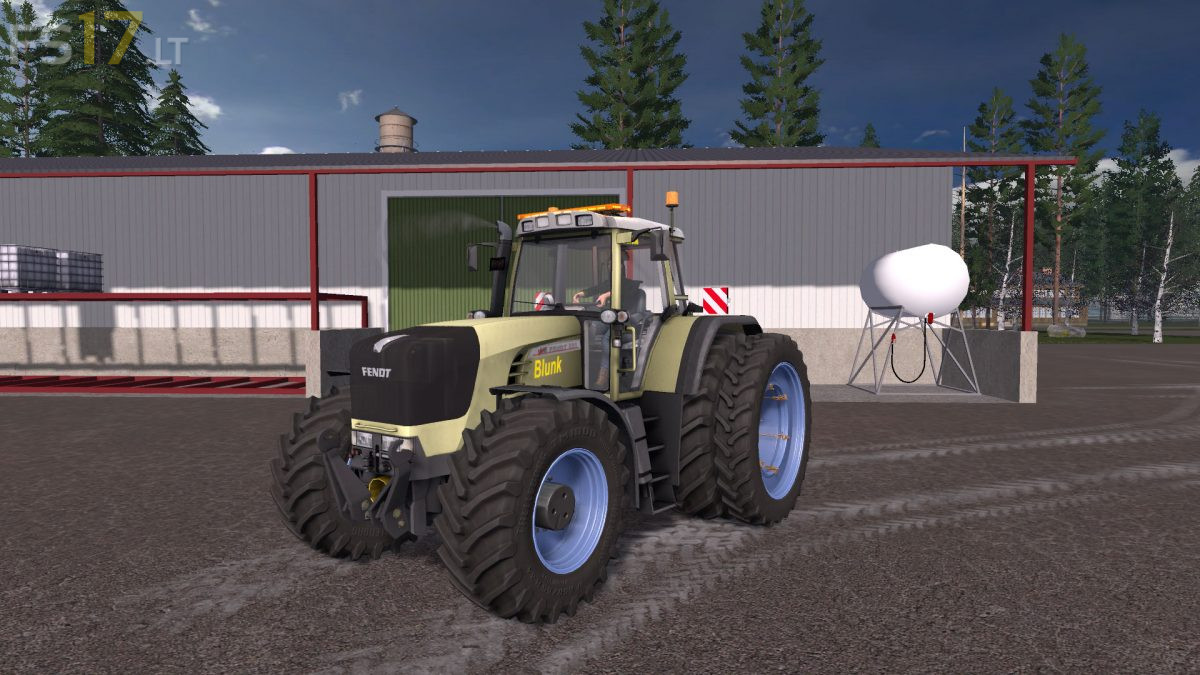
Fendt Vario 900 v 1.0.4
About the mod:
– Engine Setup: 160 hp, 200 hp, 240 hp, 260 hp, 300 hp, 400 hp
– Selectable Wheels
– Selectable Rim Color
– Selectable Design
– Selectable Company
– Selectable Ruls
– Choice of Color
– License Plate
– IC Control
– Change Wheel Pressure
– Washable
Version 1.0.4:
* Bug fixed for sounds and changed to new ones
* Texture bug fixed
* Indexes adjusted correctly
* Added new things like
* Big Terra Tire in red
* Admission script
* Many configs were added
* Blunk and Blue Modding Logos added buyable
* Some Textures have been improved
* Warntafel Textures have been completely redone
* Led Bar added and purchasable
* Light Texture has been changed
* Tire pressure script was also installed in Hud watch
Credits:
Die Thoboliker, LsGamerTV, Lukas2002, THFalcon, Alex Blue
Best Fendt in Fs 17