

UAL Fliegl DPW 180 v 1.0

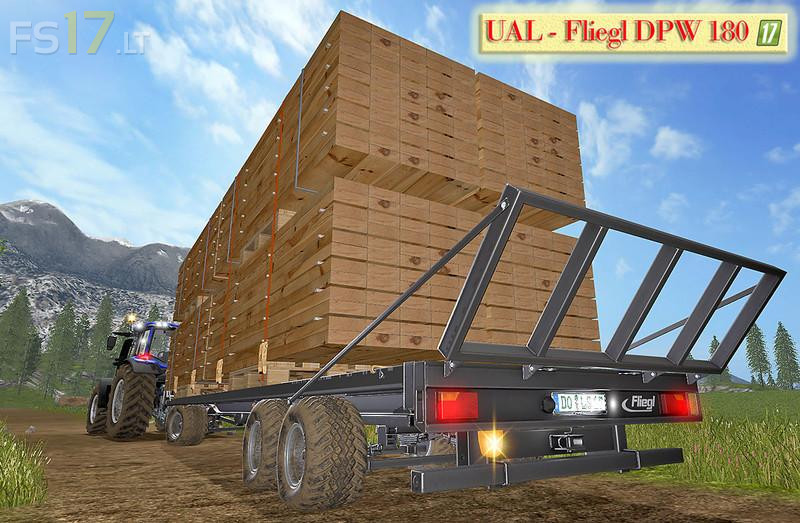
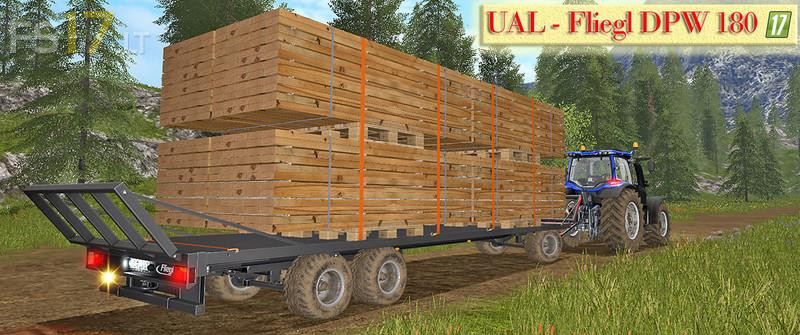

UAL Fliegl DPW 180 v 1.0
Changelog of the UAL Fliegl DPW 180 – Bretter-Paletten optimized (The mod was extensively tested in the SP and on the Dedi and the log is error-free).
* Boards for the sawmills added or optimized.
* Automatic loading of bales, pallets and boards.
* UAL trigger widened so that you do not have to go so close to charging.
* Worker extension wider tires.
* Factory extension colored rims.
* Illuminated license plate.
* Round light is added.
* Ablademakierung blue colored and the white background removed, thus it acts properly noble. 😉
* Unloading page selectable:
* Washable, tire dust, unloading side selectable.
* Illumination (reversing light, tail light, turn signal, brake light, all-round warning light).
* 100% Multiplayer and Dedi compatible.
Short instructions and explanations:
The UAL Fliegl DPW 180 can load up to a maximum of 8 board pallets. However, it is basically overcharged for the weight of the pallet pallets, so the recommendation is for 4 to 6 plank pallets.
And why was the possibility of a maximum of 8 board pallets installed? Well, because it should be bit as in the reality, because there is not synonymous not everyone and always to the specifications for the permissible maximum total weight. 😉
Just as a hint if you want to load 8 board pallets. After loading the boards, you have to press z as usual for final charging. However, if you have loaded 8 boards, they are slowly slipping back from the trailer because of the overweight. Here are two ways to counter this:
1) After charging the 8 boards, press the Z key and immediately press the L key. The GAnze must go fast, so that the boards pallets have no chance of slipping off the trailer.
2) After loading the 8 boards, press the L button and DO NOT press the Z button. The tensioning straps are then under the boards, but the weight of the boards does not apply and drive as if the trailer Would be empty. I know this is less real, but whoever wants to do it can do the same. 😉
The UAL Fliegl DPW 180 can be found in the shop not under bales, but because of the optimization of the boards under the category forestry.
The required keys (Y, X, Z, L and B) are displayed in the F1 menu.
Key Y = Selection of the load.
Key X = On or disable automatic charging.
Key Z = Function 1: After recharging to place the load on the trailer (real weight).
Button B = Select the unload side.
Key Z = Function 2: After selecting the unload side with the B key, the key Z can be automatically unloaded.
And now have fun with the new UAL Fliegl DPW 180 – boards optimized