

Scania P410 X HLF v 1.0

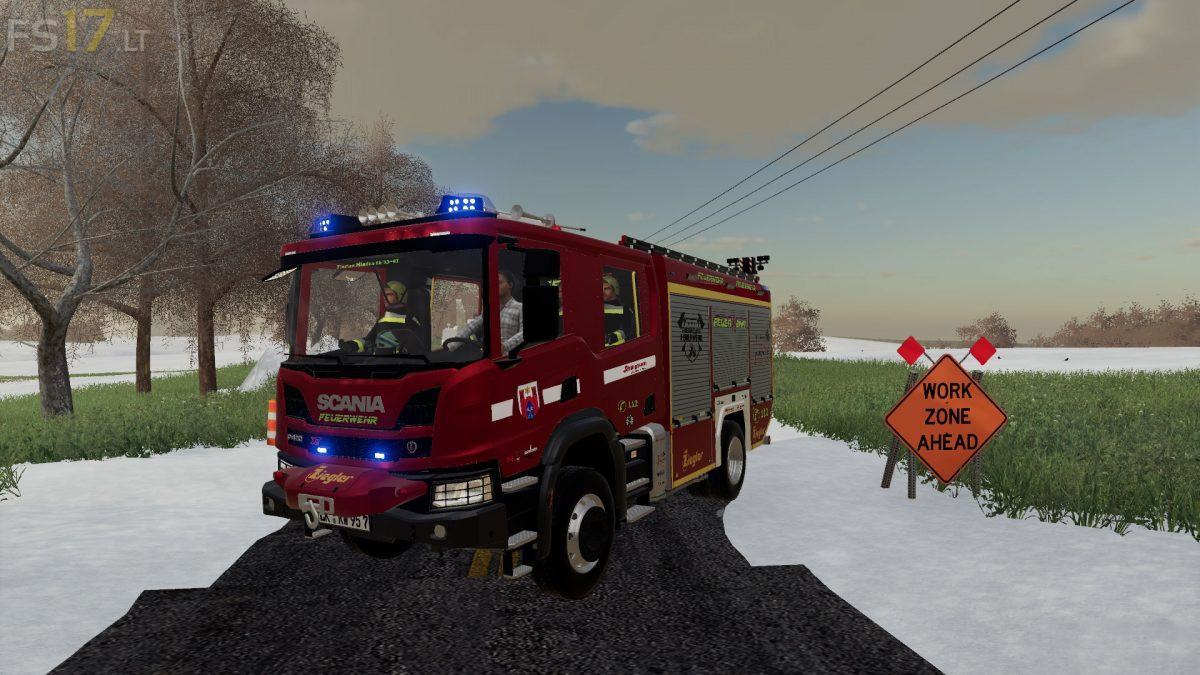
Scania P410 X HLF v 1.0
About the mod:
– Power 520 hp
– Speed 80 km/h
– Selectable Design
– Alufire 3 Structure
– Rapid Attack Reel Normal Pressure (Decoration Only)
– 2 Breathing Apparatus in the Team Room
– Ziegler Warning System in LED
– Light Mast, Pneumatic With 8 x 24 V LED Headlights (Decoration Only)
– Rotzler Treibmatic Rope Winch 5000 kg (Decoration Only)
– Chain Saw (still under Construction)
– Hygiene Board (Decoration Only)
– Water and Foam Monitor with Automatic Lifting Device (Decoration Only)
– Rear View Camera still under Construction
– Extensive Additional Loading According to Tactical Needs Num: 6
– Martins Horn By Key: N can be switched on
Price 130000 €
Credits:
Tschizack, BLM, JulianHD, manu11002, Ls19Feuerwehr Modding, MXND, FMFS, fire-technology, Marc85, J112J, OcciRS LS-Fire-Design Polarstern
kann man auch die seilwinde verwenden