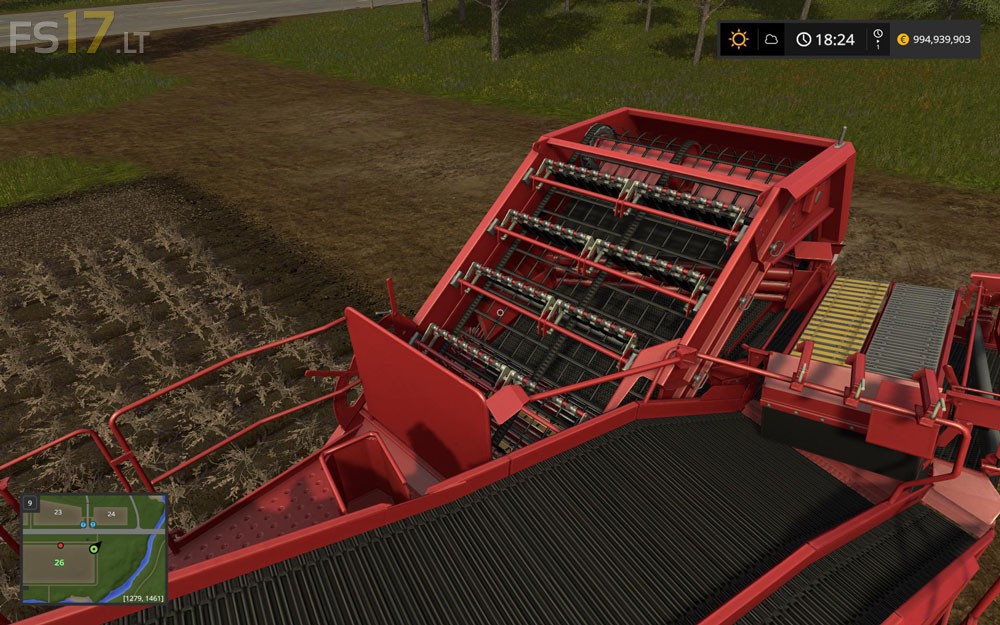
Grimme SE260 with Halum Separation v 1.0

FS19 mods

grimme-se260-1 grimme-se260-2 grimme-se260-3

About the mod:

This is the standard Grimme SE260 2-row potato harvester, with upgraded Halum separation. This means you do not need to remove the halum first, you can just go straight in and use this harvester without using the Grimme halum topper.
Halum is removed on the patented multifunctional halum separation stage of the second web, just like on the real harvester.
Also adapted the main share to be a bit narrower, to stop it taking 3 rows most of the time. You still have to be quite accurate with your steering, though.

Credits:
Giants, Russ

How to install FS17 mods?

Firstly find a mod which you like and want to download. Then download a mod to your PC. Mods are usually in .zip format file. But sometimes it can be in .rar. If a mod file is a .zip format no needed additional actions. If a file is in .rar, then you must unarchive mod with software like WinRar or Zip7. Windows 10 users no need to use software for archives, Win10 itself has a feature to unarchive files.

The next step is to find mods folder in your PC. Usually, it is in Documents/My Games/Farming Simulator 17/2017. Open the "mods" folder and put downloaded .zip archive or unarchived .rar file to this folder.

Last step. Enjoy of FS17 mods!

Leave a Reply

Your email address will not be published. Required fields are marked *