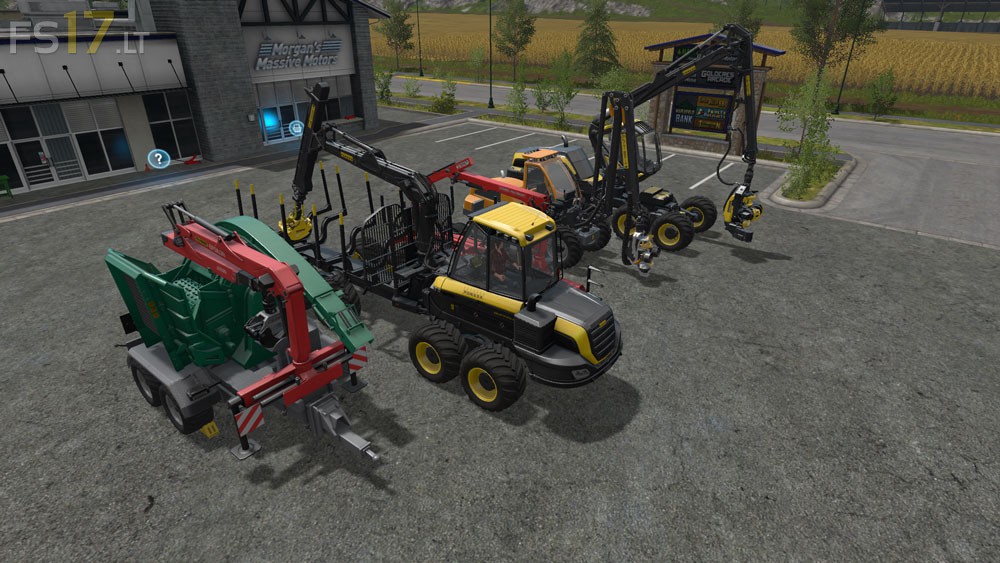
Wood Machinery Pack v 1.0

FS19 mods

wood-machinery

About the mod:

Since the wood machines with crane can not be controlled easily with the LS steering wheel side console, I have adjusted the machine out of the game. Not everything can be controlled with the joystick, but the main functions crane rotate up and down and the gripper can be controlled without any additional settings. The prices are the same as in the game also features. It has been adapted only the control for the side panel.
Contained equipment: Ponsse Scorpion, Ponsse Buffalo, Stepa FHL 13AK, Sampo Rosenlew HR46X, Jenz Hem 583Z
Note: If no LS side console has required this mod not, the need to laboriously Major torment options.

Credits:
Giants

How to install FS17 mods?

Firstly find a mod which you like and want to download. Then download a mod to your PC. Mods are usually in .zip format file. But sometimes it can be in .rar. If a mod file is a .zip format no needed additional actions. If a file is in .rar, then you must unarchive mod with software like WinRar or Zip7. Windows 10 users no need to use software for archives, Win10 itself has a feature to unarchive files.

The next step is to find mods folder in your PC. Usually, it is in Documents/My Games/Farming Simulator 17/2017. Open the "mods" folder and put downloaded .zip archive or unarchived .rar file to this folder.

Last step. Enjoy of FS17 mods!

Leave a Reply

Your email address will not be published. Required fields are marked *