

American Farmlands Map v 1.0.0.1

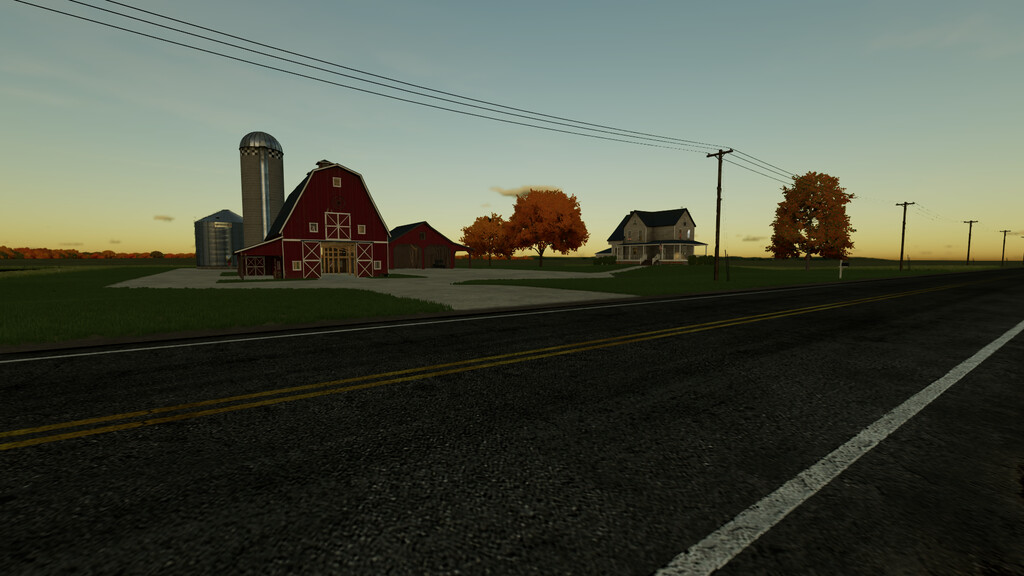


American Farmlands Map v 1.0.0.1

Welcome to American Farmlands!
A sandbox style map for those with a creative imagination.
Map details:
– American Midwest feel
– Sandbox style play
– Working AI routes
– Starter farm with 1 field (New Farmer Mode)
– Train
– Grain Sell Point
– Bale Sell Point
– Train Sell Point
– Animal Dealer
– Vehicle Shop
– Small to Large Farmland Sizes
– All 62 Farmlands are buyable
– 100 wooden collectables
– Precision Farming Ready
Custom Map Features:
– Custom animal food for sheep, cows and chickens
– Additional paintable textures
– Additional paintable foliage
– Paintable fields
– Midwest US seasonal weather integrated
– Custom crop prices
– Custom Soil Map
Happy Farming!
Changelog 1.0.0.1
Fixes/changes:
-fixed issue where you could not use robot feed mixers for cows. Cows can get fed grain directly (Oats or Corn)
-fixed mixer wagon not being able to load straw and removed Oat & Corn filltype from mixer wagons.
-removed starting equipment in farm manager and start from scratch modes
-fixed AI traffic floating while leaving playable map near the main farm
-relocated Jacksonburg icon on map to the correct side
-Minor adjustments to sell points and prices.
-main farm mailbox is now sellable
-changed meadow grass visuals (removed flowers and shorter)
Additions:
-added 5 new fields for contracts
-custom growth schedule
-soybeans are now in rows
-more realistic wheat and barley
-added the ability to destroy harvested ground/stalks when driven over
-taller grass with increased yield
-oats can be mowed for grass in last growth stage (cannot hire worker for this)
-planters can now plant sorghum and canola
-main farm grain bin is now multifruit
-increased storage capacity of train wagons
-custom license plates added for player and AI traffic
-added more placeable trees in landscape mode
New save game is required
TK Farms
Farming Simulator 22
How do I install Farming Simulator mods?
Find a mod that you like and want to download first. Then, on your PC, download a mod. Mods are typically in.zip format. However, it is sometimes in.rar format. If the mod file is in.zip format, no additional actions are required. If a file is in.rar format, you must unarchive it using software such as WinRar or Zip7. Windows 10 users do not need to use archive software; Win10 includes an unarchive feature.
The next step is to locate the mods folder on your computer. It is typically found in Documents/My Games/Farming Simulator [Your FS game version, e.g. 2022]. Open the "mods" folder and place the downloaded.zip archive or unarchived.rar file there.
The final step. Have fun with Farming Simulator mods!