

Animal Herding Lite v 1.0

Animal Herding Lite v 1.0

AnimalHerding – Lite mod for FS25 by Arrow. Contains the base herding feature of AnimalHerding without more advanced features that are still in development/theoretical. Advanced features include customised animal behaviour, animations, nav mesh and path finding to replace the base engine behaviour. This requires the majority of the animal system to be written from scratch with 0 reference code for the most part, as such code is obfuscated within the engine. AnimalHerding is well in development but still not in a playable state. When complete, this will allow for more dynamic animal interactions such as dynamic milking parlours, individualised animal behaviour (limping, friendly, cowardly, escape artist etc) and more.
Features:
Button to toggle herding in the current husbandry
When on, all animals in the husbandry will be herdable
Herdable animals respond to the player and will walk/run away from the player when the player is close, otherwise will graze/idle randomly
Herdable animals will be added into a husbandry when they walk into range of it (ie: walking into its fenced area) and will no longer be herdable
This mod allows all animals to be dynamically herded at will. When they are being herded, animals will walk away from the player, allowing them to be interactively moved between pastures. The Lite version of this mod only handles herding between husbandries, whereas the full version contains more dynamic custom features such as path finding, husbandry navigation, possibility of custom animations, individual behaviours and more, moving the entirety of the visual animal system from the engine to LUA scripts, allowing for much more mod control over animals.
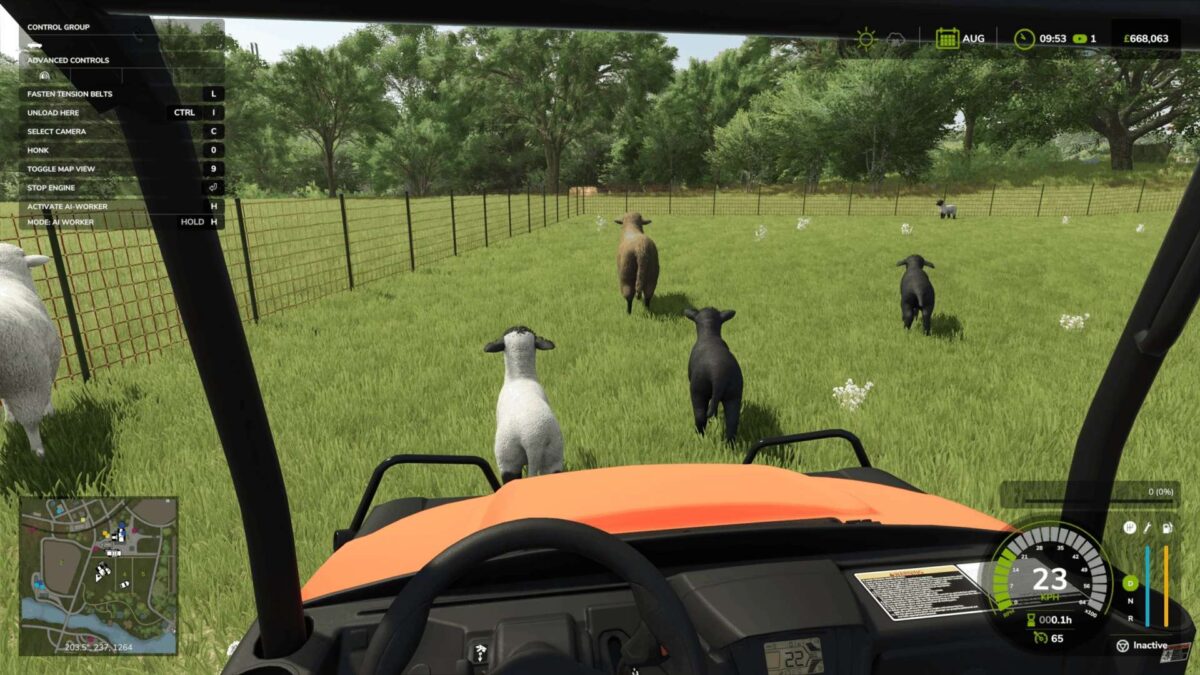
Animals will stop for structures, objects, vehicles and other animals, allowing you to create routes for them to follow, such as in the screenshots provided.
Animals respond to players in vehicles as well as players on foot, allowing the use of vehicles such as quad bikes to herd them.
To start herding, you must be inside a husbandry and then press the “Start Herding” button (default left shift + n). All visual animals in that husbandry will then become herdable and will respond to the player.
Herded animals will automatically be moved into a husbandry when they walk inside it, with the exception of the original husbandry where they came from which will only become available for them after leaving the husbandry for a certain amount of time. Alternatively, you can press the “Stop Herding” button, and all herded animals will be moved into the closest husbandry to their current position, if there is one available.
Currently only supports singleplayer, multiplayer is planned. It is also planned for animals to follow the player when holding a bag of food.
It is not recommended to herd animals in sheds with very high flooring, as the animals may get stuck.
Arrow-kb
How do I install Farming Simulator mods?
Find a mod that you like and want to download first. Then, on your PC, download a mod. Mods are typically in.zip format. However, it is sometimes in.rar format. If the mod file is in.zip format, no additional actions are required. If a file is in.rar format, you must unarchive it using software such as WinRar or Zip7. Windows 10 users do not need to use archive software; Win10 includes an unarchive feature.
The next step is to locate the mods folder on your computer. It is typically found in Documents/My Games/Farming Simulator [Your FS game version, e.g. 2022]. Open the "mods" folder and place the downloaded.zip archive or unarchived.rar file there.
The final step. Have fun with Farming Simulator mods!