

Big Bud 747 16V v 1.0

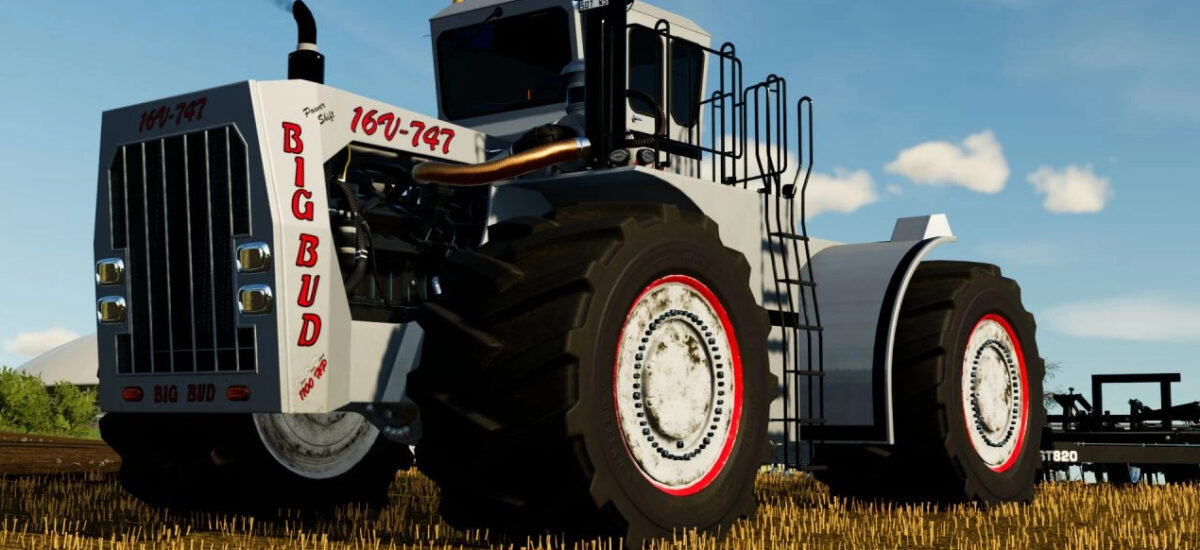
Big Bud 747 16V v 1.0

– Base price: 406.500 $
– Power: 3000 hp
– Speed: 60Km/h
– Front, side and rear work lights.
– Door and engine cover opening (Left mouse button)
Configurations (in order of appearance in the store):
– Color stripe around the rims
– Window tinting: Normal, 25%, 50% and 100%
– Logo configuration: Original, black and white
– Configuration of decorative stripes: Original, white, black or without anything
– Additional work lights on the roof: Front, rear or both
– Optional beacon lights: Left side, right side or both sides
– Beacon model configuration: 10 different models
– Optional front and rear windshield wipers
– Two engine configurations: The power is the same for both engines, the change is in the maximum speeds, in one it is 32 km/h forward and 10 km/h backward and in the other it is 45 km/h forward and 15 km/h backwards
– Wheel configuration: Normal, double, triple, wide and double wide
Color configurations (in order of appearance in the store):
– Engine grille
– Main colour
– Rim contour color
– Color railings
– Color exhausts
– Color rims
Orzechollo
Farming Simulator 22
How do I install Farming Simulator mods?
Find a mod that you like and want to download first. Then, on your PC, download a mod. Mods are typically in.zip format. However, it is sometimes in.rar format. If the mod file is in.zip format, no additional actions are required. If a file is in.rar format, you must unarchive it using software such as WinRar or Zip7. Windows 10 users do not need to use archive software; Win10 includes an unarchive feature.
The next step is to locate the mods folder on your computer. It is typically found in Documents/My Games/Farming Simulator [Your FS game version, e.g. 2022]. Open the "mods" folder and place the downloaded.zip archive or unarchived.rar file there.
The final step. Have fun with Farming Simulator mods!