

Camera System v 1.0


Camera System v 1.0

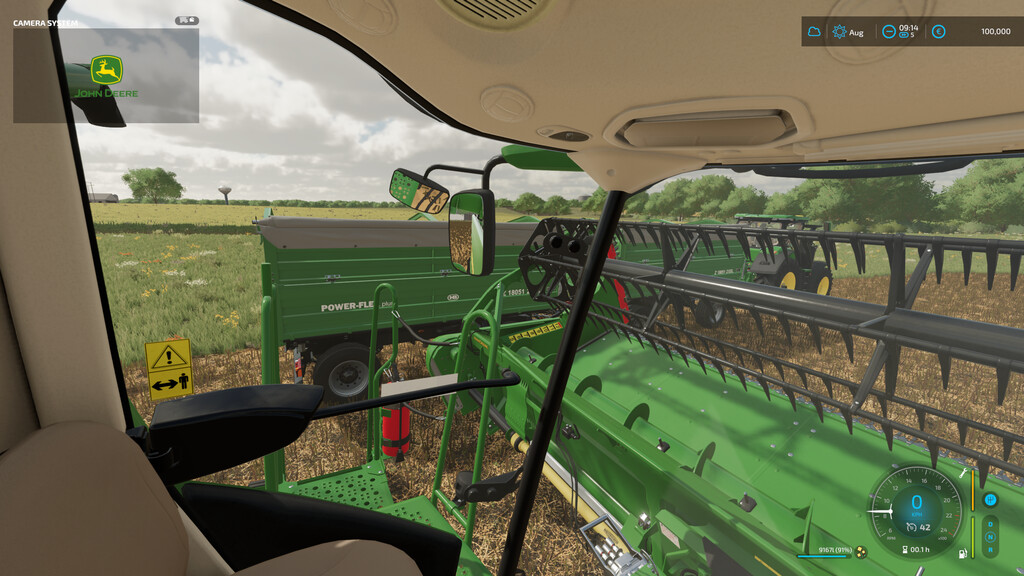
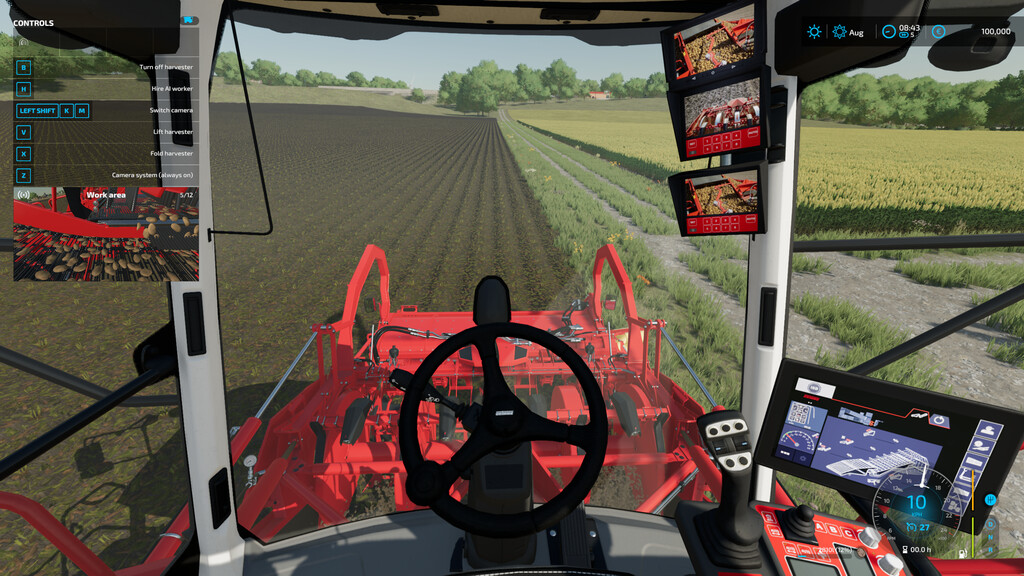
This modification gives the possibility of adding cameras, e.g. a discharge pipe camera or a rear view camera. You can easily switch between added cameras which are displayed as HUD.
As standard, some of the originally available vehicles were equipped with camera configurations.
Change camera system mode (off/always on/only when reversing) – “z” key (default)
Next/previous camera – “left shift + k/m” keys (default)
For more information, vehicle integration instructions, help or a bug report, please visit GitHub.
ATTENTION!
* to activate the camera system, the vehicle must have their configuration added,
* the image quality of the cameras is the highest I could set, so please bear with me. (The quality of the camera also depends on your graphics settings, it is also possible to manually improve it, details are also on GitHub)
VertexFloat
Farming Simulator 22
How do I install Farming Simulator mods?
Find a mod that you like and want to download first. Then, on your PC, download a mod. Mods are typically in.zip format. However, it is sometimes in.rar format. If the mod file is in.zip format, no additional actions are required. If a file is in.rar format, you must unarchive it using software such as WinRar or Zip7. Windows 10 users do not need to use archive software; Win10 includes an unarchive feature.
The next step is to locate the mods folder on your computer. It is typically found in Documents/My Games/Farming Simulator [Your FS game version, e.g. 2022]. Open the "mods" folder and place the downloaded.zip archive or unarchived.rar file there.
The final step. Have fun with Farming Simulator mods!