

Claas Xerion 5000-4500 v 1.0

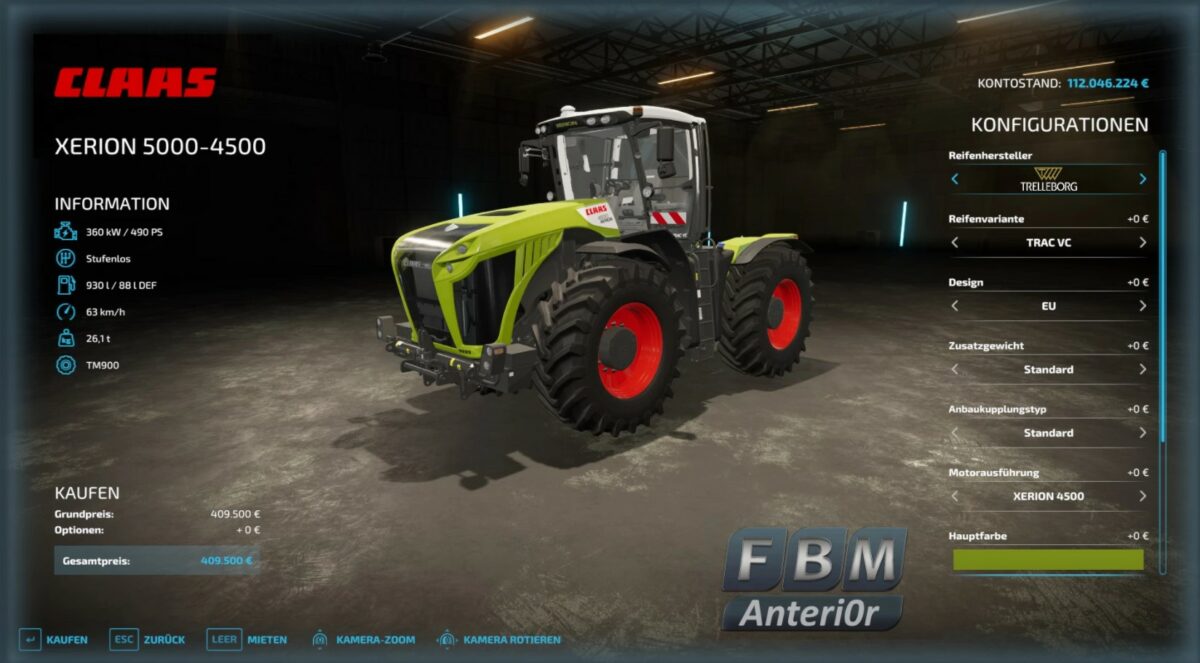
Claas Xerion 5000-4500 v 1.0

– Swing axle
– Front PTO (For daily needs, mulching or mowing, a front PTO was installed, which is automatically installed when selecting the 3 point front hydraulics)
– Gooseneck attacher
– Simple IC (Numerous interaction options with e.g. both doors, mirrors, sun visor, bonnet, warning signs each in EU / US design, fender)
– Anniversary Design for 4500 and 5000
– Anniversary Design Line painting option
– Wide tires for every manufacturer except Continental
– Choice of different LED RULs or rotators RUL
– Decal configuration on the roof and the hood (Claas / Xerion)
– Color choices for the main color, roof, design line and rims
– Isaria Pro (Precision Farming)
Anteri0r
Farming Simulator 22
How do I install Farming Simulator mods?
Find a mod that you like and want to download first. Then, on your PC, download a mod. Mods are typically in.zip format. However, it is sometimes in.rar format. If the mod file is in.zip format, no additional actions are required. If a file is in.rar format, you must unarchive it using software such as WinRar or Zip7. Windows 10 users do not need to use archive software; Win10 includes an unarchive feature.
The next step is to locate the mods folder on your computer. It is typically found in Documents/My Games/Farming Simulator [Your FS game version, e.g. 2022]. Open the "mods" folder and place the downloaded.zip archive or unarchived.rar file there.
The final step. Have fun with Farming Simulator mods!