

Contract Type Generator v 1.0

Contract Type Generator v 1.0

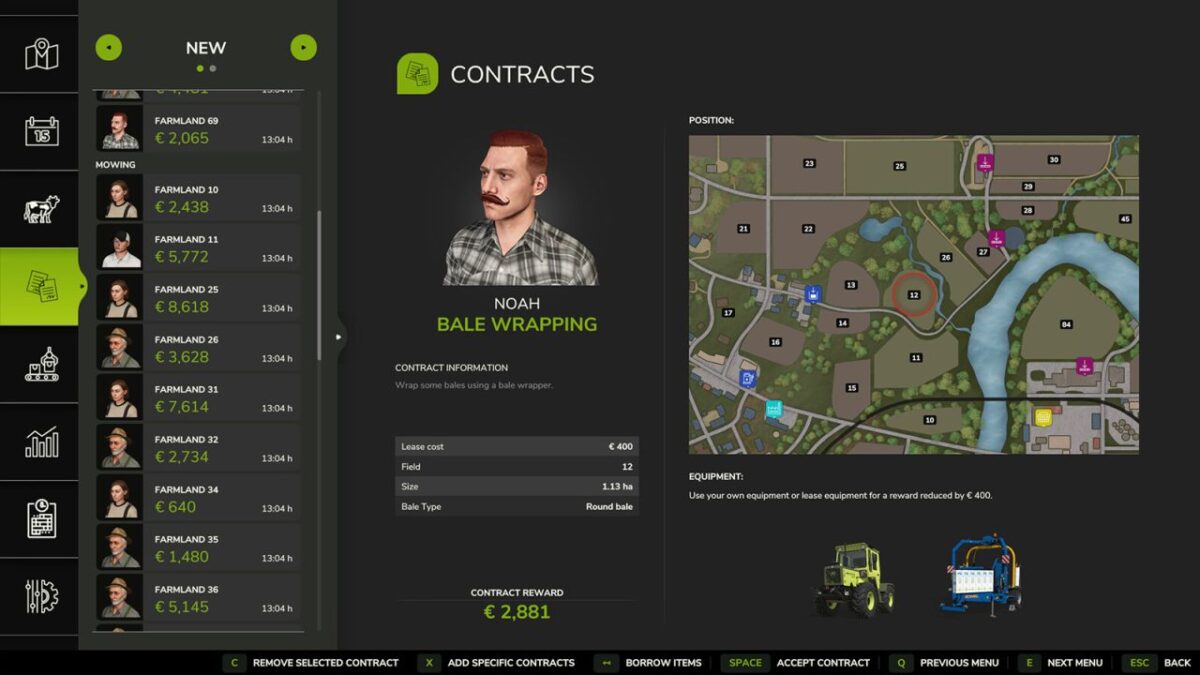
Adds two buttons to the contracts menu.
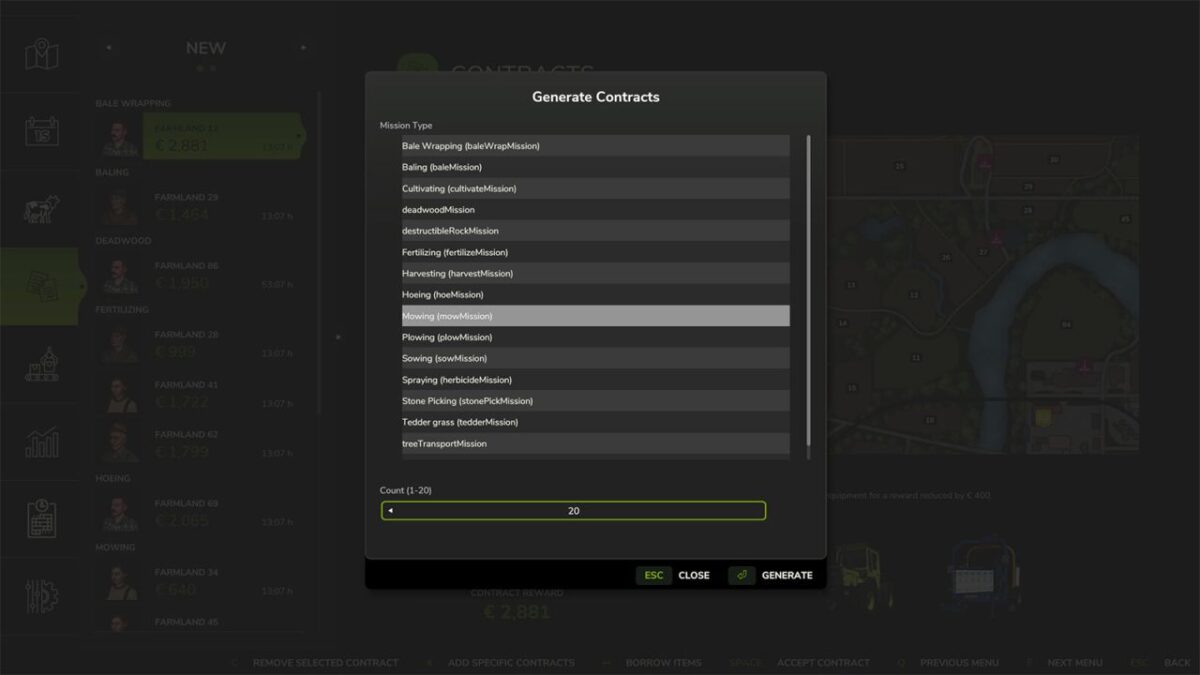
With the first button, contracts/missions can be created by type.
This opens a popup in the missions window where you select the mission/contract type and set a quantity of 1 to 20 contracts to be created.
Afterwards, exactly those contracts of that type are generated.
Fields whose current state already matches the selected contract type are preferred.
Only when no suitable fields are available anymore are fields prepared accordingly so that they become suitable for the respective contract.
This also works with mission types from other mods, provided they are registered in the MissionManager.
Additionally, there is a second button with which an existing contract can be removed.
Huxinator
How do I install Farming Simulator mods?
Find a mod that you like and want to download first. Then, on your PC, download a mod. Mods are typically in.zip format. However, it is sometimes in.rar format. If the mod file is in.zip format, no additional actions are required. If a file is in.rar format, you must unarchive it using software such as WinRar or Zip7. Windows 10 users do not need to use archive software; Win10 includes an unarchive feature.
The next step is to locate the mods folder on your computer. It is typically found in Documents/My Games/Farming Simulator [Your FS game version, e.g. 2022]. Open the "mods" folder and place the downloaded.zip archive or unarchived.rar file there.
The final step. Have fun with Farming Simulator mods!