

Fendt 300 Vario Gen4 v 1.1

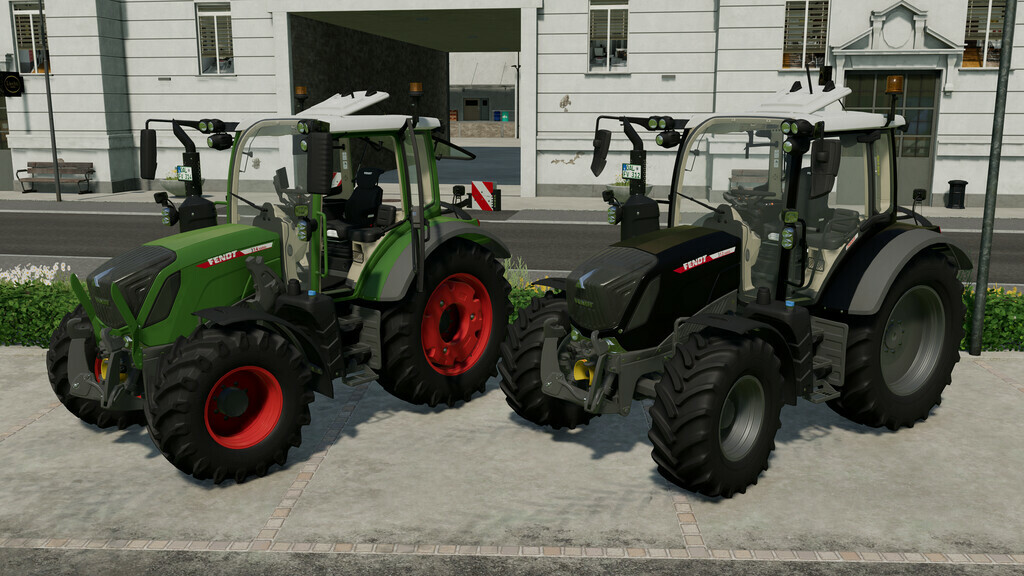
Fendt 300 Vario Gen4 v 1.1

Fendt 300 Vario Gen4
Price: 107.500 $
Power: 113 hp
Configurations:
– Tire configuration
– Beacon Lights
– Main Body Color
– Rim color
Engine configuration:
– Vario 311 (113 hp)
– Vario 312 (123 hp)
– Vario 313 (133 hp)
– Vario 314 (142 hp)
Animations (With mouse control):
– The door can be opened/closed by pressing both mouse buttons and moving left/right.
– The rear window, by pressing both mouse buttons and moving backwards/forwards, can be opened/closed.
– The roof window can be opened/closed with the mouse wheel
Changelog 1.0.1.0
-Decals fixed
-Added Power, Profi and Profi+ variants
-Fixed visual bugs
Version 1.1:
* Added Interactive Control support (requires FS22_interactiveControl)
* Mouse Control or Interactive Control can be configured (for consoles)
* Fixed smaller Model Errors
* Added Cargo Console
* Added Warning Signs
* Added LED Beacon Lights
* Added ISARIA Pro Compact (Precision Farming)
Schnibbl Modding
Farming Simulator 22
How do I install Farming Simulator mods?
Find a mod that you like and want to download first. Then, on your PC, download a mod. Mods are typically in.zip format. However, it is sometimes in.rar format. If the mod file is in.zip format, no additional actions are required. If a file is in.rar format, you must unarchive it using software such as WinRar or Zip7. Windows 10 users do not need to use archive software; Win10 includes an unarchive feature.
The next step is to locate the mods folder on your computer. It is typically found in Documents/My Games/Farming Simulator [Your FS game version, e.g. 2022]. Open the "mods" folder and place the downloaded.zip archive or unarchived.rar file there.
The final step. Have fun with Farming Simulator mods!