

Fendt 400 Vario TMS v 1.0


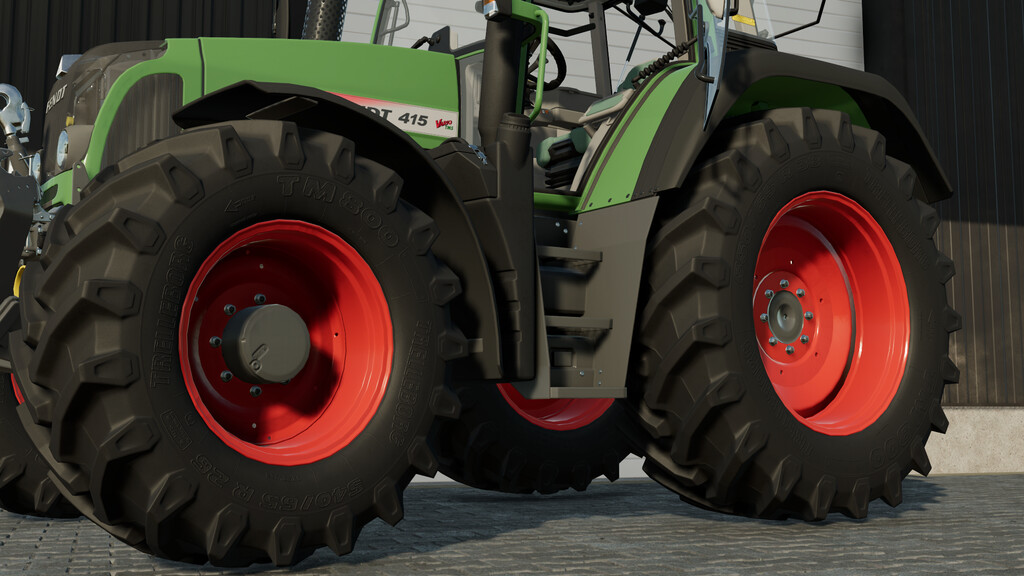


Fendt 400 Vario TMS v 1.0

Fendt 400 Vario TMS
The Fendt 400 Vario TMS models are perfect all-rounders among compact tractors,
that are characterized by their light construction and excellent manoeuvrability.
In addition, this series is very powerful and still fuel-efficient
and has various work-saving functions so that this series can be used on any farm.
Price: 78.000$
Power: 115-155hp
Configurations:
– Frontloader attacher
– Front hydraulic
– Design options
– Front parts
– Hood detail
– Beacon Lights
and many more…
Engine configuration:
-411 Vario TMS
-412 Vario TMS
-413 Vario TMS
-414 Vario TMS
-415 Vario TMS
Animation:
– This tractor has Interactive Control (requires FS22_interactiveControl) to open the doors, rear window, front window and
to open the windows etc.
For consoles there is a configuration so that these parts can be opened with mouse control.
This Mod includes an additional 500kg fendt front weight, that can be attached when no front hydraulic is configurated.
This tractor is prepared for precision farming with configurable cropsensors.
MoosAgrar
Farming Simulator 22
How do I install Farming Simulator mods?
Find a mod that you like and want to download first. Then, on your PC, download a mod. Mods are typically in.zip format. However, it is sometimes in.rar format. If the mod file is in.zip format, no additional actions are required. If a file is in.rar format, you must unarchive it using software such as WinRar or Zip7. Windows 10 users do not need to use archive software; Win10 includes an unarchive feature.
The next step is to locate the mods folder on your computer. It is typically found in Documents/My Games/Farming Simulator [Your FS game version, e.g. 2022]. Open the "mods" folder and place the downloaded.zip archive or unarchived.rar file there.
The final step. Have fun with Farming Simulator mods!