

Fendt 900 TMS Vario v 1.4.1

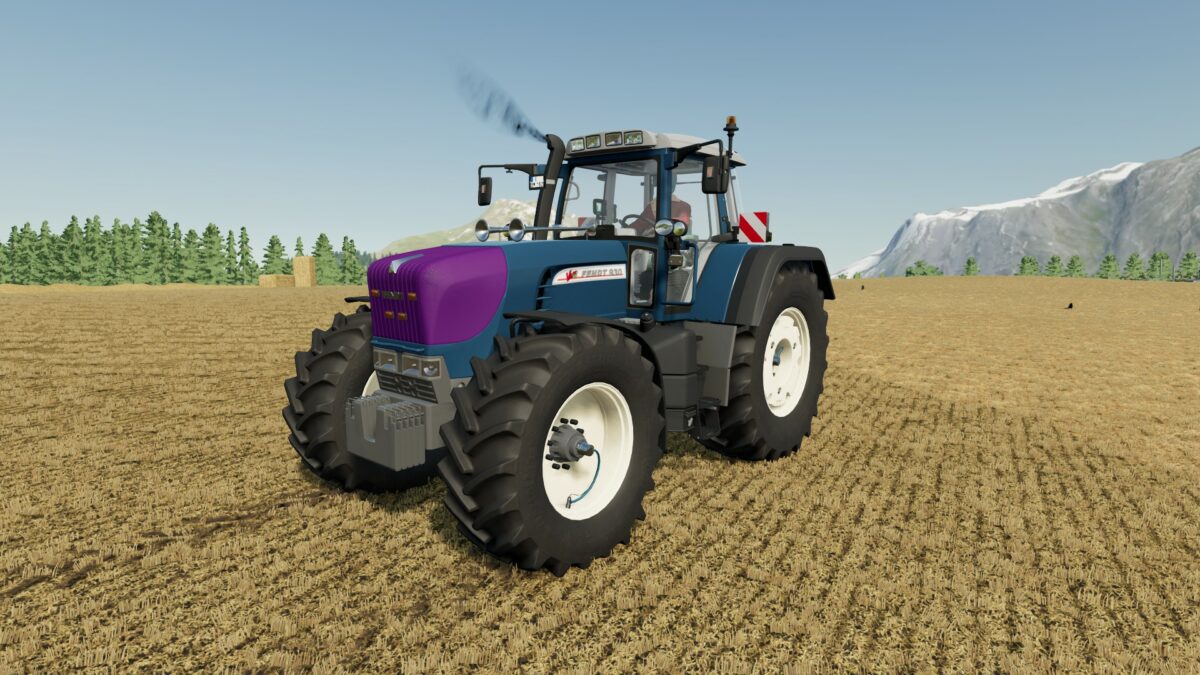
Fendt 900 TMS Vario v 1.4.1

– Engine Setup: 165 hp, 200 hp, 240 hp, 260 hp, 300 hp
– Selectable Wheels
– Selectable Wheels Brand
– Selectable Design
– Selectable License Plate
– Many Configuration Options
– Selectable Design Color
– Selectable Rim Color
– Choice of Color
Version 1.4.1:
* Sound revised
* Volume adjusted
* Km/h adjusted
* All doors and windows newly cut out and installed
* Frontloader installed (Quicke Hauer)
* Added care tires rear
* Colors revised
* Tire pressure system (now with function CTRL page up and down to set the pressure and CTRL P to confirm)
* Speed adjusted
* Added rear upper link bracket (only lowered in front)
* New front fender installed
* Added water tank again
* 50 km/h sign adjusted
* Level display made darker
* More rim colors
* RUL holder now not visible with unconfigured beacon
* Shop category from L tractors to M tractors
Smety, Tronxyyy
Farming Simulator 22
How do I install Farming Simulator mods?
Find a mod that you like and want to download first. Then, on your PC, download a mod. Mods are typically in.zip format. However, it is sometimes in.rar format. If the mod file is in.zip format, no additional actions are required. If a file is in.rar format, you must unarchive it using software such as WinRar or Zip7. Windows 10 users do not need to use archive software; Win10 includes an unarchive feature.
The next step is to locate the mods folder on your computer. It is typically found in Documents/My Games/Farming Simulator [Your FS game version, e.g. 2022]. Open the "mods" folder and place the downloaded.zip archive or unarchived.rar file there.
The final step. Have fun with Farming Simulator mods!