

Global Time Core v 1.0

Global Time Core v 1.0

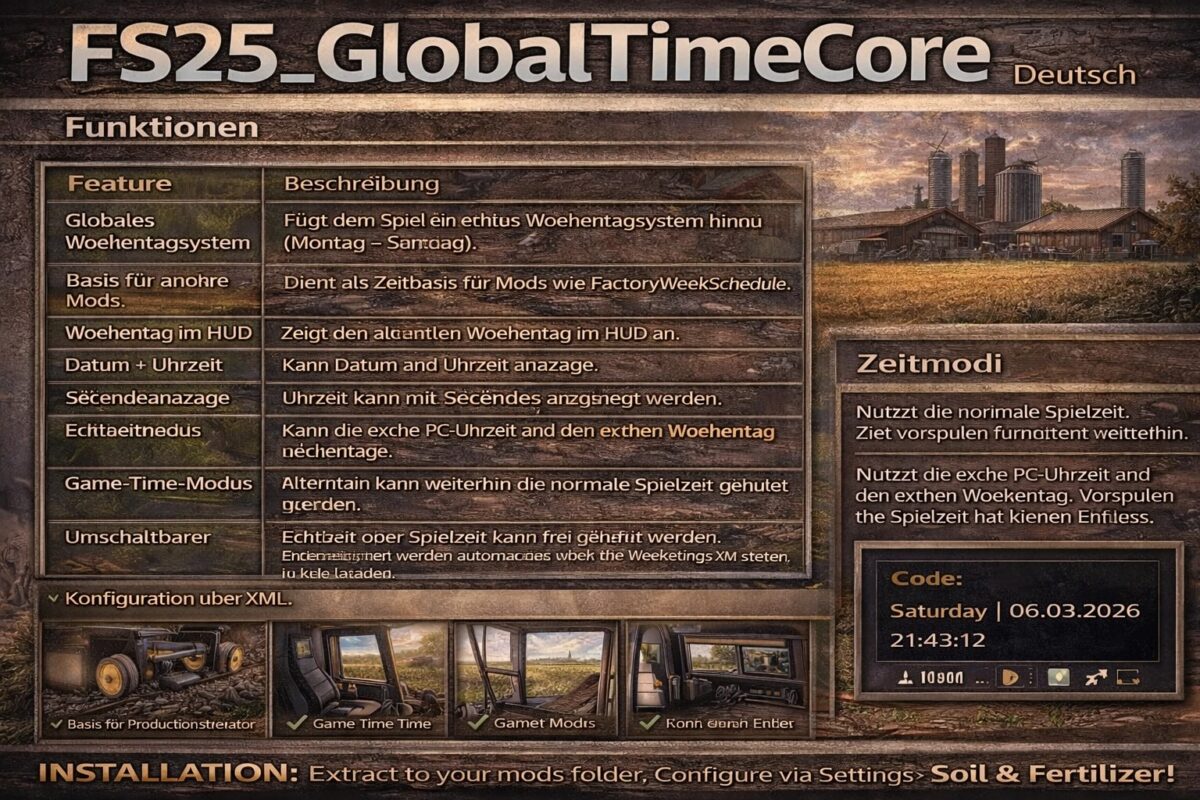
Adds a true weekday system to the game (Monday – Sunday).
FS25_GlobalTimeCore
German
Functions
Feature Description
Global Weekday System: Adds a true weekday system to the game (Monday – Sunday).
Base for other mods: Serves as a time base for mods like FactoryWeekSchedule.
Weekday in HUD: Displays the current weekday in the HUD.
Date + Time: Can display the date and time.
Seconds Display: Time can be displayed with seconds.
Real-time Mode: Can use the real PC time and the real day of the week.
Game Time Mode: Alternatively, normal game time can still be used.
Switchable Time Mode: Real-time or game time can be freely selected.
Configuration via XML: Settings are automatically loaded via the modSettings XML.
Base for Production Control: Allows other mods to control production according to weekdays.
Time Modes
Mode Description
Game Time: Uses normal game time. Time fast-forwarding still works.
Realtime uses the actual PC time and day of the week. Fast-forwarding the game time has no effect.
Example in the game
Code
Saturday | 06.03.2026 | 21:43:12
Akita83
How do I install Farming Simulator mods?
Find a mod that you like and want to download first. Then, on your PC, download a mod. Mods are typically in.zip format. However, it is sometimes in.rar format. If the mod file is in.zip format, no additional actions are required. If a file is in.rar format, you must unarchive it using software such as WinRar or Zip7. Windows 10 users do not need to use archive software; Win10 includes an unarchive feature.
The next step is to locate the mods folder on your computer. It is typically found in Documents/My Games/Farming Simulator [Your FS game version, e.g. 2022]. Open the "mods" folder and place the downloaded.zip archive or unarchived.rar file there.
The final step. Have fun with Farming Simulator mods!