

IFA RS01/40 Pionier v 1.0

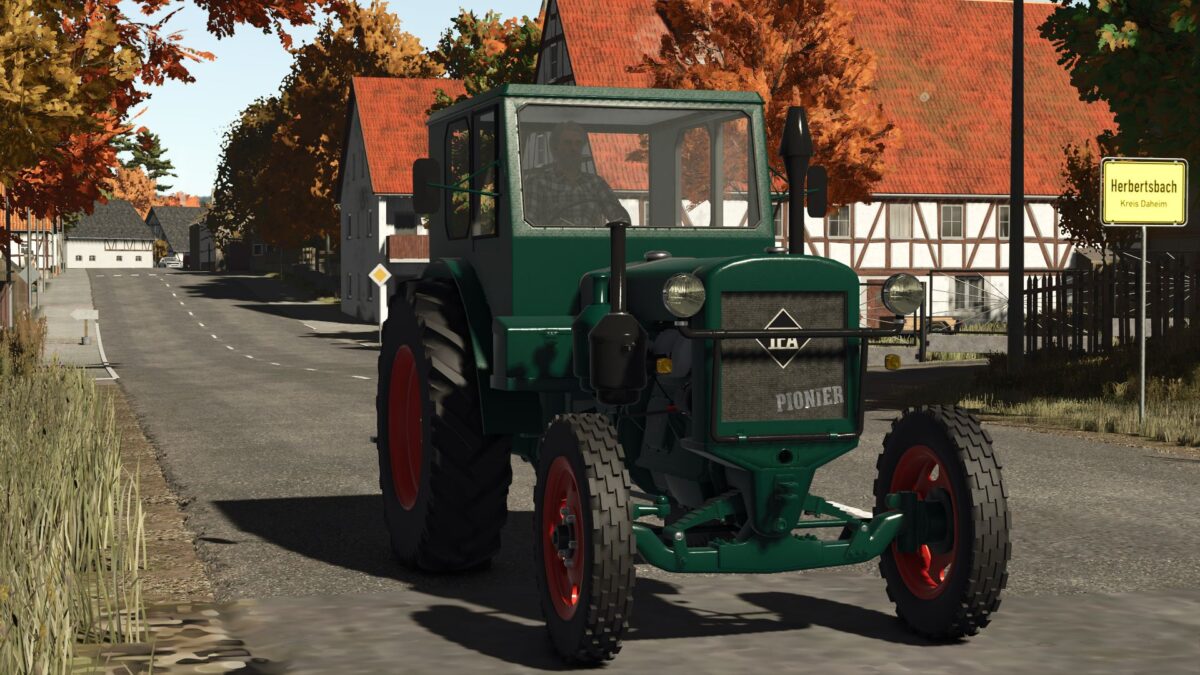
IFA RS01/40 Pionier v 1.0

Manufacturer tractor factory Nordhausen
Hark
Sales designation 1949–56: RS 01/40 Pioneer
1957–58: RS 01/40-II Harz
Production period 1949–1958
Engines 4F 145
Diesel, 5022 cm³,
29-31kW
Tensile force 19 kN
Length 3650mm
Width 1720mm
Height 2200mm
Wheelbase 2080 mm
Front track width: 1290 mm
rear: 1390 mm
Turning radius 4500 mm
Standard front tires: 6.5 – 20 AS
rear: 12.75 – 28 AS
Top speed 17.5 km/h
Maximum permissible total mass 3700 kg
Empty weight 3300 kg
Previous model FAMO XL
Successor model RS14
Configs:
cabin
body
engine
Front hood
Colors:
Rims
body
Roof
IC:
Engine start
Engine start crank
Open the box
Light
Bonnet
OstFreakz
How do I install Farming Simulator mods?
Find a mod that you like and want to download first. Then, on your PC, download a mod. Mods are typically in.zip format. However, it is sometimes in.rar format. If the mod file is in.zip format, no additional actions are required. If a file is in.rar format, you must unarchive it using software such as WinRar or Zip7. Windows 10 users do not need to use archive software; Win10 includes an unarchive feature.
The next step is to locate the mods folder on your computer. It is typically found in Documents/My Games/Farming Simulator [Your FS game version, e.g. 2022]. Open the "mods" folder and place the downloaded.zip archive or unarchived.rar file there.
The final step. Have fun with Farming Simulator mods!