

International CV Series Tanker v 1.1

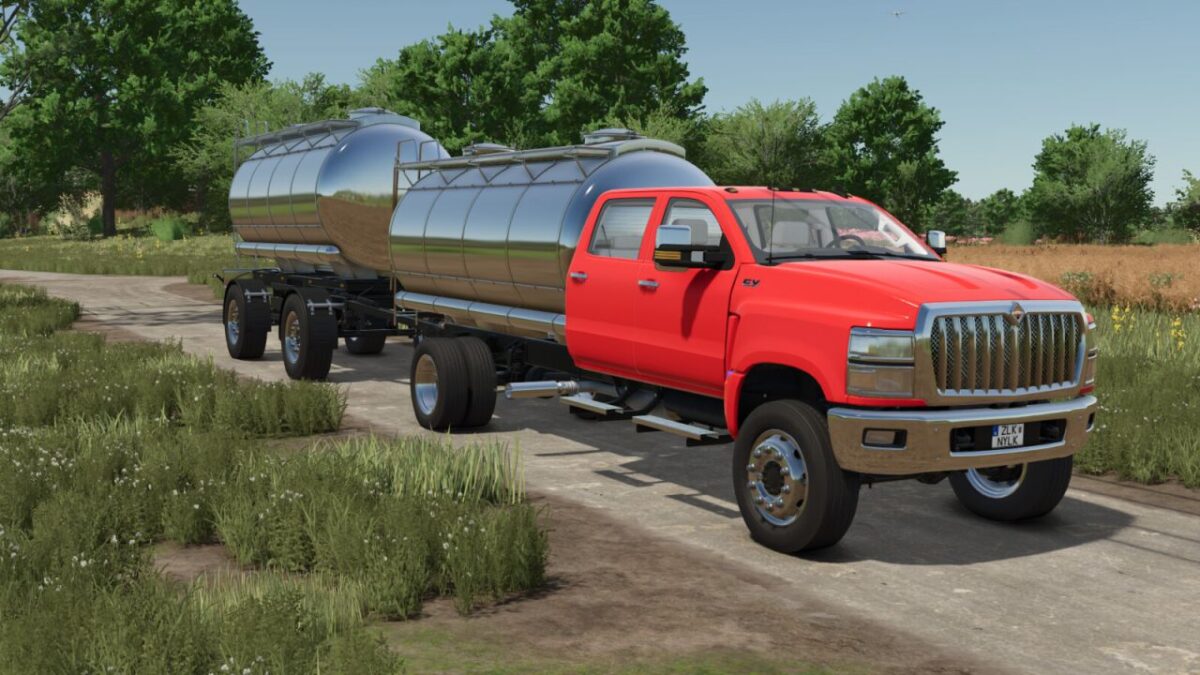
International CV Series Tanker v 1.1

It can transport Milk, Bottled Milk, Goat Milk, Bottled Goat Milk, Buffalo Milk, Bottled Buffalo Milk, Rice Oil, Canola Oil, Sunflower Oil, Olive Oil, Grape Juice, Soup Cans Potato, Soup Cans Beetroot, Soup Cans Parsnip, Soup Cans Carrots, Soup Cans Mixed, Water, Diesel, Digestate, Liquid Manure, Liquid Fertilizer, Herbicide and Silage Additive
– Unload Pallets (For Suitable Goods)
– Refill Vehicles (Diesel, Fertilizer, Herbicide)
– Wheel Options
– Cabin Options
– Capacity Options
– Trailer Hitch Option
– Main Color Options
– Tanker Color Options
– Design Color Options
Category: Trucks
Price: $67,500
Power: 350 hp
Max. speed: 90 KpH
Version 1.1:
* Added New Fill types
* Added Trailer Hitch
* Added Wheel Options
* Fixed Tanker Collision
ONR Modding
How do I install Farming Simulator mods?
Find a mod that you like and want to download first. Then, on your PC, download a mod. Mods are typically in.zip format. However, it is sometimes in.rar format. If the mod file is in.zip format, no additional actions are required. If a file is in.rar format, you must unarchive it using software such as WinRar or Zip7. Windows 10 users do not need to use archive software; Win10 includes an unarchive feature.
The next step is to locate the mods folder on your computer. It is typically found in Documents/My Games/Farming Simulator [Your FS game version, e.g. 2022]. Open the "mods" folder and place the downloaded.zip archive or unarchived.rar file there.
The final step. Have fun with Farming Simulator mods!