

Investment System v 1.0

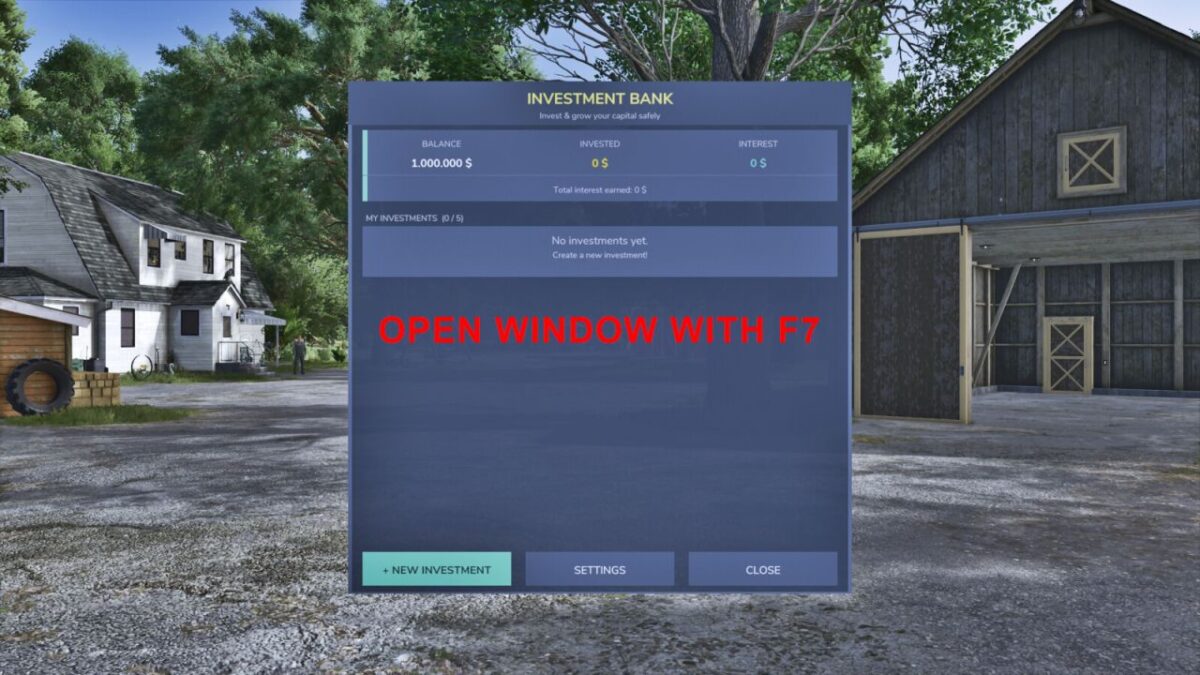
Investment System v 1.0

Manage your farm finances like a pro with a full investment system built right into Farming Simulator 25.
FEATURES:
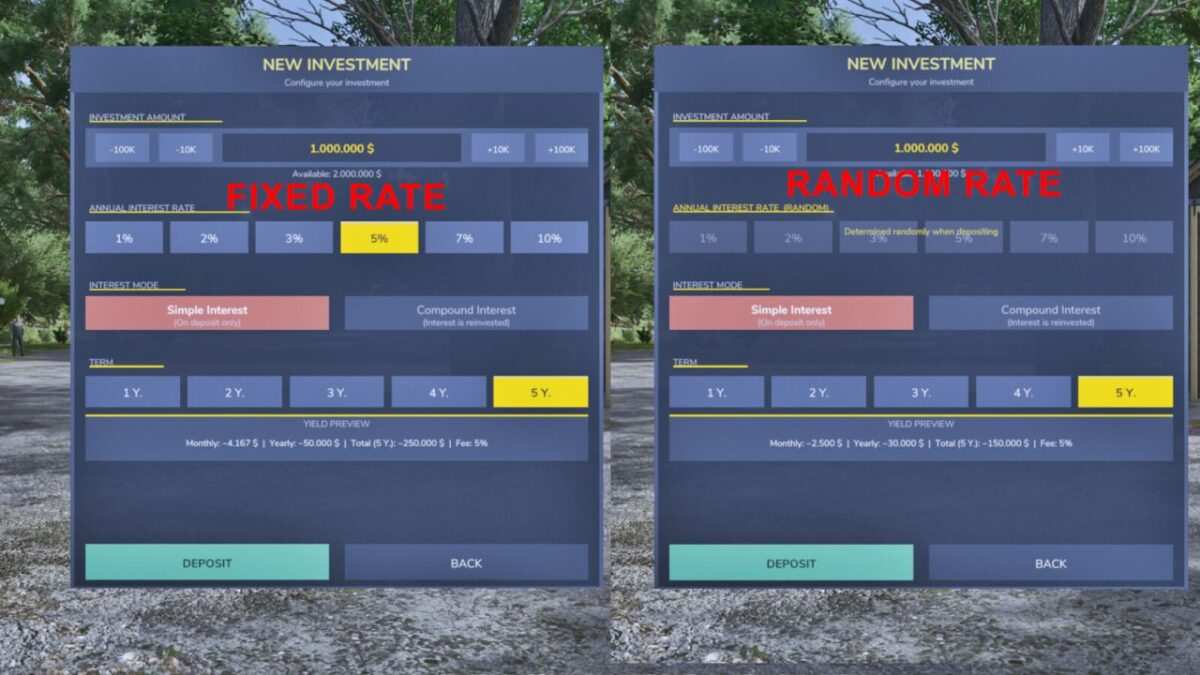
– Deposit money into fixed-term investments (1 to 5 years)
– Choose from 6 interest rates: 1%, 2%, 3%, 5%, 7% or 10% p.a.
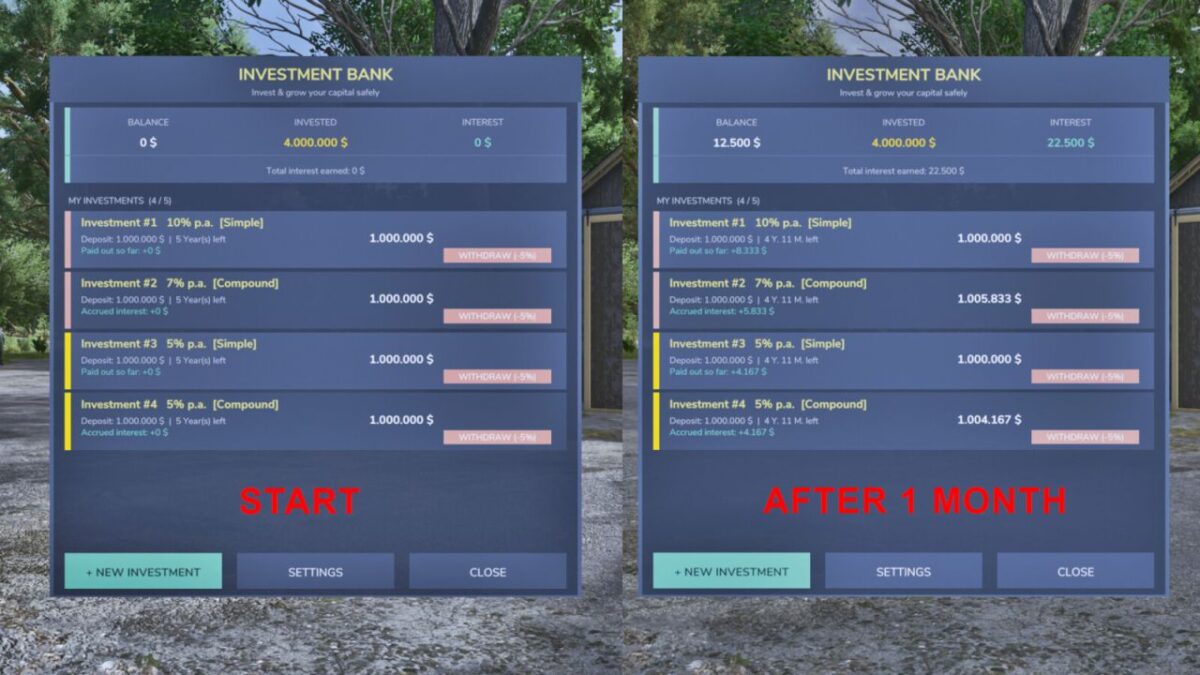
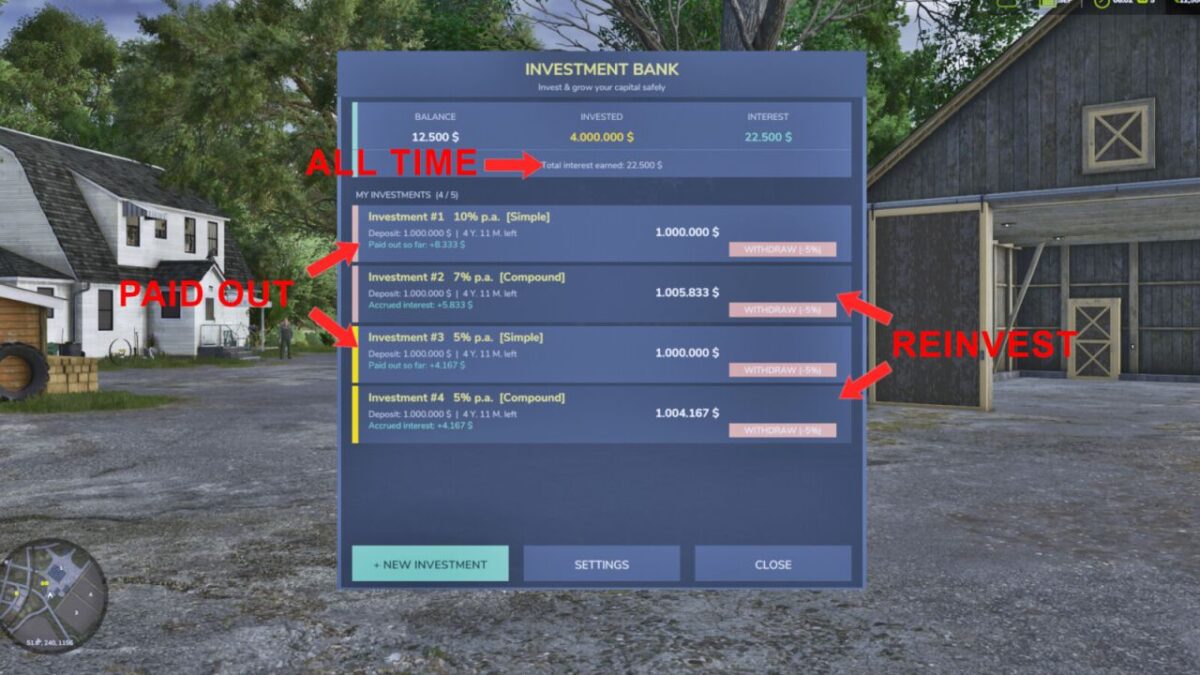
– Simple interest: monthly payouts directly to your account
– Compound interest: interest is reinvested and paid out at the end of the term
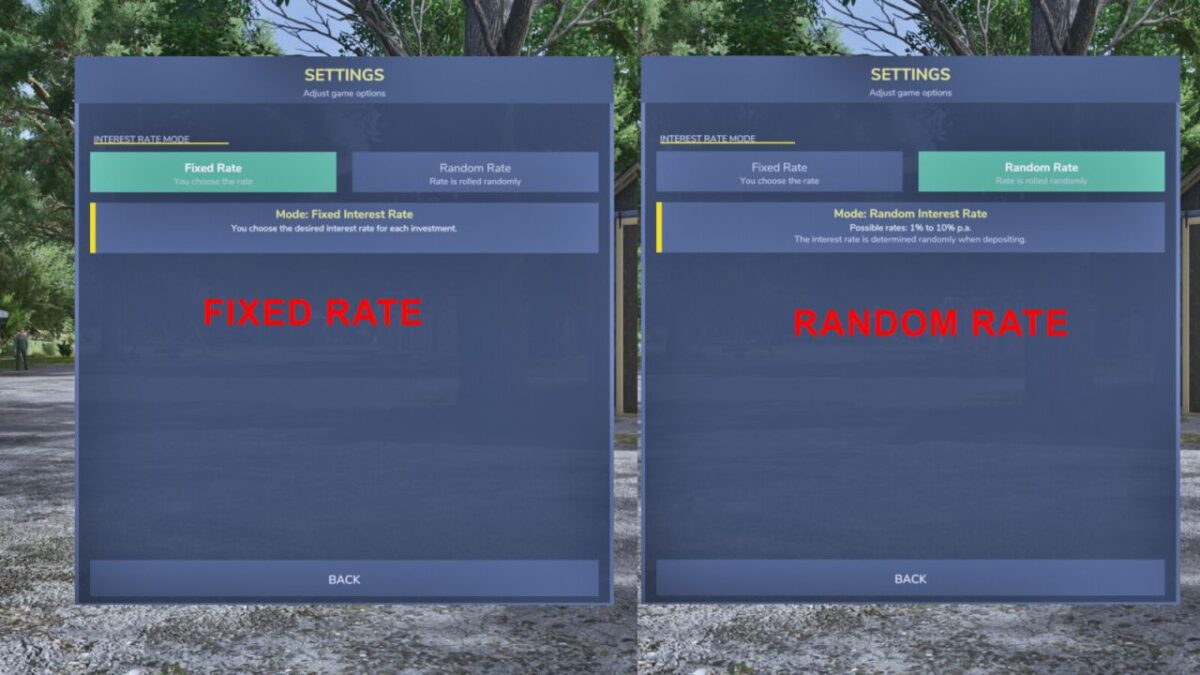
– Random rate mode: the bank rolls a random rate when you deposit (configurable)
– Up to 5 simultaneous investments per farm
– Investments expire automatically and pay out without any fee
– Early withdrawal possible at any time for a 5% fee
– Live yield preview before confirming a deposit
– Remaining term displayed per investment (years & months)
– Settings page to switch between fixed and random interest rate mode
Open the bank with F7
Minimum deposit: 1,000 | Maximum deposit: 50,000,000
[KaiGo Modding] GamingGonso
How do I install Farming Simulator mods?
Find a mod that you like and want to download first. Then, on your PC, download a mod. Mods are typically in.zip format. However, it is sometimes in.rar format. If the mod file is in.zip format, no additional actions are required. If a file is in.rar format, you must unarchive it using software such as WinRar or Zip7. Windows 10 users do not need to use archive software; Win10 includes an unarchive feature.
The next step is to locate the mods folder on your computer. It is typically found in Documents/My Games/Farming Simulator [Your FS game version, e.g. 2022]. Open the "mods" folder and place the downloaded.zip archive or unarchived.rar file there.
The final step. Have fun with Farming Simulator mods!