

John Deere 6R 145-250 v 1.5

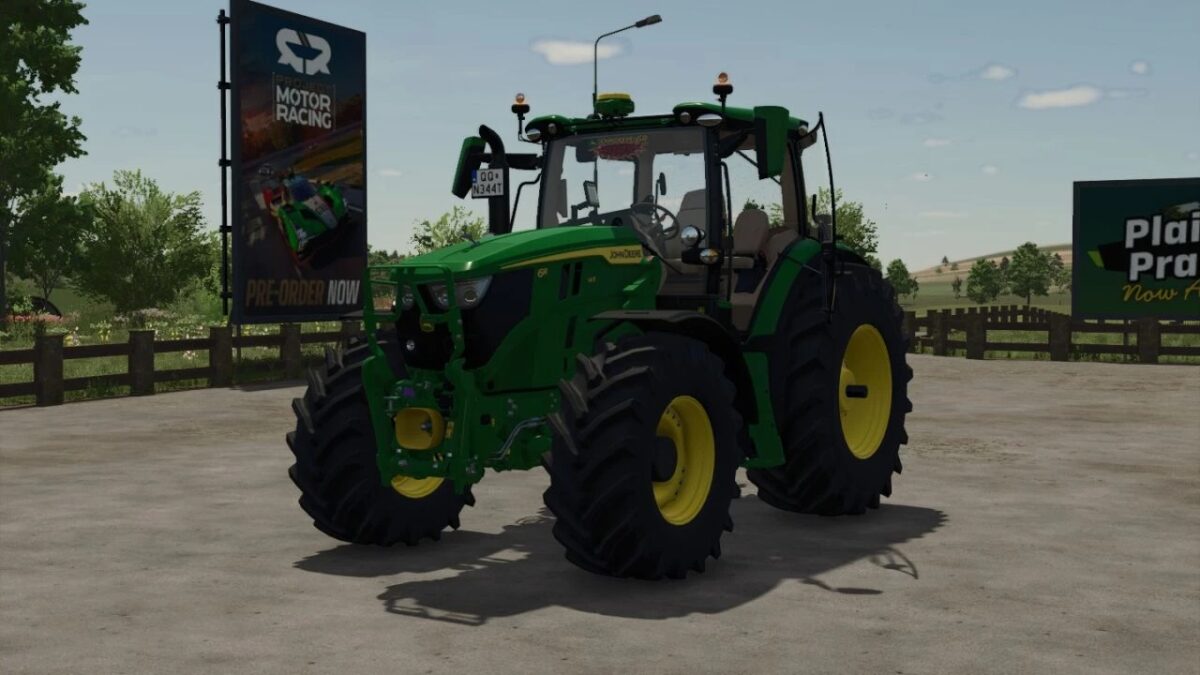
John Deere 6R 145-250 v 1.5

Category: Medium Tractors
Price: 182000 USD
Power: 192 – 234 HP
Max. Speed: 50 km / h
Body color of choice
Seat color of choice
Rim color of choice
Deer emblem of choice
Light and front flasher
Wired consumption vbum
Front Fenders TES / NO
Added : real Gps –
Added : Precision Farming – Improved opening windows – Improved Rear wheels (added bolts) – More IC panel – Add 230-250 engine – Seat color Front Fenders – Rear Fenders – Warning Signs – Dealer sticker – Signal lights – Steering wheel knob – IC panel – Configuration: US / EU – Warning sign Yes / No, EU / USA
Version 1.5:
* Changed sounds
* Added more IC panels
* Configured warning signs
* Mod will be developed
AstroPawian
How do I install Farming Simulator mods?
Find a mod that you like and want to download first. Then, on your PC, download a mod. Mods are typically in.zip format. However, it is sometimes in.rar format. If the mod file is in.zip format, no additional actions are required. If a file is in.rar format, you must unarchive it using software such as WinRar or Zip7. Windows 10 users do not need to use archive software; Win10 includes an unarchive feature.
The next step is to locate the mods folder on your computer. It is typically found in Documents/My Games/Farming Simulator [Your FS game version, e.g. 2022]. Open the "mods" folder and place the downloaded.zip archive or unarchived.rar file there.
The final step. Have fun with Farming Simulator mods!