

John Deere 6R Large Frame Series 2021 v 1.0

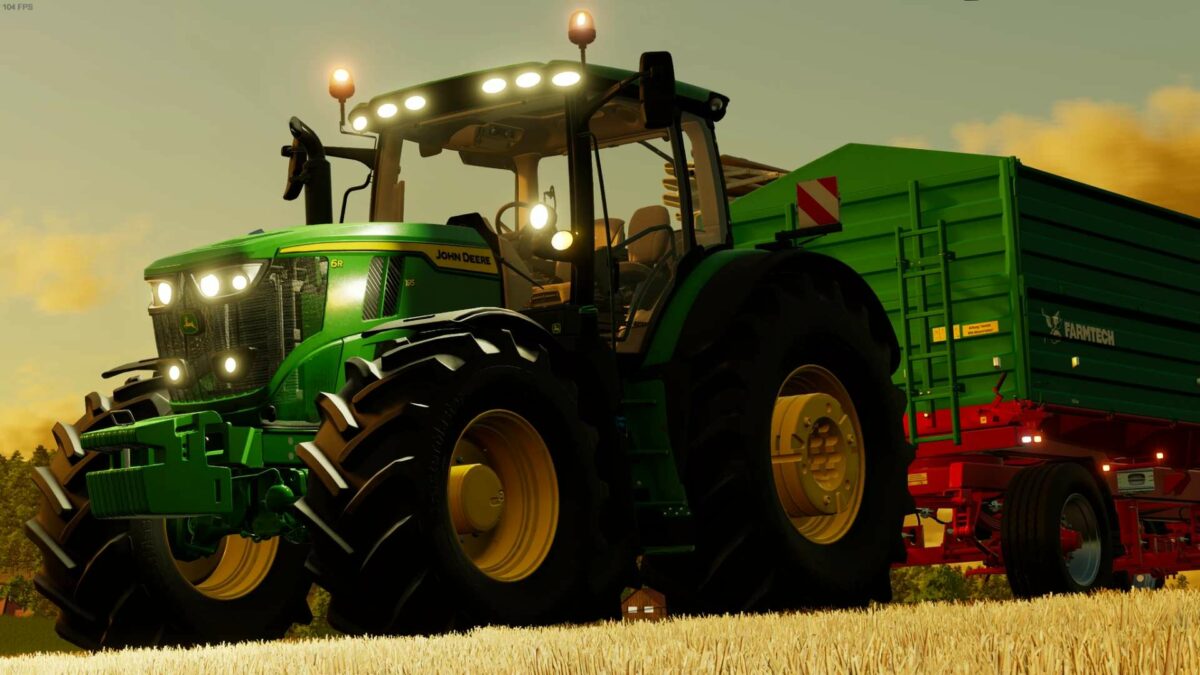
John Deere 6R Large Frame Series 2021 v 1.0

Motor config.
(6R 175-6R 195-6R 215)
(With options for AutoQuad, AutoPower, Direct Drive and CommandPro transmissions)
(Fully animated transmissions)
Wheel brand config.
(Trelleborg, Mitas, Michelin, Continental, BKT, Vredestein, Nokian)
Wheel config.
(4 Standard options-Wide)(+)(With wheel weights/with wheel weights2)(+)(Twin back wheels)/(Twin wheels)/(Twin (Back) Wheels+ (Narrows/+Twin (Back) Wheels/)
(3m spacing is also available on narrow wheels)
Front attacher config.
(Bracket-300kg-500kg-700kg-900kg-1000kg-Front hydraulic-Front Hydraulic+PTO)
Versions config.
(Standard-2 Beacons-Warning Signs-2 Beacons+Warning Signs)
Monitor + Radio config.
(4100-4200-4600-G5/+Old Radio System/+ New Radio System)
Lights config.
(Standard-LED Lights)
Additional light’s config.
(No-Front Round-Front Oval-Back-Side/All combinations of them)
Mirrors config.
(Standard-Ultimate-Ultimate GEN2)
Doors+Editions config.
(Standard+Select/Premium/Ultimate Edition-Panoramic Door+Select/Premium/Ultimate Edition)
Roof config.
(Standard Roof-Standard Roof w/additional worklights-Panoramic Roof)
StarFire config.
(No-Holder-SF 3000-SF 6000-SF 7000-/+RTK/+2630 Monitor/+4600 Monitor/+G5 Plus Monitor)
Fenders config.
(Back Standard-Back Wide/+Front1/+2)
Seat Material config.
(Standard-Leather)
Front Loader config.
(Mechanic buttons-Multifunctional Joystick-Mechanic buttons+Steering Knob-Multifunctional Joystick+Steering Knob-Quicke-JD-Hauer/+Shield/+ToolBox)
Rotatable and movable seat with mouse buttons
Udruzenje Nezavisnih Modera (Dince)
Farming Simulator 22
How do I install Farming Simulator mods?
Find a mod that you like and want to download first. Then, on your PC, download a mod. Mods are typically in.zip format. However, it is sometimes in.rar format. If the mod file is in.zip format, no additional actions are required. If a file is in.rar format, you must unarchive it using software such as WinRar or Zip7. Windows 10 users do not need to use archive software; Win10 includes an unarchive feature.
The next step is to locate the mods folder on your computer. It is typically found in Documents/My Games/Farming Simulator [Your FS game version, e.g. 2022]. Open the "mods" folder and place the downloaded.zip archive or unarchived.rar file there.
The final step. Have fun with Farming Simulator mods!