

John Deere 7R Gen2 v 1.0

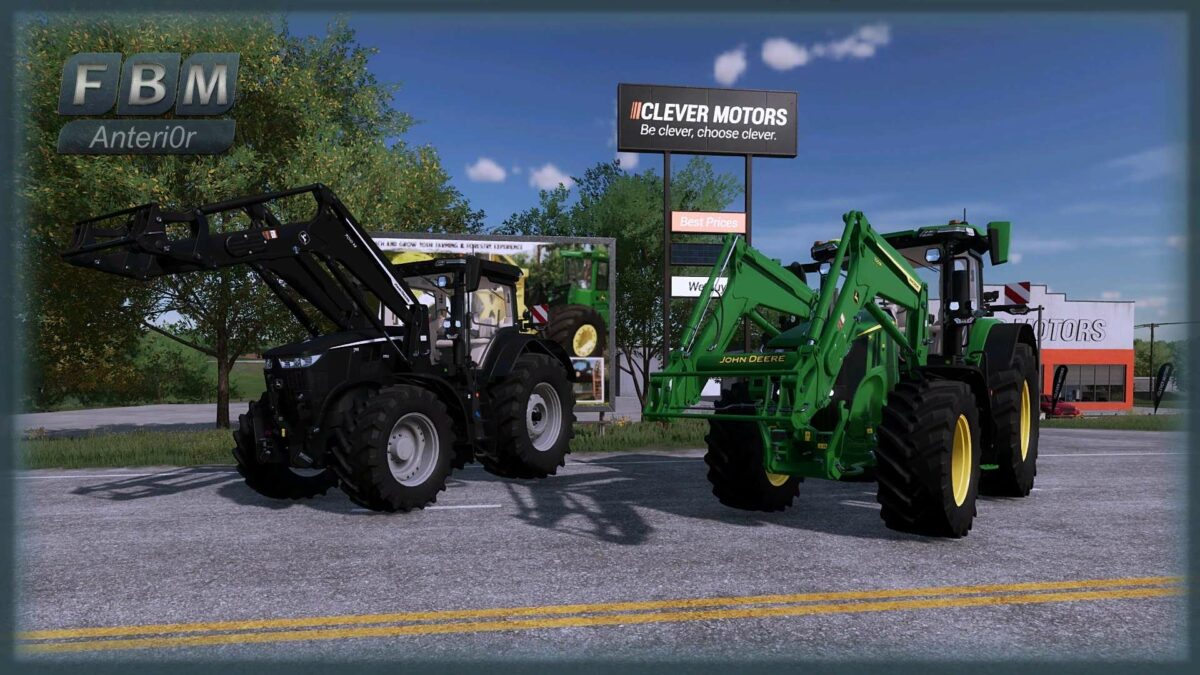
John Deere 7R Gen2 v 1.0

– Removed front attacher configuration. 3-point attachment can be used at the same time as front loader attachment
– Added Terra tires by popular request for Trelleborg, Michelin and Vredestein
– Color choices for grille, base color, GPS module and rims. The upper links are colored with the base color
– RUL configurations installed
– Front flasher configuration added
– Decal configuration. You can choose yellow or gray
– Frontloader and LaForgeEZ weight included in the mod also with color choice and decal selection
– Simple IC for doors, rear windows and warning signs
– 60 km/h motor versions in addition to the standard ones as well as a “chipped” motor for the 50 km/h and 60 km/h variants (km/h decals on the rear window adapt)
– Window tinting configuration
– Kubota DLC ready, passenger seat installed
– Precision Farming DLC ready
Anteri0r
Farming Simulator 22
How do I install Farming Simulator mods?
Find a mod that you like and want to download first. Then, on your PC, download a mod. Mods are typically in.zip format. However, it is sometimes in.rar format. If the mod file is in.zip format, no additional actions are required. If a file is in.rar format, you must unarchive it using software such as WinRar or Zip7. Windows 10 users do not need to use archive software; Win10 includes an unarchive feature.
The next step is to locate the mods folder on your computer. It is typically found in Documents/My Games/Farming Simulator [Your FS game version, e.g. 2022]. Open the "mods" folder and place the downloaded.zip archive or unarchived.rar file there.
The final step. Have fun with Farming Simulator mods!