

JW 4×4 v 1.0

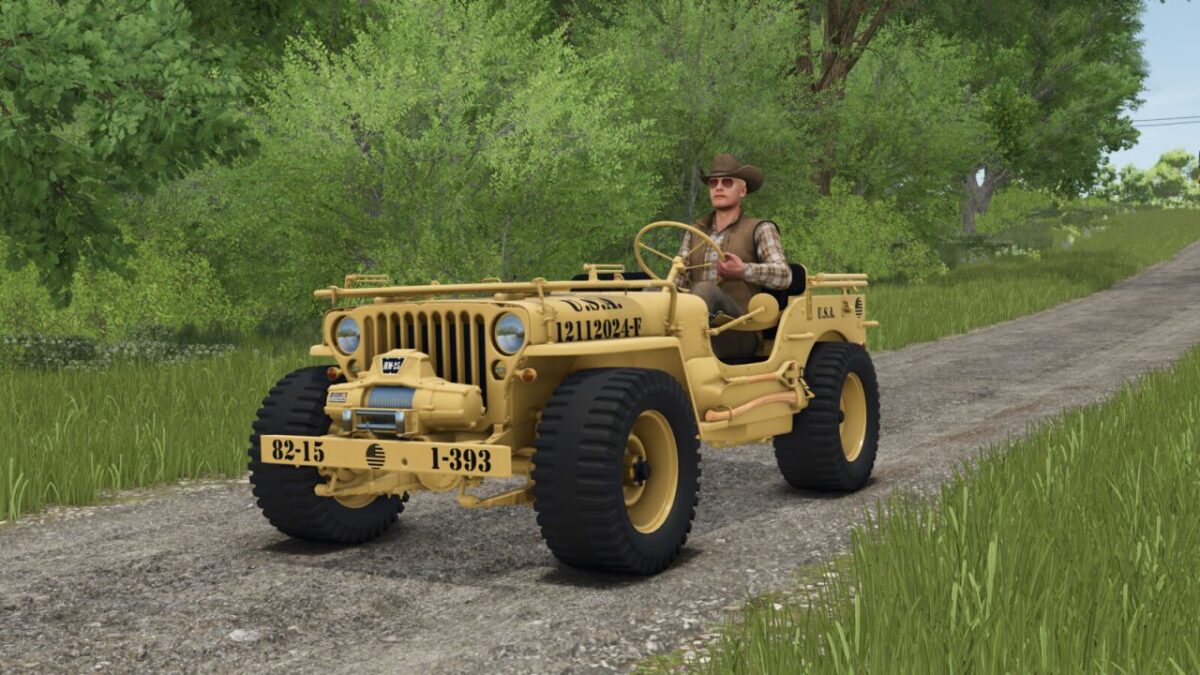
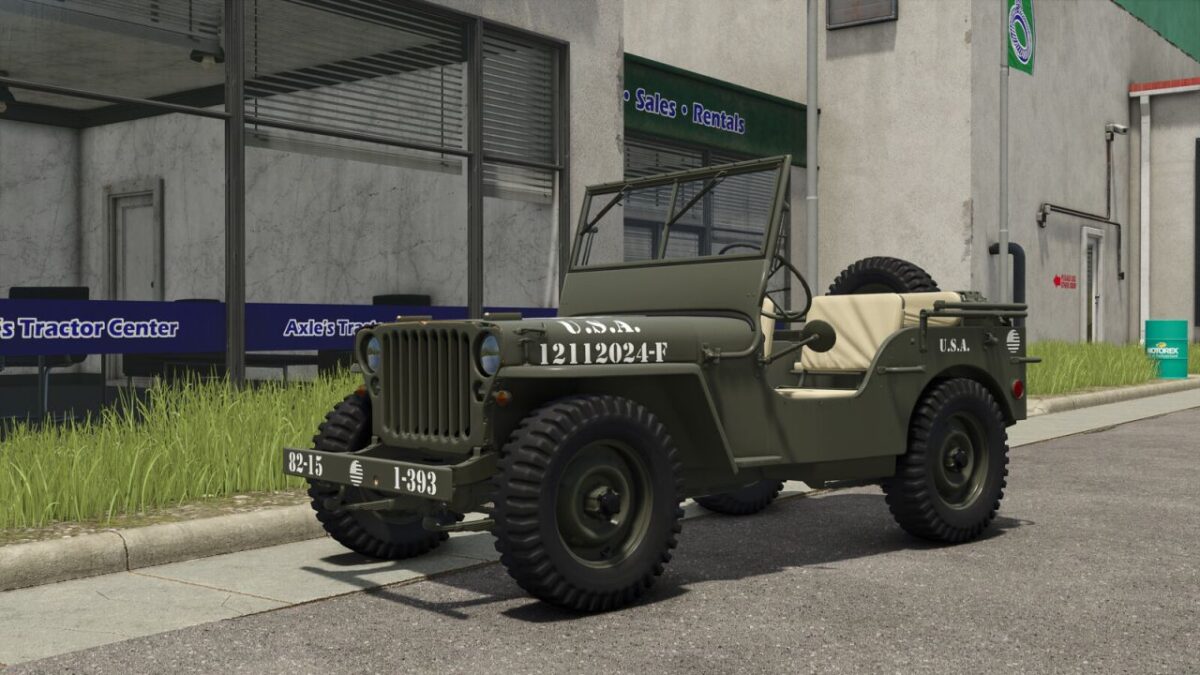
JW 4×4 v 1.0

Features (In the order of the tent)
– Base Price: 32.400 $
– 3-speed manual gearbox.
– Fuel tank capacity: 14,8 Gallons + 5,3 Gallons optional.
– Weight: 3086 Pounds.
– 2 Engines: 60 Hp (Maximum speed 65 mph) 296 Hp (Maximum speed 105 mph)
– 24 different tires (BKT, Continental, Lizard, Michelin, Mitas, Nokian, Trelleborg and Vredestein).
– 2 sizes for all tires, 205/65 R16 (No crop damage), 325/65 R16 (Crop damage)
– Optional winch (maximum pull 7720 Pounds).
– Front attachments: Hitch and hitch rings.
– Optional side headlights.
– Optional side tools.
– Optional spare wheel.
– Optional decals: 6 different types.
– Window tinting (5 options).
– 3 different rear hitches: Original (Trailer), Trailer and Low Trailer.
– Optional extra fuel canister: 5,3 Gallons
– 3 vehicle configurations: fabric cover, roll bars and gooseneck hitch.
Color configurations:
Main
Hardware
Seats and Protectors
Fabric Cover
Rims
More than 100 colors available for all color configurations.
Front and rear license plate.
Hispano, 82 Studio
How do I install Farming Simulator mods?
Find a mod that you like and want to download first. Then, on your PC, download a mod. Mods are typically in.zip format. However, it is sometimes in.rar format. If the mod file is in.zip format, no additional actions are required. If a file is in.rar format, you must unarchive it using software such as WinRar or Zip7. Windows 10 users do not need to use archive software; Win10 includes an unarchive feature.
The next step is to locate the mods folder on your computer. It is typically found in Documents/My Games/Farming Simulator [Your FS game version, e.g. 2022]. Open the "mods" folder and place the downloaded.zip archive or unarchived.rar file there.
The final step. Have fun with Farming Simulator mods!