

Landscaping Extension for Zielonka v 1.0

Landscaping Extension for Zielonka v 1.0

This is an extension for the landscaping mode of the map Zielonka.
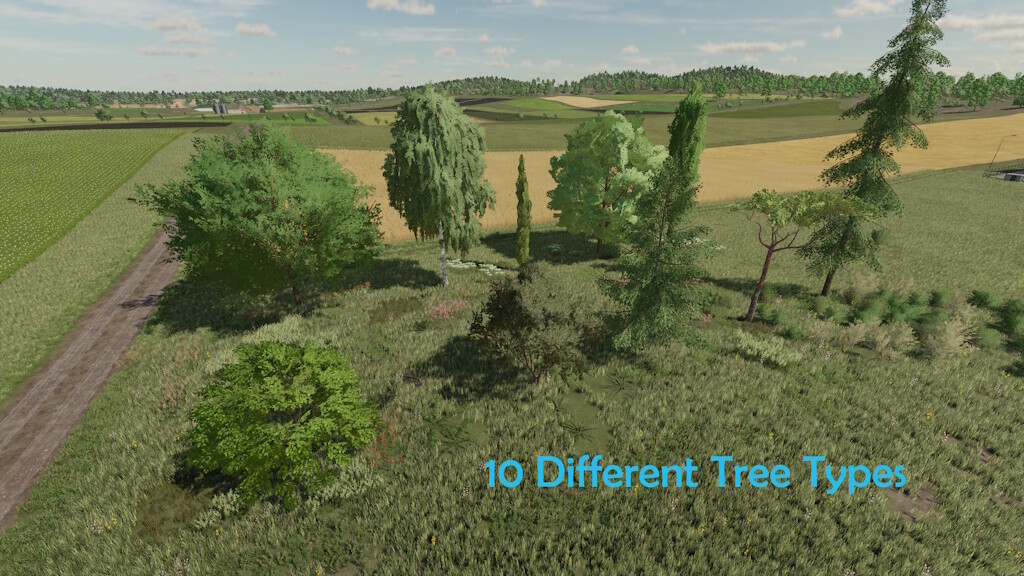
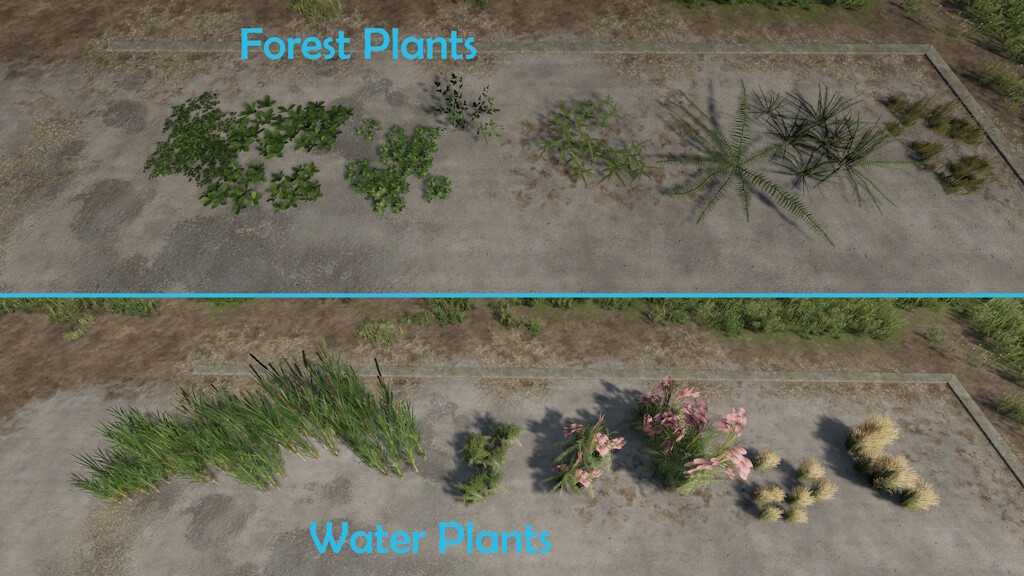
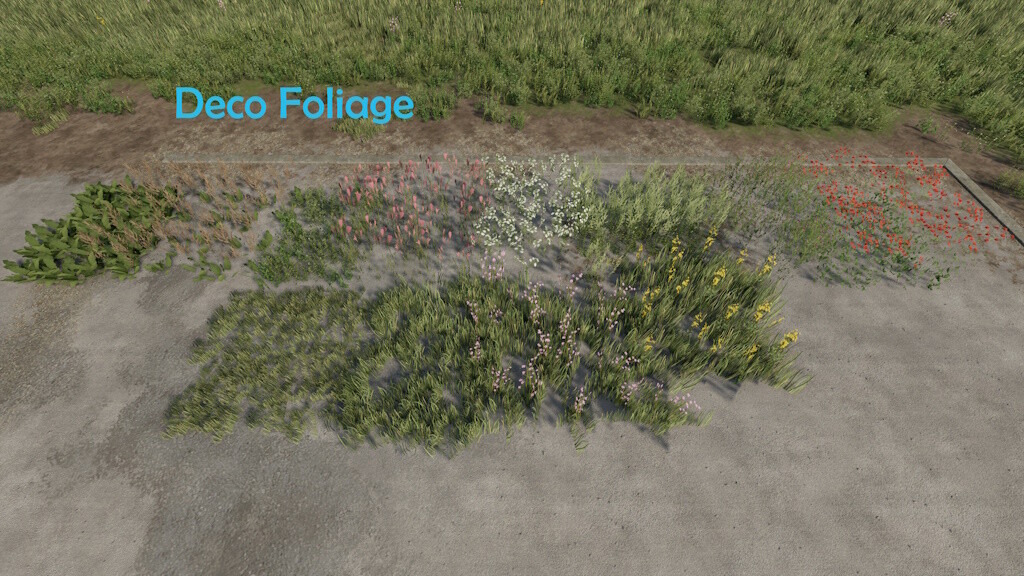
This mod unlocks additional decorative plants for landscaping as well as the remaining trees from the base game:
– 12 decorative plants
– 9 forest plants
– 8 water plants
– American elm
– Birch
– Cypress
– Maple
– Olive tree
– Pagoda dogwood
– Poplar
– Spruce
– Stone pine
In principle, this mod can also be started with other maps, but this is not advisable as the plant settings differ from map to map. The mod should therefore always be deactivated on other maps.
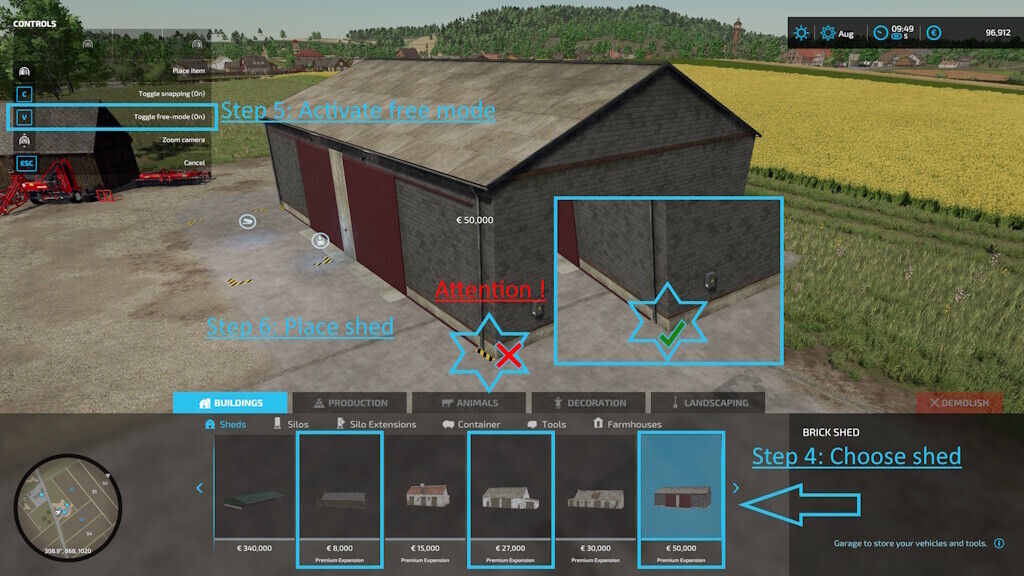
There are also three bale and pallet storages that can be placed in the three shed from the Premium expansion (not in the arched wall hall). Pay attention to the markings on the floor.
In order to place the warehouses correctly, you need to use the free mode and grid placement. Carry out the following steps:
1. Choose one of the warehouses in landscaping mode
2. Activate grid placement.
3. Place the Warehouse.
4. Select the appropriate shed.
5. Activate free mode.
6. Place the shed so that the building markers disappear at all corners below the shed.
The warehouses can be sold by clicking on the markers.
Small Warehouse
– Price: 1.000$
– Maintenance: 10$ / day
– Capacity: 200 bales or pallets
– Category: Buildings – Silos
– Slots: 1
Medium Warehouse
– Price: 2.000$
– Maintenance: 10$ / day
– Capacity: 500 bales or pallets
– Category: Buildings – Silos
– Slots: 1
Big Warehouse
– Price: 3.000$
– Maintenance: 10$ / day
– Capacity: 1.000 bales or pallets
– Category: Buildings – Silos
– Slots: 1
Version 1.0.1.0:
* Corrected german mod name
* Revised Store Icons
* Added bale and pallet storages for the sheds of the Premium Expansion
TopAce888
Farming Simulator 22
How do I install Farming Simulator mods?
Find a mod that you like and want to download first. Then, on your PC, download a mod. Mods are typically in.zip format. However, it is sometimes in.rar format. If the mod file is in.zip format, no additional actions are required. If a file is in.rar format, you must unarchive it using software such as WinRar or Zip7. Windows 10 users do not need to use archive software; Win10 includes an unarchive feature.
The next step is to locate the mods folder on your computer. It is typically found in Documents/My Games/Farming Simulator [Your FS game version, e.g. 2022]. Open the "mods" folder and place the downloaded.zip archive or unarchived.rar file there.
The final step. Have fun with Farming Simulator mods!