

LED Traffic Signs v 1.1

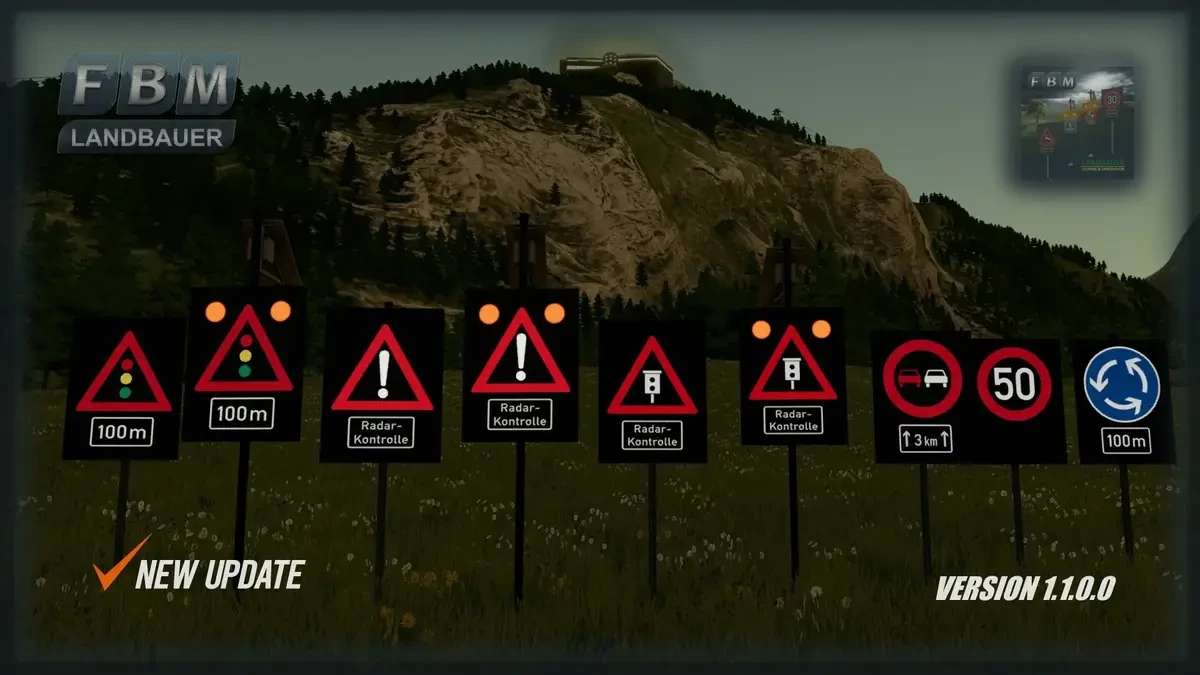
LED Traffic Signs v 1.1

Powerful, modern and energy saving, traffic signs using LED technology.
The possible uses of a traffic sign with LED technology are diverse. Information for road users is made visible in an efficient manner and makes important displays even more visible, regardless of the time of day or weather conditions. This significantly improves security. LED traffic signs can be used in all areas of road traffic in bad weather and at night they are significantly more visible and thus increase safety.
● Purchase prices: €0
● Maintenance costs: €0
● Decorative objects
● Can be found in the game under: Building / Decoration / Miscellaneous
● Languages: German, English, Français, Italiano, Spanish, Polski
Version 1.1:
* Added Nine New LED Traffic Signs
Landbauer
Farming Simulator 22
How do I install Farming Simulator mods?
Find a mod that you like and want to download first. Then, on your PC, download a mod. Mods are typically in.zip format. However, it is sometimes in.rar format. If the mod file is in.zip format, no additional actions are required. If a file is in.rar format, you must unarchive it using software such as WinRar or Zip7. Windows 10 users do not need to use archive software; Win10 includes an unarchive feature.
The next step is to locate the mods folder on your computer. It is typically found in Documents/My Games/Farming Simulator [Your FS game version, e.g. 2022]. Open the "mods" folder and place the downloaded.zip archive or unarchived.rar file there.
The final step. Have fun with Farming Simulator mods!