

Liquid Lime v 1.1


Liquid Lime v 1.1

Revolutionize your farming experience with Liquid Lime, specially formulated for use with sprayers.
NOTE: This is not working correctly with helpers so please do not use them with Liquid Lime. (Looking into a way to make them work correctly if it is possible)
Key Features:
– Liquid Lime Fill Type:
– Adds Liquid Lime to the game as a new material compatible with sprayers.
Items:
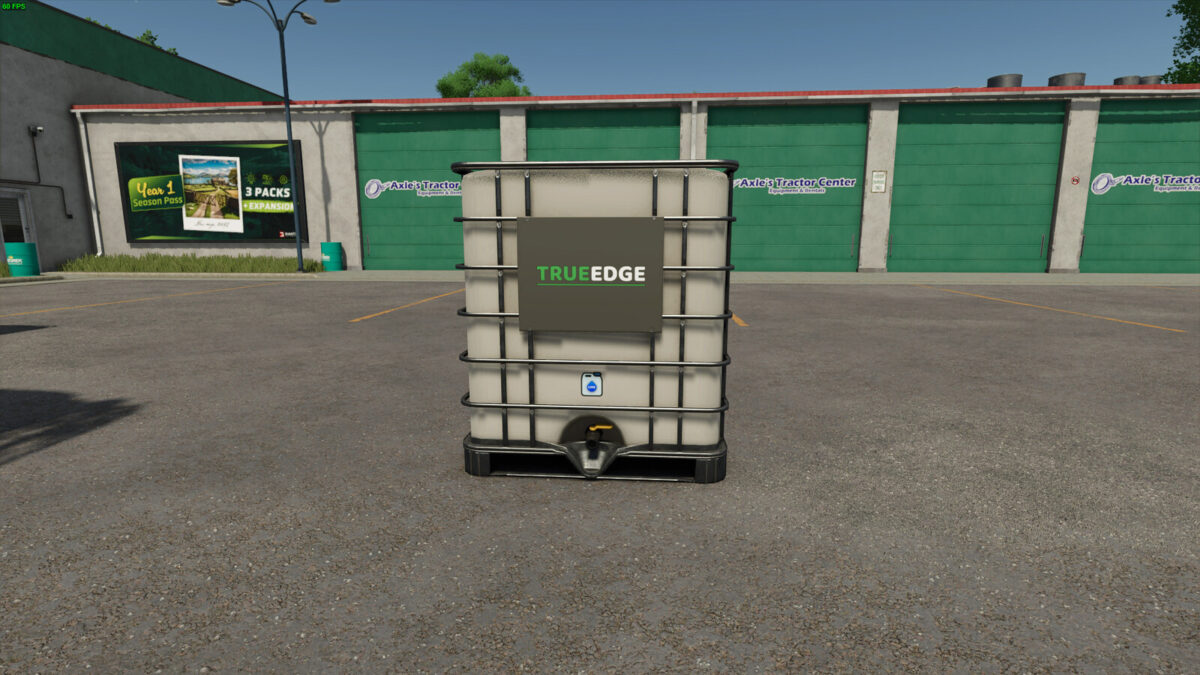
– TrueEdge Liquid Lime Tank:
– Capacity: 2000 liters
– Price: $900
– Meridian Liquid Lime Silo:
– Capacity: 155,000 liters
– Price: $46,500
– Daily upkeep: $100
– TrueEdge Liquid Lime Production:
– Price: $42,500
– Daily upkeep: $100
– Liquid Lime recipe: LIME and WATER
Liquid Lime provides a practical and efficient solution for soil treatment, aiming to replicate the characteristics of real liquid lime as closely as possible.
Version 1.1:
* Added a new production to produce Liquid Lime with Lime and Water (this can bring cost savings)
* Increased the Liquid Lime Silo storage capacity from 140,000 liters to 155,000 liters
* Added Liquid Lime to Slurry Tanks
FearlessStudios
How do I install Farming Simulator mods?
Find a mod that you like and want to download first. Then, on your PC, download a mod. Mods are typically in.zip format. However, it is sometimes in.rar format. If the mod file is in.zip format, no additional actions are required. If a file is in.rar format, you must unarchive it using software such as WinRar or Zip7. Windows 10 users do not need to use archive software; Win10 includes an unarchive feature.
The next step is to locate the mods folder on your computer. It is typically found in Documents/My Games/Farming Simulator [Your FS game version, e.g. 2022]. Open the "mods" folder and place the downloaded.zip archive or unarchived.rar file there.
The final step. Have fun with Farming Simulator mods!