

Massey Ferguson 8S Special Edition v 1.0

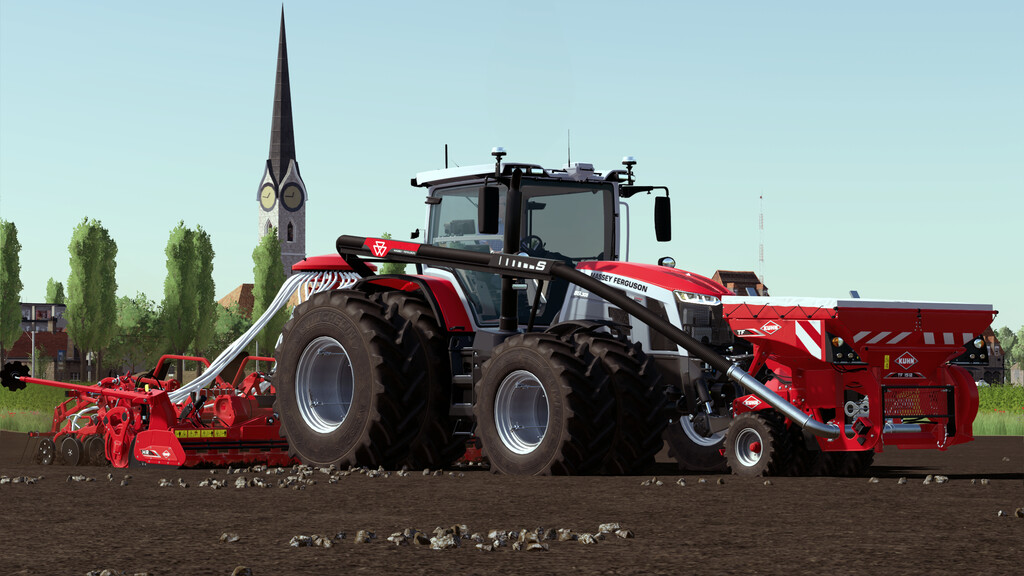
Massey Ferguson 8S Special Edition v 1.0

A new era of reliable, easy-to-use tractors by Massey Ferguson.
A range of tractors that marks a new beginning, the MF 8S Series.
Specifications:
– Manufacturer: Massey Ferguson
– Models: Serie 8S
– Power: 205 à 305 HP
– Max speed: 50 kph
– Base price: 192000 $
EDITION:
– Standard (*)
– 175th anniversary (8S265 and 8S305) (**)
– Lunar Edition (based on the agritechnica 2019 concept, 8S305) (***)
OPTIONS:
– 7 tyre brands and 67 different configurations (*, **)
– Option cibi antenna and GPS(*, **, ***)
– Choice of beacon lights (*, **, ***)
– Choice of front and rear mudguards and warning sign (*, **, ***)
– Choice of tinted windows (*, **)
– Option led flash (*, **, ***)
– Cabin finish (grey or black) (*)
– Horn option (*, **, ***)
– Frontloader (*, **, ***)
– Option crop sensor isaria (*, **, ***)
– Border on wide wheels (*)
– Controllable trailers attachers (with mouse button middle)
– Controllable exterior mirror (with mouse button left)
– All editions are equipped with a multi-tone horn supplied with 4 melodies.
Melody 1 (with right mouse button Y-axis, or keyboard shortcut)
Melody 2 (with right mouse button X-axis, or keyboard shortcut)
Melody 3 (with right and left mouse button X-axis, or keyboard shortcut)
Melody 4 (with right and left mouse button Y-axis, or keyboard shortcut)
I strongly recommend using keyboard shortcuts rather than the mouse.
Colour configuration:
– Body (*)
– Wheel border (*)
– Grid (*)
– Cabin carpet (*, ***)
– Rims (*)
Bandit36FR
Farming Simulator 22
How do I install Farming Simulator mods?
Find a mod that you like and want to download first. Then, on your PC, download a mod. Mods are typically in.zip format. However, it is sometimes in.rar format. If the mod file is in.zip format, no additional actions are required. If a file is in.rar format, you must unarchive it using software such as WinRar or Zip7. Windows 10 users do not need to use archive software; Win10 includes an unarchive feature.
The next step is to locate the mods folder on your computer. It is typically found in Documents/My Games/Farming Simulator [Your FS game version, e.g. 2022]. Open the "mods" folder and place the downloaded.zip archive or unarchived.rar file there.
The final step. Have fun with Farming Simulator mods!