

Mercedes Zetros Ziegler GTLF v 1.1

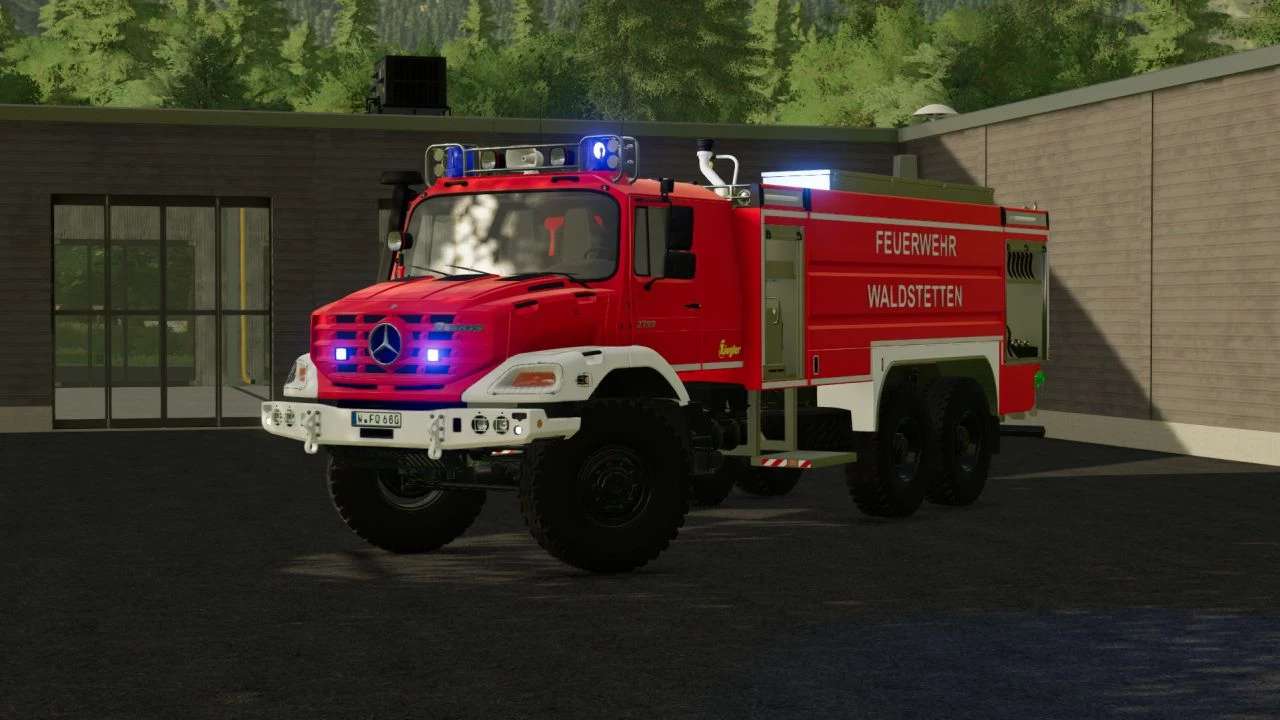
Mercedes Zetros Ziegler GTLF v 1.1

Features:
– Working water cannon
– Blue light
– Ambient lighting
– Roller shutters via Simple IC
– Illuminated speedometer + symbols
– Numerous configurations
– Configurable license plates
– Passenger Seats (only available with the Kubota DLC)
Ziegler logo configuration:
– Yellow
– White
Compressed air horn configuration:
– Old
– New
Blue light configuration
– Rotating mirror
– Nova LED
Front flasher configuration
– BSX
– BST
Version 1.1:
* Added Skin configuration (Waldstetten / Mittelberg Decal)
* Added Translations (DE, EN)
* Added Water tank (9000L)
* Added Emergency Pack functions
* Added Emergency Pack monitor function
* Added Interactive Control
* Added Animated door steps (back)
* Added Dirt on some parts (WIP)
* Added Blue light via standard functions
* Fixed Outdoor camera no longer rotates into the ground/vehicle
* Improved High beam (now press Ctrl + F)
* Improved Vehicle scaling
* Improved Indoor camera position
* Improved Ladder Animation
* Removed Multiple Materials (Performance improved)
* Removed Simple IC
* Removed Pressluft Configuration (due to Emergency pack)
* Removed Light Extension
* Other small improvements
SoSi-Modding
Farming Simulator 22
How do I install Farming Simulator mods?
Find a mod that you like and want to download first. Then, on your PC, download a mod. Mods are typically in.zip format. However, it is sometimes in.rar format. If the mod file is in.zip format, no additional actions are required. If a file is in.rar format, you must unarchive it using software such as WinRar or Zip7. Windows 10 users do not need to use archive software; Win10 includes an unarchive feature.
The next step is to locate the mods folder on your computer. It is typically found in Documents/My Games/Farming Simulator [Your FS game version, e.g. 2022]. Open the "mods" folder and place the downloaded.zip archive or unarchived.rar file there.
The final step. Have fun with Farming Simulator mods!