

Modular HUD v 1.0

Modular HUD v 1.0

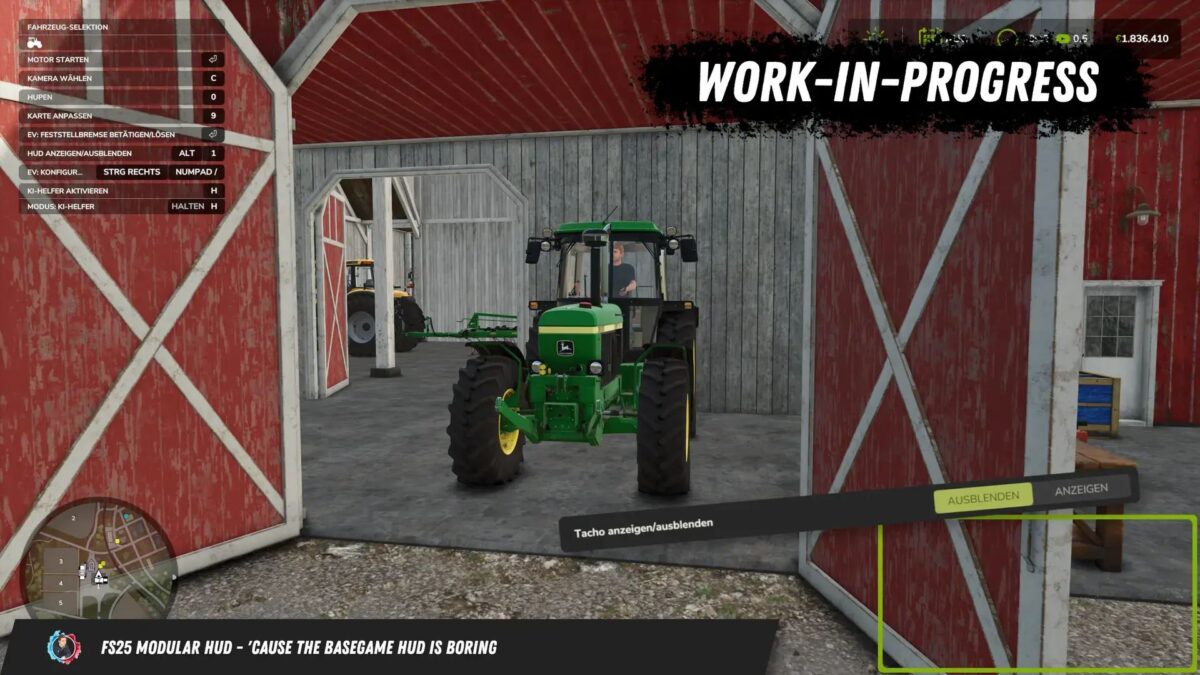
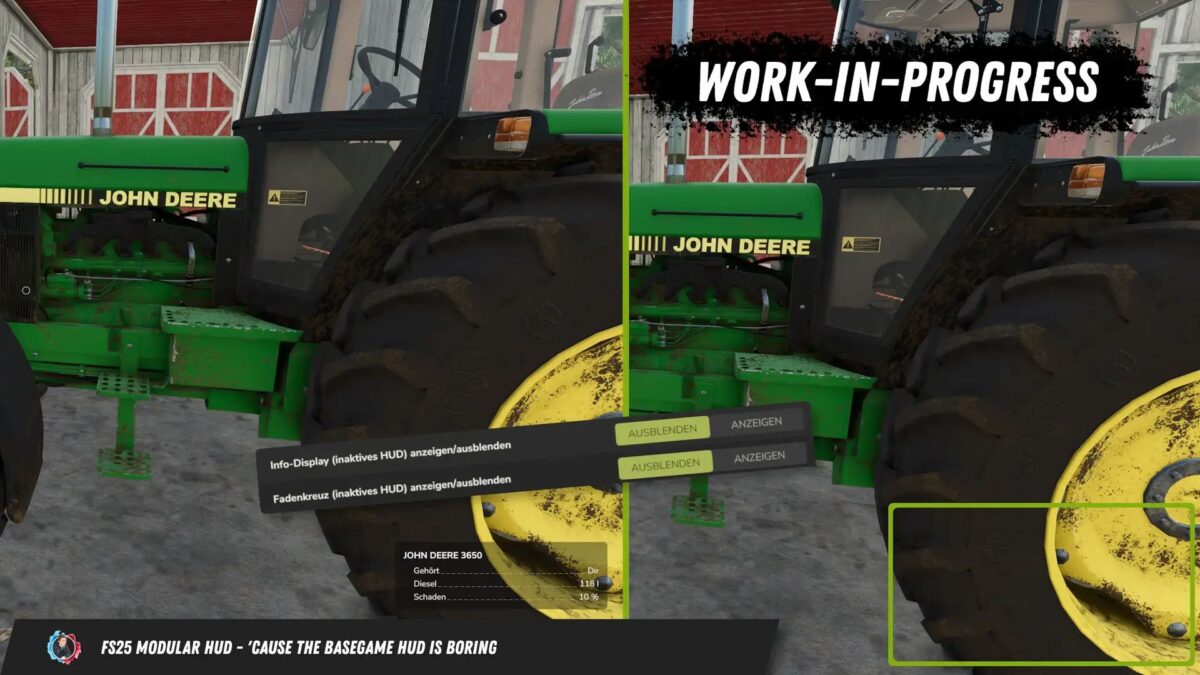
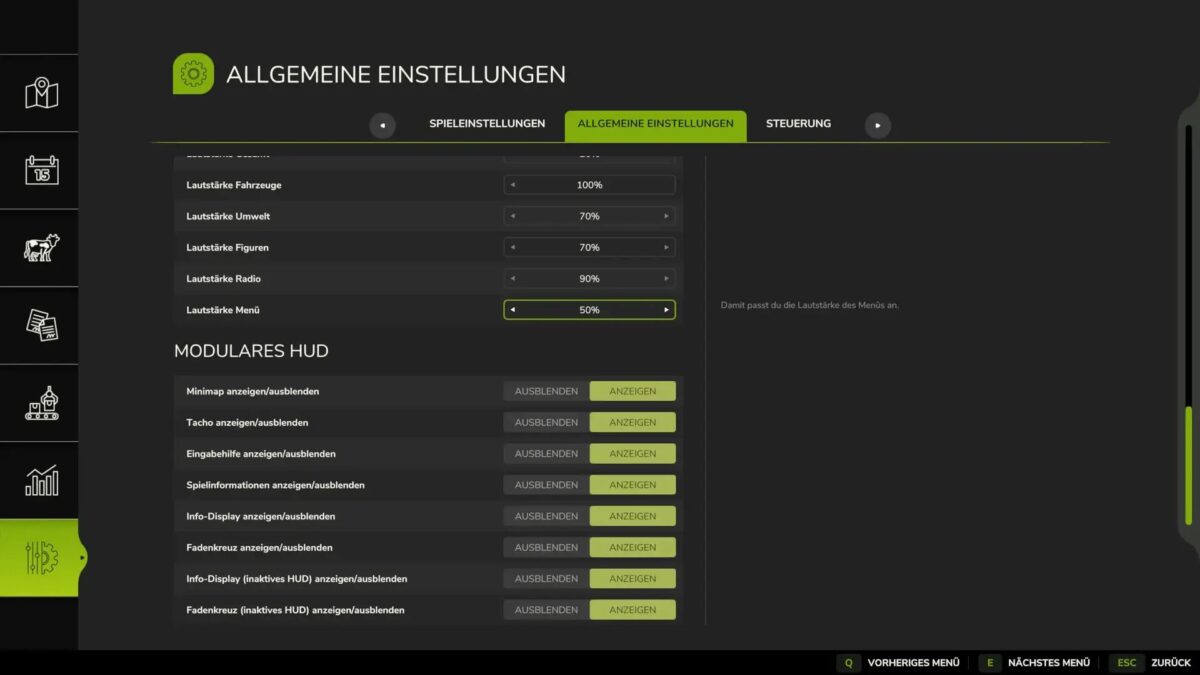
This script allows you to change the HUD in the game. Individual elements of the HUD can be shown and hidden.
Which elements to hide can be configured in-game in the general settings under “Modular HUD”.
It is also possible to show and hide the HUD using the “Alt + 1” key combination.
The AutoDrive and Courseplay HUDs are not hidden as the mods themselves provide the ability to show and hide their own HUD.
The ModularHUD interface has been added for modders who want to add their own elements to the HUD.
This allows you to add and manage your own elements to the HUD.
BayernGamers
How do I install Farming Simulator mods?
Find a mod that you like and want to download first. Then, on your PC, download a mod. Mods are typically in.zip format. However, it is sometimes in.rar format. If the mod file is in.zip format, no additional actions are required. If a file is in.rar format, you must unarchive it using software such as WinRar or Zip7. Windows 10 users do not need to use archive software; Win10 includes an unarchive feature.
The next step is to locate the mods folder on your computer. It is typically found in Documents/My Games/Farming Simulator [Your FS game version, e.g. 2022]. Open the "mods" folder and place the downloaded.zip archive or unarchived.rar file there.
The final step. Have fun with Farming Simulator mods!