

Rolland Turbo Classic 27-40 v 2.0

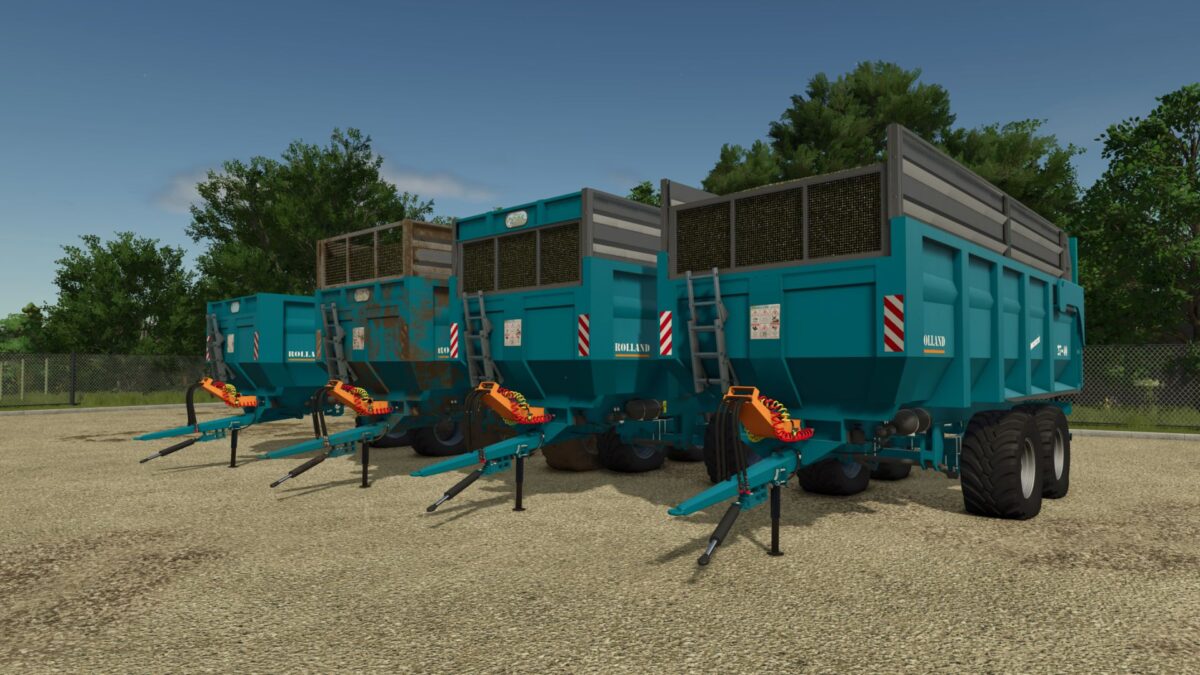
Rolland Turbo Classic 27-40 v 2.0

Capacity configuration
Without drop side – 21,000 L or 27m3
Silage sideboard – 32000L or 40m3
Tire configuration whatever brand choice
Trelleborg
Michelin
Nokian
BKT
Each tire has its ”wide or normal” mount
What’s on the Rolland
steering axles locking in reverse
rotating beacon
imat plate
What changes from Framing Simulator 22
removal of the grain sidewall.
body lengthen slightly including the chassis with.
case slightly also stretches upwards for a more voluminous appearance
tyre set brings a little more to the center of the chassis for more balance at the body and relieves the rear axle of the tractor recessed visibility window now in the body
Version 2.0:
* Addition of steering axle cylinder (trailer/tractor) with support
* Reflections/additions/visuals spiral air brake pipes, Yellow and Red
* Addition of rear anti-underride bar (removal of mud flap)
* Decorative scale change
* New BKT Fl630 Super tire mount
* Safety decals reissued, and manufacturer’s plate added
* Rotating beacon shifted behind the underbody frame
* New silage sideboard configuration: high rack sideboard, low rack board, low rack only
HugoGlm
How do I install Farming Simulator mods?
Find a mod that you like and want to download first. Then, on your PC, download a mod. Mods are typically in.zip format. However, it is sometimes in.rar format. If the mod file is in.zip format, no additional actions are required. If a file is in.rar format, you must unarchive it using software such as WinRar or Zip7. Windows 10 users do not need to use archive software; Win10 includes an unarchive feature.
The next step is to locate the mods folder on your computer. It is typically found in Documents/My Games/Farming Simulator [Your FS game version, e.g. 2022]. Open the "mods" folder and place the downloaded.zip archive or unarchived.rar file there.
The final step. Have fun with Farming Simulator mods!