

Rosenbauer RT ELHF v 1.2

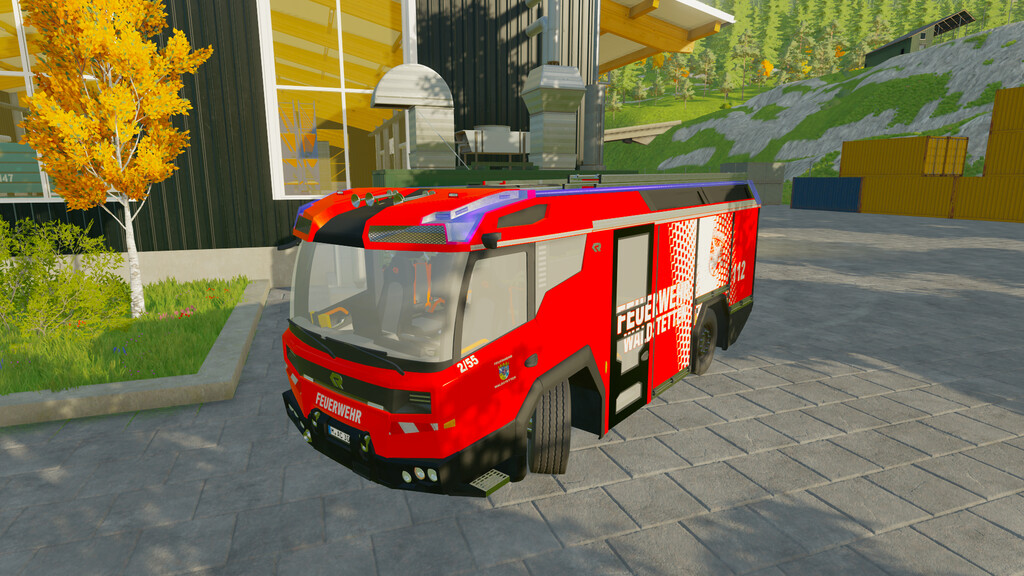
Rosenbauer RT ELHF v 1.2

The Rosenbauer RT eLHF is a brand new firefighting vehicle designed specifically for use in high-risk operations and difficult conditions.
It is equipped with state-of-the-art technology and a wide range of features to help firefighters do their jobs more effectively and safely.
The RT ELHF’s cab can accommodate up to six firefighters and is equipped with the latest technology to ensure a safe and comfortable ride.
The seats are ergonomically designed and provide a good view of the road and the area of operation.
The air conditioning and ventilation system ensure a comfortable temperature and air quality, even under extreme conditions.
The RT is equipped with animated doors, gates and a light pole.
The blue light and horn can be activated manually during an emergency drive.
Functions:
– Fold out light mast: Button (X)
– Activate horn: Key (Right mouse)
– Activate blue light: Key (POS1)
– Control of doors, gates and ladders via mouse (see F1 menu) or via IC.
– Special setting options for steering behavior to be active in any terrain
The following store options are available:
– Selection of the foliation
– Selection of blue light brightness
Price: 854.900 $
Power: 132 kW (375 PS)
Category: “Vehicles – Miscellaneous
Loading among other things with:
– Power generator
– High-performance fan
– Power saw
It is recommended to use Interactive Control, but it is not mandatory. (PC only)
Remark:
Unfortunately, it is not possible for us to integrate the entire range of functions of the FS22 Emergency Pack from Creative Mesh into the electric fire defense. This is due to the fact that our mod was created at a time when the Emergency Pack did not yet exist and therefore some basic requirements are not met. We ask for your understanding.
Version 1.2:
* Added Reel holder at the rear for Emergency Pack reels
* Added Additional ambient lighting as 3rd light level
* Added Emergency Pack note in description
* Changed High beam to Ctrl+F
* Changed F1 icon from tractor to truck
* Updated some objects moved to extra i3d
* Fixed Horn button and configurations in description corrected
SoSi-Modding, nrxEcki
Farming Simulator 22
How do I install Farming Simulator mods?
Find a mod that you like and want to download first. Then, on your PC, download a mod. Mods are typically in.zip format. However, it is sometimes in.rar format. If the mod file is in.zip format, no additional actions are required. If a file is in.rar format, you must unarchive it using software such as WinRar or Zip7. Windows 10 users do not need to use archive software; Win10 includes an unarchive feature.
The next step is to locate the mods folder on your computer. It is typically found in Documents/My Games/Farming Simulator [Your FS game version, e.g. 2022]. Open the "mods" folder and place the downloaded.zip archive or unarchived.rar file there.
The final step. Have fun with Farming Simulator mods!