

T-150K Pack v 2.1

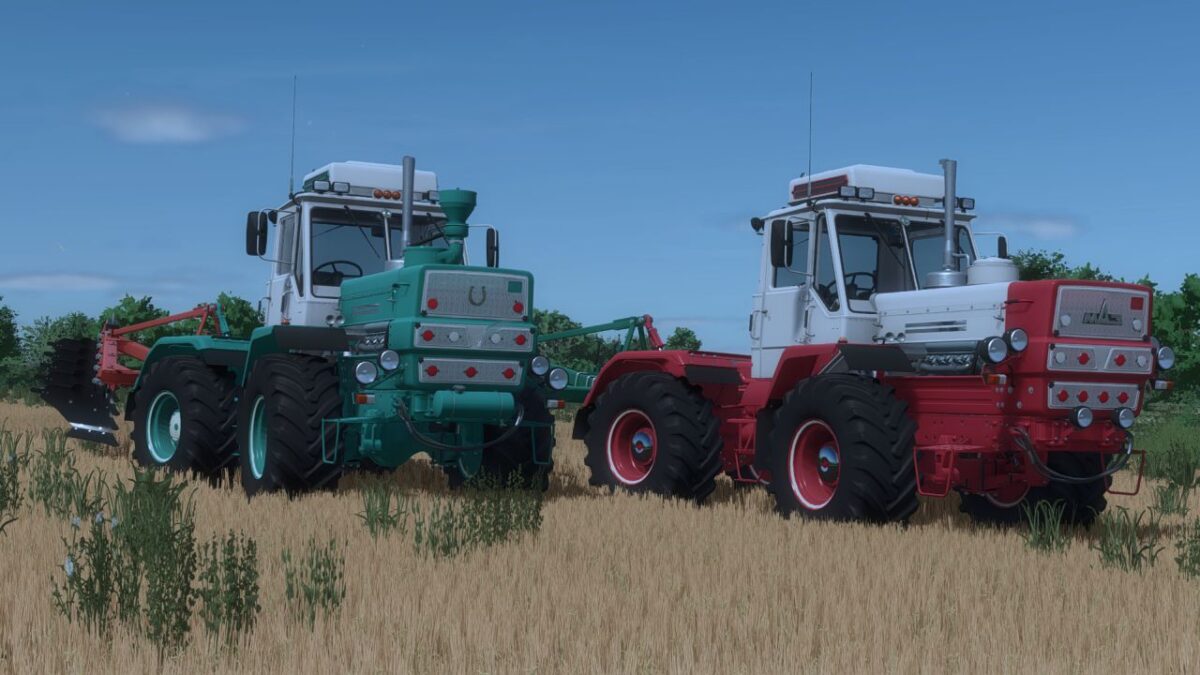
T-150K Pack v 2.1

Pack has 2 tractors of the KhTZ plant
T-150k YaMZ 236
T-150K YaMZ 238
24 design configurations
Wheel brand
Choice of wheels
Selection of exhaust pipe
Choosing a car train
Selection of working light, front, back, additional
Selection of foot dimensions
Selection of mudguards
Choice of mirrors
Choice of footboards
Choice of air filter, conditioner, external and internal accessories, choice of stickers
Choice of rear fenders, side fenders, hinges.
14 color configurations, namely:
The color of the hood, cabin, hood covers, upper shields, middle shields, mesh, air filter, hood caps, frame, wings, hand washer, instrument panel, rim color and side covers
The pack supports interactive control and supports multiplayer.
Version 2.1:
* Fixed the warning
AgroFermaUA, FarmWorks, Derezovsky
How do I install Farming Simulator mods?
Find a mod that you like and want to download first. Then, on your PC, download a mod. Mods are typically in.zip format. However, it is sometimes in.rar format. If the mod file is in.zip format, no additional actions are required. If a file is in.rar format, you must unarchive it using software such as WinRar or Zip7. Windows 10 users do not need to use archive software; Win10 includes an unarchive feature.
The next step is to locate the mods folder on your computer. It is typically found in Documents/My Games/Farming Simulator [Your FS game version, e.g. 2022]. Open the "mods" folder and place the downloaded.zip archive or unarchived.rar file there.
The final step. Have fun with Farming Simulator mods!